
Caroling Guide: Performing on stage

About
OverviewCaroling! is a voice-chat singing game where up to twelve players take the stage to perform solos or duets, earn votes from the crowd, and climb the leaderboards.
What is on this page
Contents
Player notes and tips
Found a useful trick? Share it with everyone! Notes with screenshots are welcome!
Write a guide note
Caroling!🌲 [VC ONLY🎤]
Performing on stage
Step
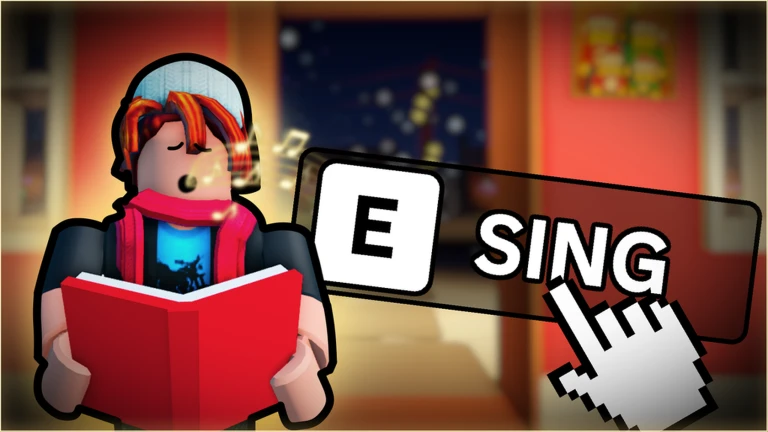
After joining, head to the stage and choose how you want to perform. There are more than 380 songs in the lineup, and you can pick whichever suits you for either format.
- Choose solo or duet decide whether you want to perform alone or invite another player to join you
- Sing a duet performing with a second player earns you the Sing a Duet! badge
- Finish your performance the crowd votes on what they heard, and your leaderboard position updates based on those votes
- Win the contest your first contest win earns you the First Win! badge
MetaNew Player Survey

The next survey is being prepared.
Votes, encores, and leaderboard position
TipsThe leaderboard ranks performers by votes received. When you are in the audience, voting for singers you enjoy keeps the show going and is part of how the game is meant to be played.
- Every vote you receive from the crowd pushes your rank higher on the Caroling leaderboard
- Receiving or purchasing an encore earns you the Encore! badge
- When you are watching from the audience, vote for performers you like to help choose the winner
Coins, presents, and holiday cosmetics
Summary
Coins are the in-game currency. Spend them on presents to receive cosmetic items that let you customise how you appear and interact in the game.
- Coins earned by playing; used to open presents
- Chat tags cosmetic unlocks found inside presents
- Wallpapers another cosmetic type available from presents
- Door effects a third cosmetic category you can unlock
- Mystery Presents special presents containing rare and exclusive rewards
Badges worth knowing about
TableThe table below shows each badge and how to unlock it.
| Badge | How to unlock |
|---|---|
| Welcome! | Join the game for the first time |
| Sing a Duet! | Perform on stage with another player |
| First Win! | Win your first contest |
| Encore! | Receive or purchase an encore |
| Meet a Developer! | Encounter one of the game's developers in a session |
| Be Cool! | Earn this badge for being cool |
Glossary
Glossary- Voice Chat (VC)
- Roblox's real-time microphone feature, required to participate in Caroling!
- Duet
- A performance format where two players take the stage and sing together at the same time.
- Encore
- An extra performance opportunity after your main slot, which you can either receive or purchase.
- Mystery Present
- A present whose contents are hidden until you open it, containing rare and exclusive rewards.
- Caroling Leaderboard
- The ranking system that orders performers by the number of votes they have received from the crowd.
Common questions
FAQCan I play without a microphone?
No — Caroling! is a voice-chat-only game.
How many songs can I choose from?
There are more than 380 songs available. You can pick any of them for a solo or a duet performance.
How do I win a contest?
Earn votes from the crowd during your performance and climb the Caroling leaderboard.
How many players can be in one room?
Up to twelve players can join a single session.
Game updates can change what is on this page. If you spot something, get in touch and let us know.
