
Make a Army Guide: Basic loop from first placement to first win
About
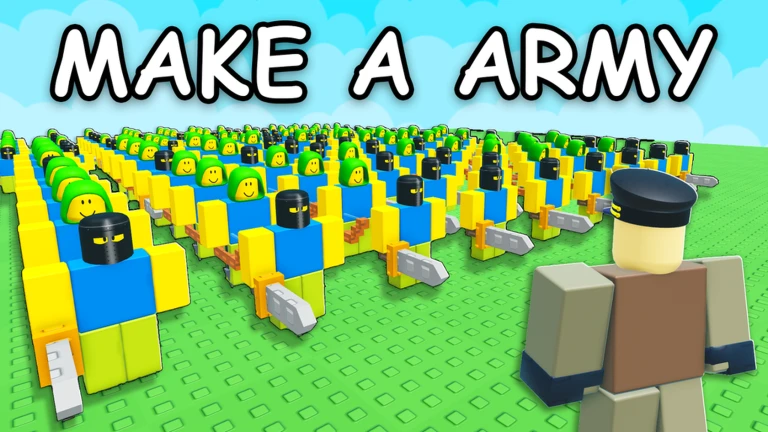
OverviewMake a Army! is a Roblox strategy game where you build your own army, place troops in formation, and send them to attack enemy bases. Your army keeps fighting even when you close the game, so progress builds up whether you are playing or not. This guide covers how to get started, how to grow your forces, and how to work toward the game's milestones.
What is on this page
Contents
Player notes and tips
Found a useful trick? Share it with everyone! Notes with screenshots are welcome!
Write a guide note
Make a Army! ⚔️
Basic loop from first placement to first win
Step
When you load in for the first time, your main job is to get troops on the field and hit the attack button. Winning a fight earns resources, and resources pay for upgrades.
- Place your troops
position them strategically across your base.
- Launch the raid
press the attack button to send your army at the enemy.
- Collect resources
after the fight, gather what you earned.
- Spend on upgrades
put resources into individual units or your overall design level before the next attack.
MetaNew Player Survey

The next survey is being prepared.
Offline progress and when to log back in
TipsThe offline attack feature means time away from the game is never wasted. Resources and kill counts accumulate on their own, and logging in regularly lets you turn that stockpile into stronger troops.
- Open the game and collect everything the army earned while you were away before spending anything.
- Close the game before you go to sleep so the offline timer runs during a long gap.
- Offline play also builds your kill count and distance totals, which count toward the game's milestones.
Unit upgrades versus design level
TableYou have two places to put your resources: upgrading specific units or raising the design level of your whole base.
| Unit upgrades | raise the attack power of specific troops. |
| Design level | lifts the performance of your entire base and is needed to unlock new troops. |
| New troops | bring special abilities into your formation, so check what each one does before adding it. |
Building a strong formation
CheckPlacement matters because each unit has its own attack style and special ability.
- Check the special ability of any newly unlocked unit before you slot it into your formation.
- Consider stacking the same unit type in one area to concentrate firepower on a single threat.
- Up to six players can share a room.
Kill and distance milestones
SummaryTracking your progress toward these milestones gives you a clear sense of how far you have come. Because your army fights offline, both counters climb even when you are not actively playing.
- First kill
the starting point for the kill-count track.
- 100 kills
the second kill milestone.
- 1,000 kills
the third kill milestone.
- 10,000 kills
the top kill milestone.
- 100 distance
the starting point for the distance track.
- 1,000 distance
the mid-point of the distance track.
- 10,000 distance
the top distance milestone.
Glossary
Glossary- Design level
- The overall level of your base, which raises general performance and can unlock new troop types.
- Resources
- The currency you earn from winning fights and from offline attacks, used to upgrade units and raise your design level.
- Offline attack
- The automatic fighting your army does while the game is closed, earning resources and building your kill and distance totals without any input from you.
- Formation
- The arrangement of troops across your base before you press the attack button.
Common questions
FAQMy troops keep losing. What should I do first?
Upgrade both individual units and your design level. Log in after a break to collect offline resources and put them into upgrades before your next attack.
How do I make progress on the kill and distance milestones without grinding?
The offline attack feature does most of the work for you — both counters go up while the game is closed. Log in regularly to collect resources and upgrade your troops so they fight more effectively offline.
Game updates can change what is on this page. If you spot something, get in touch and let us know.
