
Pixels Build NO COMBAT Guide: First steps when you join
About
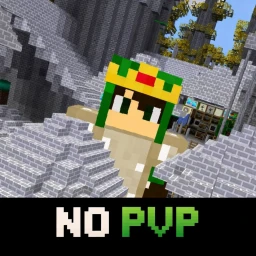
OverviewPixels is an open-world sandbox game where you mine materials, build a home, and explore a never-ending world — all without any combat or PvP. This guide covers how to get started, how to earn and spend coins, how to make the most of multiplayer, and how to switch to the combat version if you ever want it.
What is on this page
Contents
First steps when you join
Step
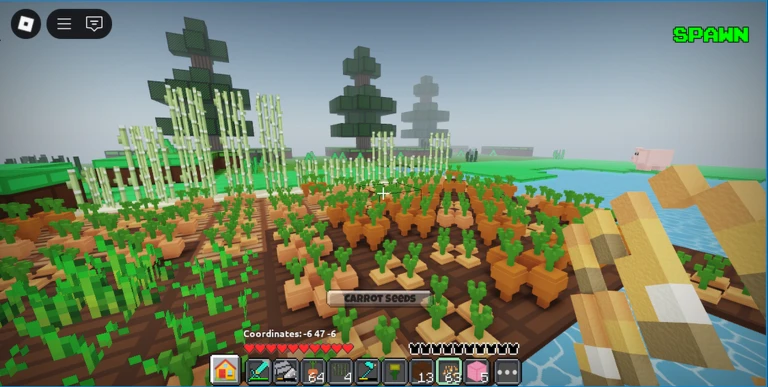
When you first load in, your inventory is the control centre for everything. Start there, set up your home, then head out into the world to gather materials.
- Open your inventory this is where you access your home and manage your items.
- Pick a spot for your home once you place blocks inside it, they are saved forever no matter which server you are on.
- Head into the world the map never ends, so there is always new ground to cover.
- Start mining dig up dirt, stone, wood, sand, and other materials as you explore.
- Keep playing coins come in automatically every minute you spend in the game.
How your home and blocks are saved
TipsOne of the biggest things to understand in Pixels is that your home is not tied to a single server. You can hop between servers and your home looks exactly the same every time.
- Access your home through the inventory.
- Every block placed inside your home saves automatically — you never need to do anything extra.
- Friends can see your home even if they are on a different server.
Earning and spending coins
SummaryCoins are the main currency in Pixels. You earn them just by playing, which means mining and exploring also fill your wallet over time.
- Passive income one minute of play earns you coins automatically.
- Shop spend coins on items from the fully stocked in-game shop.
- Group membership costs 15,000 coins to join, and you need to rejoin the game after paying.
Mining different materials
CheckMining is one of the core activities in Pixels. The world stretches on without a border, meaning you can always push further to find new materials.
- Dirt is one of the materials you can mine from the ground.
- Stone is available to dig up as you explore.
- Wood can be gathered from the environment.
- Sand is another collectable material in the world.
- Other materials beyond these four also exist in the world.
Playing with others
TipsPixels supports up to fifteen players on a single server. Because your home and items save regardless of which server you are on, teaming up with friends is easy — just join the same server and get to work.
- Up to 15 players can share the same server at once.
- Friends can work together on large construction projects.
Switching to the combat version
WarnThe version of Pixels you are in right now has no fighting, no damage, and no PvP. If you want to try the combat version, the switch is built right into the game.
Glossary
Glossary- Coins
- The in-game currency that builds up automatically every minute you play, used to buy items from the shop or to join the group.
- Inventory
- The menu you open to access your home, manage your items, and find the button to switch to the combat server.
- Mining
- The act of collecting materials such as dirt, stone, wood, and sand from the open world.
- Group
- An optional membership you can join for 15,000 coins, which requires you to rejoin the game after purchasing.
- No PVP
- A server setting that removes all combat and player-versus-player damage, making the game completely peaceful.
Common questions
FAQWill my blocks disappear if I leave the server?
No. Every block inside your home is saved permanently. It does not matter which server you join next — your home will look exactly the same.
Can I play with my friends?
Yes. Up to fifteen players can be on the same server at the same time. Just join the same server as your friends and you can mine, explore, and build together.
How do I join the group, and what does it cost?
It costs 15,000 coins to join the group. After you pay, you need to rejoin the game for the membership to take effect.
Is there any fighting in this version of Pixels?
There is no combat, no damage, and no PvP in this version. If you want the combat experience, open your inventory and use the button there to switch to the combat server.
Game updates can change what is on this page. If you spot something, get in touch and let us know.
