
JK Stars Battlegrounds- — Core controls on PC
About
OverviewJK Stars Battlegrounds is an anime-style PvP fighting game where up to 15 players battle in the same room using punches, dashes, blocks, and powerful ultimate abilities. This guide covers the controls for every device, the stronger moves worth learning, and how to work toward the game's kill-count badges.
What is on this page
Contents
Core controls on PC
Step
Every fight on PC starts with the same building blocks. Left-click to throw a punch, press Q to close distance or dodge, and hold F when an attack is coming in to block it.
- Punch tap M1 to hit your opponent at close range.
- Uppercut hold M1 and press and hold Space at the same time.
- Dash press Q to move quickly toward or away from an enemy.
- Side Dash hold A or D, then press Q to dash to either side.
- Back Dash hold S, then press Q to retreat quickly.
- Block hold F to defend against incoming attacks.
High-damage moves worth using
Tips
Once you are comfortable with basic punches, these two moves can change the outcome of a fight. The Downslam takes a short sequence to pull off. The Ultimate is a single button that unleashes the most powerful attack available to you.
- To Downslam, punch three times with M1, then jump, then press M1 again while falling.
- Press G to activate your Ultimate and deal more damage than any normal attack.
- The Emote Wheel is bound to B but is still a work in progress.
Kill-count badges and how to reach them
Table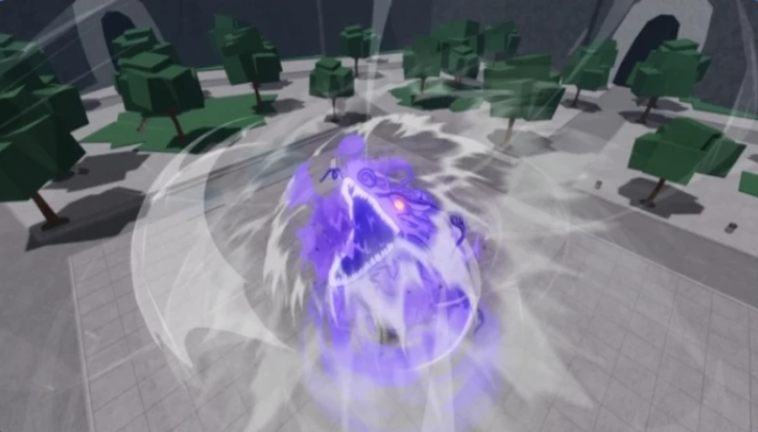
Each badge unlocks when your total kills across all sessions hits the number listed. You do not need to reach the count in a single match.
| Badge | Kills required |
|---|---|
| Baby Steps | 1 |
| Head First | 10 |
| A Natural | 100 |
| Sharpshooter | 1,000 |
Fixing missing combat buttons on mobile
Step
If you open the game on a phone or tablet and the combat buttons are not on screen, the fix is straightforward. You need to reset the button layout twice, with a rejoin in between.
- Open Settings find the settings menu while you are in the game.
- Tap Reset Buttons this clears the current button layout.
- Rejoin the game leave and come back so the reset takes effect.
- Tap Reset Buttons again a second reset after rejoining restores all combat buttons.
Other badges to keep in mind
Tips
Not every badge is tied to your kill count.
- Welcome To JK Stars Battlegrounds unlocks automatically the very first time you play.
- Meet The Owner unlocks if you spot the game's owner in a session.
Glossary
Glossary- M1
- Left mouse button on PC, used to throw a basic punch.
- Dash
- A quick burst of movement triggered by Q.
- Block
- A defensive move held with F.
- Downslam
- A move performed by punching three times with M1, jumping, then pressing M1 again while falling.
- Ultimate
- The strongest available attack, activated with G.
- Kill count
- Your running total of opponents defeated across all sessions, used to unlock the kill-based badges.
Common questions
FAQWhich devices can I play on?
JK Stars Battlegrounds runs on PC, mobile, and console.
How many players can be in one room?
Up to 15 players can join the same room.
Mobile buttons missing — how do I fix it?
Go to Settings, tap Reset Buttons, rejoin the game, then tap Reset Buttons again.
Game updates can change what is on this page. If you spot something, get in touch and let us know.
