
LifeTogether RP Guide: First steps for new players
About
OverviewLifeTogether RP is a roleplay game where you build a life from scratch — find a job, earn money, buy a house, and share it all with friends. This guide covers everything from your first minutes in the game through expanding your household, picking the right job, troubleshooting common problems, and staying safe while you play.

What is on this page
Contents
Player notes and tips
Found a useful trick? Share it with everyone! Notes with screenshots are welcome!
Write a guide note
LifeTogether 🏠 RP [UPDATE!]
First steps for new players
Step
When you first join, you have no house and no money, so finding work is your immediate priority. Once you have a steady income, you can save up and purchase a house, which becomes the base for everything else — family roleplay, decorating, living with friends, and more. There are no enemies to fight and no finish line to cross, so set yourself a simple first goal and work toward it.
- Check spawn for tools
pick up the XSHOT Blitz Hammer at the spawn point or through the tools app.
- Get your bearings
walk around the spawn area to spot the park, shops, roads, and places where you can put down a house.
- Learn the phone menu
the five sections to focus on first are avatar, house, vehicles, items, and LifeSnap.
- Find a job
look around the game world for available work and take one to start earning in-game pay.
- Buy a house
once you have enough money, purchase a home to give yourself a proper base.
- Invite friends
once you have a house, you can bring friends in as family and the roleplay possibilities multiply from there.
MetaNew Player Survey

The next survey is being prepared.
Choosing the right job
Table
The game has multiple jobs, each with different pay and time demands. Playing alongside friends in the same workplace is also part of the fun.
| High-pay jobs | better if you log in every day and play for longer stretches. |
| Shorter-shift jobs | a better fit if you drop in casually and do not want to commit long sessions. |
| Friend-focused jobs | some workplaces let you roleplay with colleagues, which adds a social layer beyond just the paycheck. |
| Job variety | trying different jobs over time lets you experience more of what the game has to offer. |
Expanding your life after buying a house
Tips
Once you own a home, several new things open up. Before you invite anyone over, check the front door, rooms, furniture, and garage so you know how everything works. Then you can shape the space, grow a household, and use LifeSnap to make your in-game life feel more real.
- Invite a friend as a family member to unlock roleplay like parenting, siblings, and shared household life.
- Decide in advance how you want to arrange the space
treat different areas as a living room, bedroom, or kitchen before moving furniture around.
- Adopt and raise pets as part of your household to add another layer to family roleplay.
- Customise your furniture and decorations to make the house feel like your own space.
- Use LifeSnap, the in-game phone app, to take photos and add sounds as memories of your roleplay moments.
- Avoid inviting strangers into your home
if someone makes you uncomfortable, switch locations or move to a different server.
Roleplay sessions with friends
Tips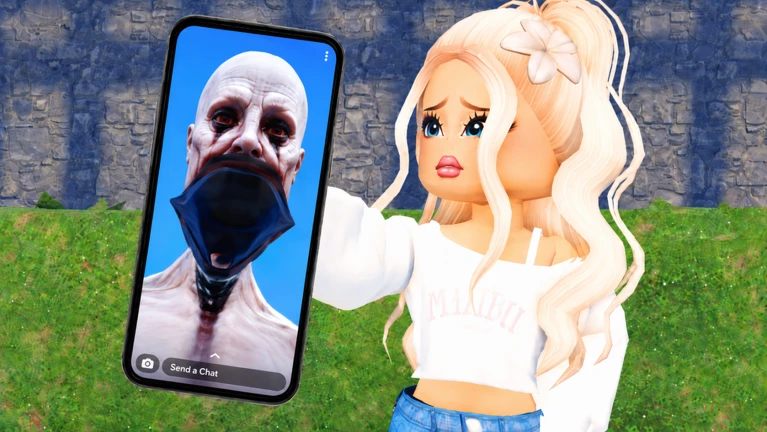
The core appeal of LifeTogether RP is shared roleplay. You do not need a detailed script — just a basic setup and some agreed roles. Here are some scenario ideas and habits that keep sessions running smoothly.
- Settle on a simple scenario before you start
a family dinner, a pet care day, a school run, a shopping trip, or a joint work shift all work well.
- Assign family roles in advance so everyone knows their place in the household from the beginning.
- Try a shop scenario
split into staff and customers and act out the exchange.
- Use LifeSnap together to capture shared moments, including sounds as well as photos.
- Use in-game chat to keep the roleplay going between actions.
- Never push a role or scenario on someone who is not comfortable with it
if they say no, move on to something else.
Getting unstuck — common problems
CheckIf progress feels slow or something stops working, run through these checks before giving up.
- Money not growing check whether a higher-paying job is available and consider switching.
- Vehicle or house not appearing close the menu, move to a different spot, rejoin, then try a different server if it still fails.
- Game running slowly lower the graphics quality in settings.
- Menus not responding close and reopen the menu, or move to a quieter area of the map.
- Too crowded to practise switch to a less busy server or a friends-only session so you have space to learn.
Getting around — vehicles and the map
Tips
Vehicles are available through the phone menu. Getting comfortable with movement early makes the rest of the game much easier to navigate.
- Bring out a vehicle in an open area first and practise slowly before driving into crowded spots.
- Use landmarks
the road, park, shops, and waterfront — to build a mental map as you drive.
- Slow down around other players; going fast in a busy area disrupts their roleplay.
Staying safe while you play
WarnLifeTogether RP is an all-ages game on Roblox, which means players of all ages share the same servers.
Free-to-play and what it means here
SummaryThe fundamental loop of working, saving, buying a house, and roleplaying with friends does not require purchases. There are also ten working redeem codes tracked by this site — enter them through the in-game menu for free rewards.
- Core gameplay
fully available without spending real money.
- Shared costs
living with a friend and earning together is possible within the free game.
- Redeem codes
enter each code once per account through the in-game menu; this site tracks the current working ones.
 9L6I3LI
emo/goth boy outfit
BU4FC9E
pink brat outfit
EC1NH9A
teen baddie outfit
VD8QT6A
teen baddie outfit 2
Glossary
Glossary- Roleplay (RP)
- Playing as a character and acting out a fictional life within the game world.
- Family system
- A feature that lets you invite friends into a family relationship so you can roleplay as parents, children, or siblings together.
- LifeSnap
- An in-game phone app that lets you take photos and add sounds to capture moments from your roleplay.
- In-game pay
- The currency you earn by working a job inside the game, used to buy houses, furniture, and other items.
- Co-living
- When two or more players share the same house, roleplaying as housemates or family.
- XSHOT Blitz Hammer
- A tool available at the spawn point or through the tools app when you start the game.
- Spawn point
- The location where you land when you first load into the game.
- Phone menu
- The main in-game menu covering your avatar, house, vehicles, items, and LifeSnap.
- Private server
- A dedicated session where only invited players can join, useful for roleplaying with a closed group.
- Occupation roleplay
- Taking on a job role such as police officer, firefighter, or shop worker and acting it out with other players.
Common questions
FAQHow do I start earning money as a beginner?
Find a job in the game world and start working it for regular pay. Consistent play builds your savings until you can afford a house. If money is growing too slowly, check whether a higher-paying job is available and consider switching.
Can my friend and I live in the same house?
Yes. Invite a friend using the family system and they can move into your home.
Do I need to spend real money to enjoy the game?
No. Every core feature — jobs, housing, the family system, LifeSnap, and pet ownership — is accessible without real-money purchases.
Can I keep a pet in the game?
Yes. You can add a pet as part of your household using the family system. Looking after a pet is its own roleplay activity within the family setup.
Where do I enter codes?
Codes can be entered through the in-game menu. Each code can only be redeemed once per account.
Is there a winner in LifeTogether RP?
There is no win condition or finish line. You set your own goals — buying a house, raising a family, trying every job — and play at your own pace. Deciding on a simple scenario before each session helps give your play time direction.
What do I do if a stranger asks me to roleplay as a partner or family member?
You are always allowed to say no. If the person keeps pushing, reduce contact and use the block and report tools. Moving to a different server is also a quick way to put distance between yourself and the situation.
What should I do if a stranger shows up at my house?
If they seem friendly and you are comfortable, you can interact with them. If their behaviour makes you uncomfortable, you are not obliged to engage — move to a different spot, or switch servers.
Is the game playable on a phone?
Yes, the game works on mobile, though the smaller screen can make menus and vehicle controls feel a little cramped at first. Start in a quiet area and test your house, a vehicle, and a few items one at a time before heading into busier parts of the map.
How many players can be in one server?
One server holds up to 28 players. Busier servers can get crowded around houses and roads, so if you are still learning the controls, a quieter server gives you more room to practise.
Game updates can change what is on this page. If you spot something, get in touch and let us know.
