
Operations: Siege Guide: How a round works
About
OverviewOperations: Siege is a 5v5 tactical first-person shooter where an attacking team and a defending team fight over an objective in under three minutes. This guide covers how rounds work, how to use your operator and loadout, and how to improve as you rank up through the game's leveling and seasonal systems.
What is on this page
Contents
Player notes and tips
Found a useful trick? Share it with everyone! Notes with screenshots are welcome!
Write a guide note
[SEASON 5] Operations: Siege
How a round works
Step
Every round has a three-minute clock. Attackers push toward the objective and try to complete or destroy it, while defenders try to hold it until time expires. Results across multiple rounds decide which team wins the overall match.
- Pick your side
know whether you are attacking or defending before you choose your operator, since each role calls for different abilities.
- Find the objective
check the map at the start of the round so you know exactly where to push or where to anchor.
- Track the clock
attackers need to stay aggressive because time running out is a defender victory, not a draw.
MetaNew Player Survey

The next survey is being prepared.
Cameras and map control
Tips
Cameras are one of the most powerful tools in the game for both sides. Knowing where enemies are before they reach you is the difference between a clean hold and a surprise wipe.
- Defenders should place cameras on walls and ceilings near the objective, using angles that cover blind spots.
- When a camera spots an enemy, call out the position to your teammates immediately rather than acting on it alone.
- Attackers should destroy defender cameras before pushing the objective so the defending team loses sight of their approach.
Operator selection and loadout setup
Check
Each operator carries a unique ability, so a team where everyone picks for a different role will cover more situations than a team that doubles up. Your loadout — weapons and attachments — should match your role.
- Check that your team is not stacking the same operator; spread roles across the five players.
- Use gadgets and utilities to gain an advantage on the playing field.
- Use unique operator abilities to secure a victory.
Leveling up and seasonal ranks
Summary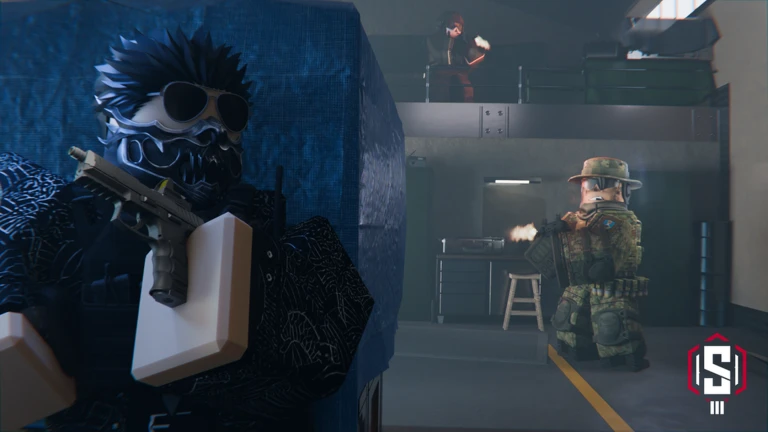
Player level runs from 1 to at least 100, with titles marking each milestone. Seasonal ranks are separate and reset with each season; Season 4 ran from Iron through Elite.
- Level 10 (Trainee)
first leveling milestone, marks that you have started the grind
- Level 30 (Veteran)
cleared for missions according to the game's own badge text
- Level 50 (Tactician)
the point where other players start following your lead
- Level 100 (Elite)
the top permanent level badge the game currently awards
- Iron through Elite (Season 4)
the six seasonal rank tiers, from first steps to squad-leading precision
- Season 5 (Shadowed Trail)
the current season as of the game's published description
Tips for new players
Tips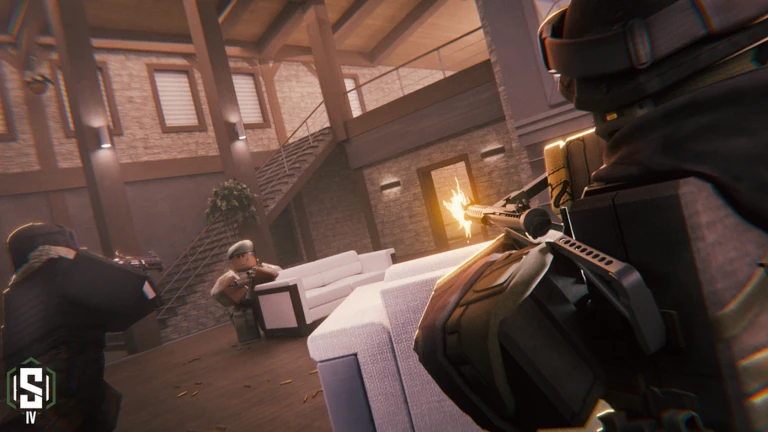
The gap between a new player and a high-level one is mostly map knowledge and operator familiarity.
- Follow your teammates rather than going solo
coordinated pushes and holds win rounds.
- PC and console are fully supported; mobile is in a testing phase, so play on PC or console for the most stable experience.
Glossary
Glossary- Operator
- A playable character with a unique ability that shapes how you attack or defend during a round.
- Objective
- The target on the map that attackers must complete or destroy and defenders must protect within three minutes.
- Breach
- Using a breaching tool to destroy a wall or floor and open a new route to the objective.
- Loadout
- Your chosen combination of weapons and attachments, tailored to your role.
Common questions
FAQWhat happens if the time runs out before the attackers complete the objective?
The defending team wins that round. Attackers need to reach and complete the objective before the three-minute clock hits zero.
Is Operations: Siege playable on mobile?
Mobile is currently in a testing phase. PC and console are fully supported.
Game updates can change what is on this page. If you spot something, get in touch and let us know.
