
Urban Moto Guide: Choosing your first bike
About
OverviewUrban Moto puts you on electric and gas dirtbikes in an open city where you can race courses, hit obstacles, and pull tricks like wheelies. This guide covers bike selection, controls for every platform, and how to get the most out of the trick system.
What is on this page
Contents
Choosing your first bike
Tips
At the start you choose between an electric bike and a gas bike. Either choice gives you full access to all the city's areas, courses, and tricks.
- Electric and gas bikes both support the full trick list and gear system.
- You are not locked out of any course or feature by your choice.
MetaNew Player Survey

The next survey is being prepared.
PC controls
Table
Every control you need on PC has a dedicated key.
| W | drive forward |
| S | brake |
| A / D | turn left or right |
| E | shift up, Q — shift down |
| P | hard brake and park |
| Numbers 1–9 | tricks, Left Ctrl — wheelie |
Console and mobile controls
Table
The console layout maps gear changes to the face buttons and tricks to the D-pad. Mobile players see a touch controller on screen that mirrors this setup.
| Left joystick | steer and wheelie |
| Y / Triangle | shift up |
| X / Square | shift down |
| RB / R1 | hard brake and park |
| D-pad buttons | tricks |
| Mobile | on-screen UI replicates the console controls |
Redeem codes
Step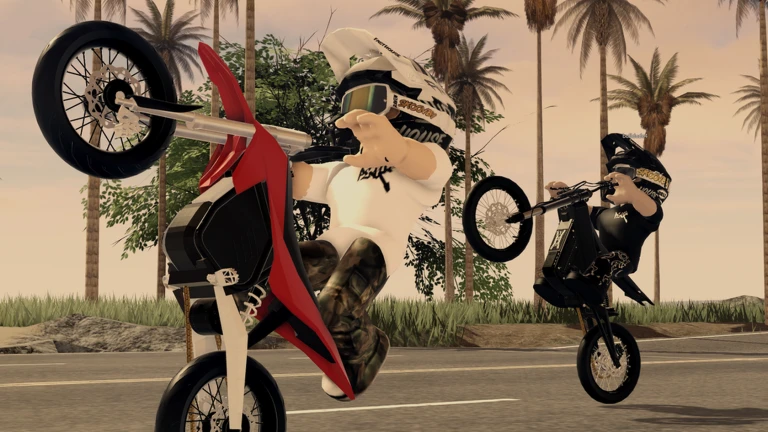
Urban Moto has a code redemption system that rewards you for entering valid codes. Each code works only one time per account, and some codes expire after a set period.
- Paste your code type or paste the code string exactly as it appears.
- Do not reuse codes once a code is redeemed on your account, entering it again will not work.
Community strategy ideas
CommunityThese ideas and tips come from people playing the game. Share your discoveries too!
No strategy ideas yet. Share a tip you discovered.
Share a strategy idea
Urban Moto 🏍️🌆
Glossary
Glossary- Wheelie
- A trick where you lift the front wheel and ride on the rear wheel only — triggered with Left Ctrl on PC or the left joystick on console.
- Gear
- The speed level of your bike; shifting up increases speed, while shifting down gives you more control for tricks and tight turns.
- Hard brake
- A stronger stop than the regular brake, also used to park the bike — mapped to P on PC and RB / R1 on console.
Common questions
FAQDoes it matter which bike I pick at the start?
No. Both electric and gas bikes let you ride every course, use every trick, and access the full city.
How do I do tricks on mobile?
Mobile uses an on-screen touch controller that works the same way as the console layout. The D-pad area on screen triggers tricks, and the left joystick area handles steering and wheelies.
Can I explore the city freely, or do I have to follow courses?
You can ride anywhere in the city, not just on marked courses.
Why isn't my code working?
Codes can only be used once per account and some have expiry dates. If the code has already been redeemed on your account or has expired, it will not work again.
Game updates can change what is on this page. If you spot something, get in touch and let us know.
