
The Chosen One but i made it Guide: First steps after joining

About
OverviewThe Chosen One but i made it (TCOBIMI) is a Roblox admin-command sandbox where the player with the most time in a server becomes The Chosen One and gains full admin powers. This guide covers how the timer works, how to use commands, how to build maps, and how to earn badges and chat tags.
What is on this page
Contents
Player notes and tips
Found a useful trick? Share it with everyone! Notes with screenshots are welcome!
Write a guide note
The Chosen One but i made it
First steps after joining
Step
When you join, the main menu appears before you enter the game. Take a moment here — there is useful information on screen before you even start playing.
- Read the tutorial
press the Tutorial button on the main menu and go through the basics before anything else.
- Check the ticker
the scrolling message bar at the bottom of the menu displays genuine gameplay tips alongside jokes.
- Press Play
this closes the menu and drops you into the server.
- Open the command list
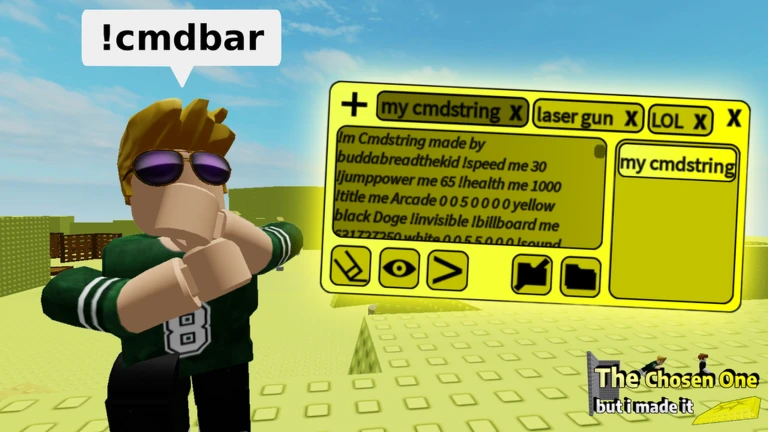
type !cmds in chat to bring up a full GUI of every command available to your rank.
- Get help on a specific command
type !help followed by the command name to see its parameters and description.
MetaNew Player Survey

The next survey is being prepared.
How The Chosen One rank works
Summary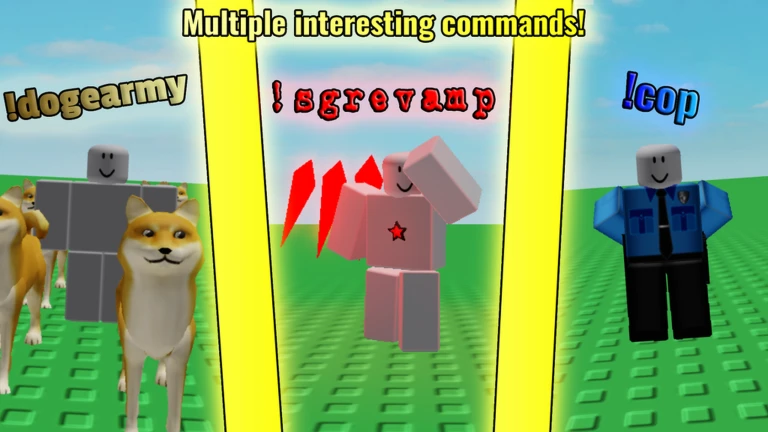
Every second you spend in a server adds one second to your timer. Whoever holds the highest timer value at any moment is automatically The Chosen One and receives rank 2, which opens up the full command set. You can hide or show your timer by pressing the button in the bottom-left corner of the screen, going into the Visual category, and toggling the Timer option.
- Rank 0 (Nonadmin)
what every new player starts at; access to a small set of GUI commands only.
- Rank 1 (Mod)
a middle tier with access to most commands, but not map commands or the ability to promote others.
- Rank 2 (The Chosen One)
held by the player with the highest timer; grants all commands except those that kick players from the server.
- Donate command
The Chosen One can run !donate to give their own timer time to another player.
- Timer display
can be toggled off through the Visual settings if you prefer a cleaner screen.
Using commands
Tips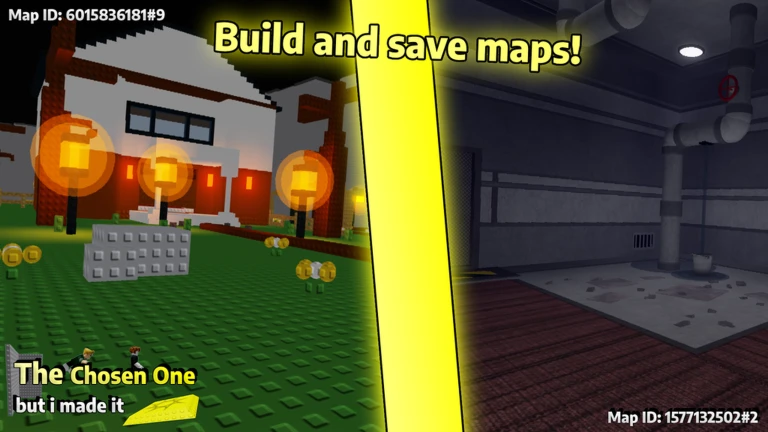
Commands follow the format: your prefix (default !) followed by the command name and any values it needs. Grey commands in the !cmds list are ones your current rank cannot use yet, but they are still shown so you know they exist. There is also an invisible 20-second cooldown after any command runs — during that window, further commands do not count toward usage tallies.
- Type !cmds to open the full command GUI, complete with a search bar and a most-popular section.
- Type !help followed by a command name to read its parameters without leaving the game.
- Use !kill all, !jail all, or !dogearmy as quick examples to see how the target field works.
- Change your prefix with the !prefix command if ! conflicts with something else.
- If chat itself is broken, press the { button in the corner of your screen and use the talk command instead.
- Run !clean to remove all NPCs, loose items, and leftover objects when a server gets cluttered.
Keywords — values that work inside any command
CheckKeywords do not need a prefix and can be placed inside other commands. When the command runs, each keyword is swapped out for its current value. They are split into prefixes, suffixes, expressions, and miscellaneous groups — type !keywords to see the full list in-game.
- mydisplay replaced with your current Roblox display name when used inside a command like !talk or !announce.
- rng(min/max) picks a random whole number between the two values you set.
- chosen... targets The Chosen One, useful for commands you want to auto-aim at whoever holds the rank.
- repeat 'amount' 'cmds' end runs a command a set number of times in sequence.
- playercount returns how many players are currently in the server.
- Use the musicid command to find the ID of whatever song is currently playing.
Building and saving maps
Tips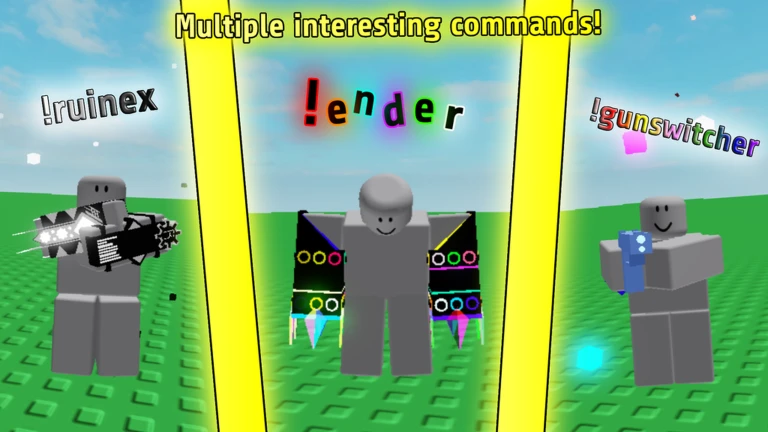
TCOBIMI doubles as a building sandbox. Commands like !btools and !addpart let you construct environments that other players can load and favorite. Once you have built something you want to keep, saving it is a single command.
- Use !btools to get the F3X Building Tools, which handle most standard construction work.
- Use !addpart to spawn a single configurable part with control over color, size, shape, material, and whether it is anchored or collidable.
- Use !functions for more complex builds that go beyond what basic tools support.
- Save your map by typing !savemap
this earns you the Builder badge on your first save.
- Players can favorite maps through the Savedmaps menu; getting three favorites on one map earns the First Recognition badge, and reaching the top 61 most-favorited maps earns Top Creator.
- An in-game ticker tip explicitly says not to use !partbuilder for building.
Badges and the tags they unlock
Table
There are nine TCOBIMI badges in total. Several of them permanently unlock a chat tag you can equip from the button in the bottom-left corner of the screen. Equip or hide a tag at any time — they have no effect on gameplay.
| Badge | How to earn it | Unlocks a chat tag? |
|---|---|---|
| THE PLAYER | Read the tutorial, then join a public server without becoming The Chosen One | No |
| THE ADMIN | Become The Chosen One | No |
| AWAKENING OF THE REAPER | Fully max out the Scythe tool | Yes |
| COLD BLOODED MURDERER | Get 200 kills with the Knife tool | Yes |
| YOU MET THE OWNER | Join a server while Blacklightsy, the game's owner, is also in it | Yes |
| BUDDA DING THE WINNER | Reach the top of the TCOBIMI Steeple without cheating | Yes |
| BUILDER | Save a map for the first time using the !savemap command | No |
| FIRST RECOGNITION | Get 3 favorites on at least one of your saved maps | No |
| TOP CREATOR | Have a map reach the top 61 most-favorited maps | Yes |
Things that will get you in trouble
WarnKnowing what counts as a punishable offence — and when to simply leave — will save you headaches.
Glossary
Glossary- The Chosen One
- The player in a server with the highest accumulated timer value, who automatically holds rank 2 and can use the full command set.
- Timer
- A counter that adds one second for every second you spend in a server, determining who becomes The Chosen One.
- Prefix
- The symbol you type before a command name to trigger it; the default is !, but you can change it with !prefix.
- Keyword
- A special word that requires no prefix and automatically replaces itself with a live value when used inside a command.
- Nonadmin
- Rank 0, the starting rank every player receives, with access to only a small set of GUI commands.
- Chat tag
- A label that appears next to your username in chat, unlocked mainly by earning badges and equippable from the bottom-left menu.
- Ticker
- The scrolling message bar at the bottom of the main menu that shows tips, jokes, and occasional genuine hints about commands.
- Savedmaps menu
- The GUI opened with !savedmaps where players can browse, load, and favorite community-created maps.
Common questions
FAQWhy can't I use certain commands?
Commands are restricted by rank, and grey entries in the !cmds list are ones your current rank cannot access. If chat itself is not working, press the { button in the corner of your screen and use the talk command to type instead.
How do I become The Chosen One?
Stay in the same server longer than everyone else. Your timer ticks up one second per second, and the moment yours is the highest in the server, you automatically receive rank 2 and the full command set.
What is the SG: Blacklight's Edition side mode, and does it affect the main game?
It is a separate wave-survival subplace. Clearing Wave 30 with enough damage unlocks two extra commands back in the main game, and clearing Wave 60 with enough damage unlocks a permanent command and a chat tag. You must join before Wave 11 for the Wave 30 badge, and before Wave 16 for the Wave 60 badge.
Game updates can change what is on this page. If you spot something, get in touch and let us know.
