
Ready, Draw Guide: The three game modes

About
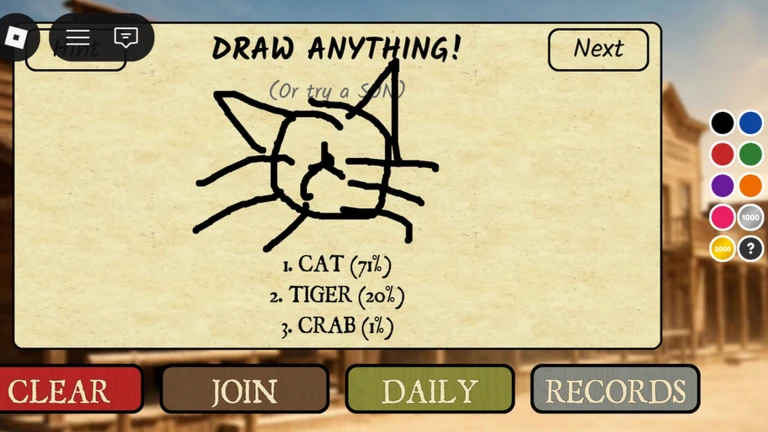
OverviewReady, Draw! [SMARTER] gives you a word and a canvas, and your job is to draw it fast enough for an AI to recognise it before the timer runs out. Up to 200 players can compete in the same room at once.
What is on this page
Contents
The three game modes
Table
Every session starts by picking a mode. Each one suits a different reason for playing.
| Arena | compete against other players to see who can get the AI to recognise the same word fastest |
| Practice | draw at your own pace using daily words or random words, with no timer pressure |
| Leaderboards | check the top players across hourly, daily, and all-time records |
MetaNew Player Survey
The next survey is being prepared.
How a round works
Step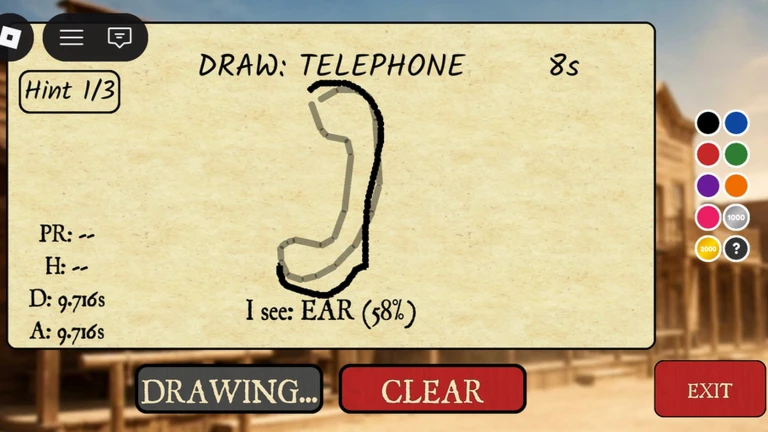
Each round follows the same sequence. The AI is a neural network that reads your drawing in real time, so keep drawing and adjusting until it gets it right.
- Read the word a single word appears on your screen at the start of the round
- Start drawing use your mouse or touchscreen to draw that word on the canvas
- Watch the AI the neural network analyses your drawing as you go
- Finish before the clock hits zero if the AI names the word correctly before time runs out, the round is cleared
Using the Hint button
Tips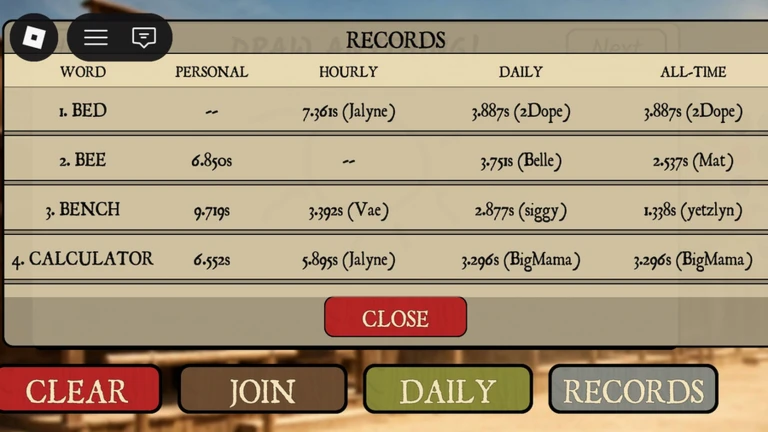
When a word has you stumped, the Hint button puts a Ghost Drawing on the canvas. Tracing those lines gets your drawing close enough to what the AI expects.
- Press the Hint button when you are unsure how to draw the word
- A Ghost Drawing appears as faint lines on the canvas
- Trace over the ghost lines with your own strokes
- This works especially well for buildings and other complex shapes
Unlocking the Eraser Tool
WarnRight now there is no eraser on the canvas. To help unlock it, tap the Like button inside the game. Once the game hits 1,000 likes in total, the Eraser Tool becomes available to all players automatically.
Glossary
Glossary- Neural Network
- The AI that watches your drawing in real time and tries to name what it sees.
- Ghost Drawing
- A faint outline that appears on the canvas when you use the Hint button, giving you lines to trace.
- Arena
- The competitive mode where up to 200 players race to draw the same word and get the AI to recognise it first.
- Daily Words
- A set of words available in Practice mode that changes every day.
Common questions
FAQHow many players can be in one room at the same time?
Up to 200 players can join a single room.
What should I do when I have no idea how to draw the word?
Press the Hint button to bring up a Ghost Drawing on the canvas. Trace the faint lines it shows and the AI will have a much easier time recognising your drawing.
Why can't I find the Eraser Tool?
The Eraser Tool is still locked. It unlocks for every player automatically once the game reaches 1,000 likes. Hit the Like button inside the game to help reach that goal.
Is there a way to play without competing against others?
Yes — select Practice mode. You can draw daily words or skip through random words, with no other players racing against you.
Game updates can change what is on this page. If you spot something, get in touch and let us know.
