
 Upcoming
–
Game guide
Clean Everything Guide: Controls for every platform
Is this game fun?1 votes
Fun 100%1Average 0%0Not fun 0%0
About
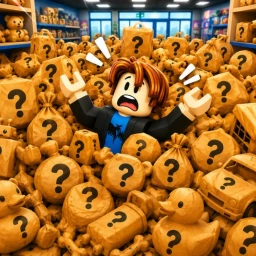
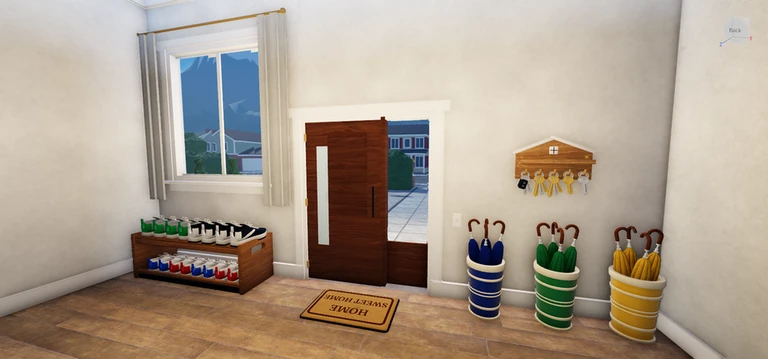
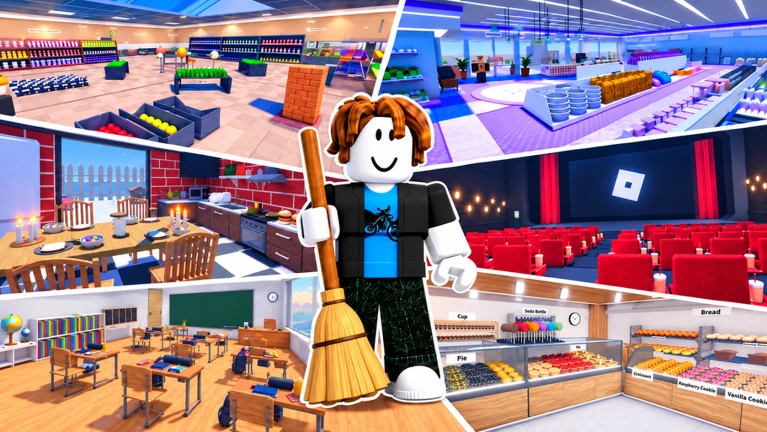
OverviewClean Everything is a Roblox tidying game where stores are buried in scattered items and your job is to sort every last one back onto the correct shelf. Five locations — Toy Store, Pet Store, Bakery, Restaurant, and School — are waiting to be cleaned, and you can tackle them solo or with friends.
What is on this page
Contents
Player notes and tips
Found a useful trick? Share it with everyone! Notes with screenshots are welcome!
Write a guide note
[RESTAURANT] Clean Everything
01
Controls for every platform
Table
In short
The controls differ between platforms, so check yours before you start sorting.
Clean Everything runs on PC, mobile, and console, and each platform has its own set of controls. The most important action is interacting — that is how you pick up and place every item.
| Interact | PC: E or left click | Mobile: tap anywhere | Console: RT |
| Drop | PC: Q | Console: B |
| Swap item | Console only: LT |
| Abilities | PC: 1 / 2 / 3 / 4 | Console: D-Pad | Mobile: on-screen buttons |
| Upgrades menu | PC: T | Console: Y |
| Shop | Console: X | Mobile: on-screen buttons |
✦ Player polls!
MetaNew Player Survey

The next survey is being prepared.
02
The basic sorting loop
StepIn short
Every store clears the same way: pick up a scattered item, find the shelf that matches it, and place it there until nothing is left on the floor.
Each store starts in total chaos, with hundreds of items spread everywhere.
- Pick it up
use your platform's interact control to grab it.
- Find its shelf
look for the shelf that already holds the same type of item.
- Place it
approach the correct shelf and interact again to set the item down.
- Finish the store
once every item is back in place, the store is clean.
03 Live and upcoming events
Events
Events running now or coming soon. They have fixed dates, so check them first.
Upcoming
–
04
Upgrades and abilities
TipsIn short
Spending your points on upgrades makes sorting faster and opens up special abilities you can activate mid-game.
Every time you match an item to its correct shelf you earn points. Those points are the only currency you need for upgrades, and everything in the upgrade menu can be bought this way without spending Robux. Open the upgrades menu with T on PC or Y on console, then choose what to buy.
Tips worth knowing
- Matching items to shelves is how you earn points.
- Upgrades can increase your sorting speed.
- Abilities you unlock are tied to the 1–4 keys on PC, the D-Pad on console, and on-screen buttons on mobile.
05
Playing with friends
SummaryIn short
Teaming up in a party gives you a speed boost for as long as your friends are present.
The game supports both solo and party play with no restrictions on either. Joining a party comes with a direct gameplay benefit. Progress saves either way.
- Solo play
all stores available, full progress saved automatically
- Party play
same stores and saves, plus a 10% walkspeed bonus per friend in your party
- Progress
auto-saves so you never lose upgrades or points
06
Rebirth and free-to-play notes
CheckIn short
The game is fully free to play, and rebirthing adds permanent point bonuses that carry forward.
You do not need to spend anything to reach every part of the game. Roblox Plus holders start each session with five extra points. Rebirthing lets you restart your progress in exchange for permanent bonuses that persist across future runs.
- All upgrades and abilities are purchasable with in-game points alone.
- Roblox Plus gives +5 starting points each session.
- Rebirth resets your current progress and grants permanent point bonuses that carry into future runs.
Glossary
Glossary- Match
- Placing a scattered item onto the shelf that holds the same type of item — this is the core action of every store.
- Points
- The in-game currency you earn by matching items; used to buy everything in the upgrades menu.
- Upgrade
- A purchased improvement that raises your sorting speed or unlocks a new ability.
- Ability
- A special action unlocked through upgrades, activated with the 1–4 keys on PC, the D-Pad on console, or on-screen buttons on mobile.
- Rebirth
- A reset of your current progress that rewards you with permanent point bonuses carried into all future runs.
- Party
- A multiplayer group; each friend in your party gives you a 10% walkspeed bonus.
Common questions
FAQDoes my progress save if I leave mid-game?
Yes. Progress saves automatically, so your points and upgrades will still be there when you come back.
Can I play all five stores from the start?
The five locations — Toy Store, Pet Store, Bakery, Restaurant, and School — are all available in the game.
Is Roblox Plus worth it for this game?
Roblox Plus gives you five extra points at the start of each session. The game is entirely playable without it.
What happens when I rebirth?
Rebirthing resets your current run but grants permanent point bonuses that carry into every future playthrough.
Updated Sep 11, 2026
Game updates can change what is on this page. If you spot something, get in touch and let us know.
Game updates can change what is on this page. If you spot something, get in touch and let us know.
