
IATS: Community Catalog Outfits Guide: First things to do when you join
About
OverviewIATS: Community Catalog Outfits is a Roblox game where you can browse, try on, and buy avatar outfits created by other players. Everything you purchase saves directly to your Roblox inventory, so you can wear those outfits in any Roblox experience. This guide walks you through earning badges, shopping smart, and getting the most out of your time in the game.
What is on this page
Contents
Player notes and tips
Found a useful trick? Share it with everyone! Notes with screenshots are welcome!
Write a guide note
IATS: Community Catalog Outfits
First things to do when you join
Step
The moment you enter the game, you earn the You joined! badge automatically. From there, three more badges are close at hand as long as you poke around the space.
- Join the game
you earn You joined! the instant you enter, no extra action needed.
- Find a chair and sit in it
sitting down unlocks the You sat on the chair! badge.
- Buy one item
completing your first in-game purchase earns you the First Purchase! badge.
- Look for the owner
if the developer I ate the soup is on your server at the same time, meeting them grants the You met the Owner! badge.
MetaNew Player Survey

The next survey is being prepared.
How outfit shopping works
Tips
The game is built around player-made avatar outfits, and the selection is wide. Because purchases go straight to your Roblox inventory, you can wear them in any other Roblox experience as well.
- Take your time browsing
the catalog is full of community-created outfits, so scroll through before settling on anything.
- Buy when you see something you like
purchases are saved to your inventory, so there is no need to come back later.
Earning the 30-minute badge
Check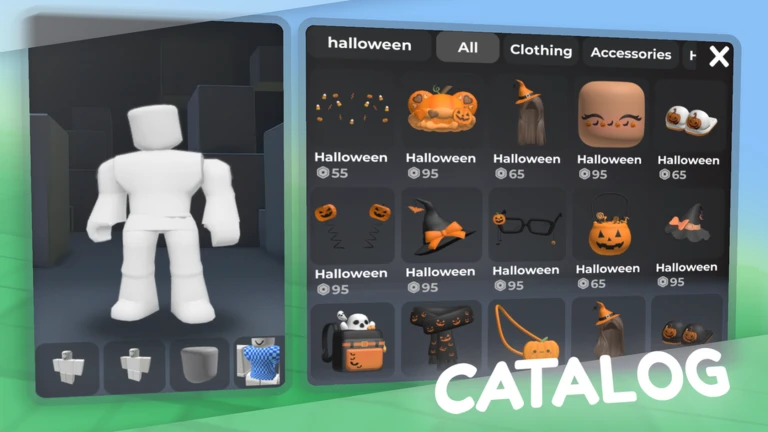
This badge simply requires you to remain in the game for thirty continuous minutes. Using that time to browse outfits makes the wait feel short.
- Stay in a single session leaving and rejoining can reset your progress toward this badge.
- Browse outfits while you wait going through the catalog outfit by outfit is an easy way to fill the time.
Getting perks through the official group
Summary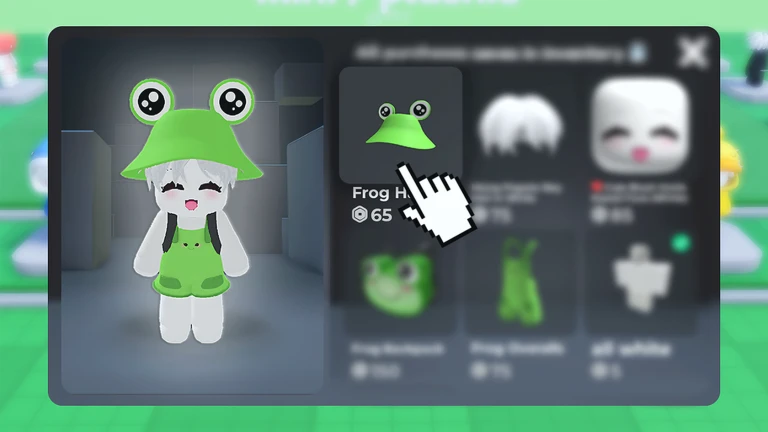
The game page points players toward the developer's Roblox group for future perks. You can find it by searching for I ate the soup in Roblox's group search.
- Official group
joining it is listed as the way to receive future perks.
- Liking the game
clicking the like button is described as a way to support more updates.
- Favoriting the game
adding it to your favorites also counts as support toward future development.
- Current status
the developer has noted the game is on an indefinite pause but hopes to return to it.
Glossary
Glossary- Community Catalog
- A collection of avatar outfits designed and submitted by players rather than by Roblox itself.
- Inventory
- The part of your Roblox account that stores everything you have purchased or earned, accessible across all experiences.
- Badge
- An achievement you earn by completing a specific action in a game, recorded permanently on your profile.
Common questions
FAQCan I use outfits I buy here in other Roblox games?
Yes. Every purchase you make in this game goes straight to your Roblox inventory. That means you can equip those outfits in any other Roblox experience just as you would anything else you own.
How do I get the owner badge?
You need to be on the same server as the developer, I ate the soup, at the same time.
Is the game still being updated?
The developer has said the game is on an indefinite hold. Liking and favoriting the game is mentioned as a way to show support and encourage a return to development.
Game updates can change what is on this page. If you spot something, get in touch and let us know.
