
 Live now
–
Live now
–
Game guide
Sol's RNG Guide: First steps after joining
Is this game fun?
No votes yet. Cast the first one.
About
OverviewSol's RNG is a luck-based collecting game on Roblox where you press Roll to win one of 400+ auras, then craft gear and drink potions to push your luck even further. This guide walks you through starting out, building up your gear, and getting past the moments where progress feels stuck.
What is on this page
Contents
01
First steps after joining
Step
02
Working codes
Codes
03
Early gear to craft
Summary
04
Live and upcoming events
Events
05
How auto-roll and aura filters work
Tips
06
Biomes and rare aura hunting
Check
07
When rare auras won't drop
Check
08
Quests and coins
Tips
09
Playing without spending Robux
Summary
10
Safety while playing
Warn
11
Glossary
Words
12
Common questions
FAQ
01
First steps after joining
StepIn short
Finishing the tutorial and fixing a few settings saves you from painful mistakes later.
The tutorial covers rolling, storing auras, visiting the quest board, and crafting gear — skip none of it. Once it ends, open settings and turn on the warnings for a full storage, deletions, and skips so you don't accidentally lose an aura you wanted. Enter any active redeem codes right away, since each code works only once per account and expires without notice.
- Complete the tutorial it teaches rolling, aura storage, quests, and gear crafting all in one go.
- Turn on warnings enable the full-storage, deletion, and skip warnings in settings before you do anything else.
- Enter redeem codes find the code box in the lobby or menu and paste each code in; you'll receive potion chests instantly.
- Join Sol's Studio group joining the developer's Roblox group unlocks the in-game auto-roll feature.
- Expand your storage aim for 20 to 30 slots early so auto-roll has room to save auras without stopping.
02 Working codes
Codes
 UPD20261017
Potion Chests×20、Rare Potion Chests×5
UPD20261017
Potion Chests×20、Rare Potion Chests×5
Potion Chests×20、Rare Potion Chests×5
UPD20261003
Crawler
GargantuaBiome
20 Potion Crates and 5 Rare Potion Chests
20 Potion Crates and 5 Rare Potion Chests
MetaNew Player Survey
The next survey is being prepared.
03
Early gear to craft
SummaryIn short
Build your right-hand gear first for luck, then add a left-hand piece to help your coin income.
Gear is crafted from auras you collect, and it raises your luck and roll speed permanently as long as you wear it. The tutorial walks you through making the Luck Glove and Lunar Device — these are your first right-hand pieces and a solid starting point. After those, your next right-hand targets are the Desire Glove and Frozen Gauntlet. Don't ignore your left hand either; the Jackpot Gauntlet sits there and helps bring in more coins as you grind.
- Luck Glove first right-hand gear, built during the tutorial.
- Lunar Device second right-hand gear, also built during the tutorial.
- Desire Glove next right-hand upgrade to aim for after the tutorial.
- Frozen Gauntlet right-hand option to pursue alongside or after the Desire Glove.
- Jackpot Gauntlet left-hand gear that boosts coin income while you roll.
- Exo Gauntlet / Windstorm Device longer-term right-hand targets once earlier gear is done.
04 Live and upcoming events
Events
Events running now or coming soon. They have fixed dates, so check them first.
Live now
–
05
How auto-roll and aura filters work
Tips
In short
Auto-roll and filters together let the game grind for you, but only if they are set up correctly.
Auto-roll keeps rolling on its own so you don't have to tap the button repeatedly. It only becomes available after you join the Sol's Studio Roblox group. Filters decide what happens to each aura you land on — you can set any aura to save, auto-equip, or skip. The filter setting takes priority over other auto-equip rules, so an aura marked skip will never sit in your storage no matter what your other settings say. Make sure any aura you actually want is not accidentally set to skip.
Tips worth knowing
- Join Sol's Studio on Roblox, then re-enter the game to activate auto-roll.
- Keep at least some free storage slots open or auto-roll will stall when the inventory fills.
- Check every aura you're hunting and confirm its filter is set to save, not skip.
- Never use third-party auto-click software — it can get your account banned.
06
Biomes and rare aura hunting
Check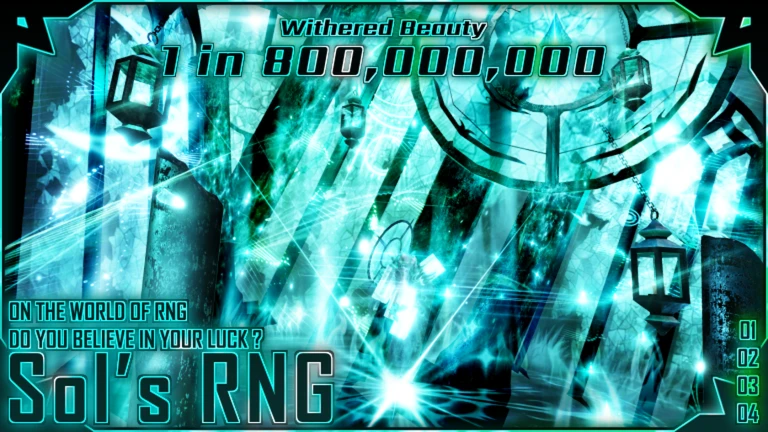
In short
Hunting a specific rare aura is much more efficient when you wait for its matching biome.
The map cycles through different biomes — rain, snow, sandstorm, and others — and each biome changes which auras can appear and at what odds. Every biome-specific aura has a native probability that applies only while that biome is active, making it noticeably easier to land than rolling for the same aura outside its biome. Rolling for a biome aura when the wrong biome is up counts as a breakthrough, and the odds are much harder.
- Identify which biome the aura you want belongs to before you start using luck potions.
- Wait for that biome to become active, then switch on auto-roll and pop your potions.
- Confirm your luck buffs are still running potions are timed and expire mid-session.
- Check that the Buffs Enabled setting in options is turned on so your gear and potions actually count.
- Verify the aura's filter is set to save so it lands in storage if you roll it.
07
When rare auras won't drop
Check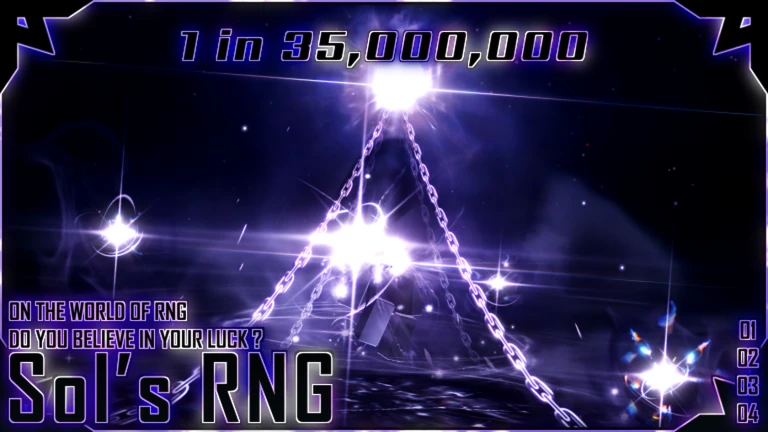
In short
Before blaming bad luck, run through this list — a setting is often the real problem.
A long dry streak without a rare aura can feel like pure bad luck, but a misconfigured setting is a surprisingly common cause. Work through the items below one at a time.
- Confirm your luck potions haven't expired their effect is timed and silently runs out.
- Open settings and check that Buffs Enabled is switched on, or your gear and potions do nothing.
- Look at your aura filter for the target aura and make sure it isn't set to skip.
- Check that your storage has free slots auto-roll won't save new auras to a full inventory.
- Verify each gear piece is in the correct hand right-hand gear in the left slot gives no benefit.
- Confirm the active biome matches the aura you're chasing; rolling outside the native biome makes the odds much harder.
08
Quests and coins
Tips
In short
Starting with one- and two-star quests keeps your progress steady without wasting storage or time.
The quest board gives out coins and items when you complete its conditions.
Tips worth knowing
- Start with one- and two-star quests so you can actually finish them and collect the reward.
- Press the claim button after completing a quest — the reward does not arrive automatically.
- Keep some basic potions in reserve for crafting recipes rather than drinking every one you own.
09
Playing without spending Robux
Summary
In short
Private servers are free and redeem codes add potion chests, so there is no paywall blocking the core game.
Rolling for auras, completing quests, and crafting gear are all free. Private servers cost nothing in Sol's RNG, so you can roll at your own pace in a quieter space without paying. Redeem codes hand out potion chests for free, giving you luck-boosting materials without spending Robux. Trading with other players also lets you fill gaps in your collection that grinding alone hasn't covered. Paid options like quick roll and VIP exist but are not required to reach rare auras.
- Free private servers roll at your own pace without sharing a server.
- Redeem codes each working code delivers potion chests at no cost.
- Trading swap auras with other players to get ones you haven't rolled yet.
- Core gameplay rolling, questing, and crafting are all available without paying.
10
Safety while playing
WarnIn short
Scams and third-party tools are the two biggest risks in this game — both are avoidable.
Trading is popular in Sol's RNG. Anyone promising free Robux, guaranteed rare auras, or asking you to log into an outside site is trying to take your account. If someone asks for personal information or your Roblox password, end the conversation and report them.
Worth watching out for
Never share your Roblox password or two-factor code with anyone, no matter what they offer in return.
Do not follow links to outside sites that promise free Robux or locked auras
these are scams.
Using third-party auto-click scripts or exploit tools can result in a permanent account ban.
Never give out personal details
school, address, or phone number — to players you meet in-game.
Glossary
Glossary- Aura
- A collectible visual effect that you win from rolling, with rarity ranging from common to extremely rare.
- Roll
- A single draw of the RNG that awards you one aura.
- RNG
- Short for Random Number Generation — the system that decides your roll result entirely by chance.
- Luck
- A stat that improves your odds of landing rarer auras, raised by gear and potions.
- Roll Speed
- How quickly the game moves from one roll to the next, raised alongside luck to grind faster.
- Auto-Roll
- An in-game feature that rolls automatically without button presses, unlocked by joining the Sol's Studio Roblox group.
- Aura Filter
- A per-aura setting that tells the game whether to save, auto-equip, or skip that aura when you roll it.
- Gear
- Equipment crafted from auras that permanently boosts luck, roll speed, coins, or other stats while worn.
- Right-hand gear
- The gear slot that primarily raises luck and roll speed.
- Left-hand gear
- The gear slot that supports coin income and bonus rolls.
- Potion
- A consumable item that temporarily boosts luck or roll speed, and can also be used as a crafting ingredient.
- Potion Chest
- A reward container holding potions, obtainable through redeem codes and gameplay.
- Biome
- A temporary map condition such as rain or snow that changes which auras appear and at what probability.
- Native probability
- The better drop chance that applies to a biome-specific aura when its matching biome is active.
- Breakthrough
- Rolling a biome-specific aura while the wrong biome is active, which carries much harder odds.
- Quest Board
- A board of tasks that reward coins and items when completed.
- Trade
- An exchange of auras or items between two players.
- Private Server
- A personal server instance that is free to use in Sol's RNG.
- Limbo
- A separate world with different rolling conditions, accessed through specific quests.
Common questions
FAQWhere do I enter redeem codes?
Find the code input box in the lobby or the in-game menu. Paste the code in exactly as written — capitalisation matters — then hit confirm and the potion chest arrives in your inventory right away. Codes expire and each one only works once per account, so use them as soon as you find them.
How do I unlock auto-roll?
Join the Sol's Studio group on Roblox, then re-enter the game. Auto-roll becomes available in-game once the group membership is detected. Do not use third-party click scripts as a substitute — that risks a ban.
Why am I not landing any rare auras even after a long session?
Check that your potions haven't run out, that Buffs Enabled is on in settings, and that your gear is in the correct hand. Also open your aura filter and confirm the aura you want is set to save rather than skip, then check whether the right biome is active.
Should I keep duplicate auras?
Gear crafting recipes can ask for multiple copies of the same aura, so check the recipe for whatever you plan to build before clearing out duplicates.
Can I reach rare auras without paying?
Yes. Private servers are free, redeem codes give potion chests at no cost, and trading lets you acquire auras you haven't rolled. Paid features like quick roll and VIP add convenience but are not required to chase the rarest auras.
How can I avoid being scammed in trades?
Anyone who asks you to move the deal outside Roblox or requests your login details is scamming you — report and walk away.
Updated Sep 6, 2026
Game updates can change what is on this page. If you spot something, get in touch and let us know.
Game updates can change what is on this page. If you spot something, get in touch and let us know.
