
Sing It! Karaoke Battles Guide: How a round works
About
OverviewSing It! Karaoke Battles is a Roblox game where you pick from over 1,500 songs, sing against other players, and earn a currency called cheers based on how well you perform. This guide covers how to get started, how to earn and spend cheers, how the leaderboard works, and what to do when something goes wrong.
What is on this page
Contents
How a round works
Step
When you join, you land in a lobby where other players are already waiting. From there you choose a song, sing it using your microphone or participate without one, and receive a rating when the song ends. That rating determines how many cheers you walk away with.
- Join the lobby wait in the lobby until a session begins with other players.
- Pick a song browse more than 1,500 tracks and choose one that suits your voice.
- Sing use your microphone to perform, or join without one if you prefer.
- Receive your rating your karaoke rating appears automatically when the song finishes.
- Collect cheers cheers, the in-game currency, land in your account based on that rating.
Earning and spending cheers
Tips
Cheers are the only currency you need to unlock cosmetics. Your rating at the end of each song drives how many cheers you earn. Everything in the shop — particles, winner emotes, and other items — is unlocked with cheers, meaning free players can reach all of it with enough time.
- A higher karaoke rating at the end of a song means more cheers for that performance.
- Particles and winner emotes are unlocked in the shop using cheers.
- You do not need to spend Robux to unlock any item — cheers alone are enough.
Free play versus Premium
Table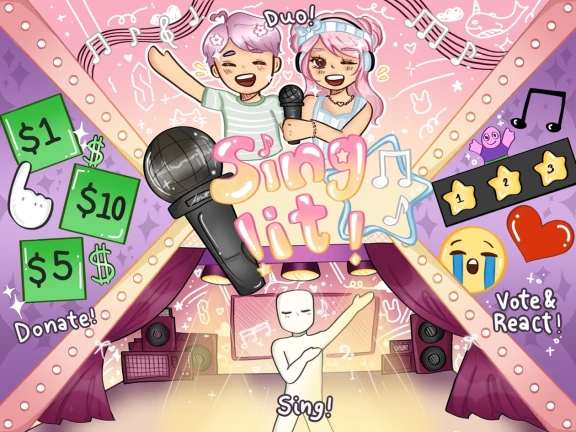
The only mechanical difference between free and Premium accounts is the cheer multiplier. Premium users earn two times the cheers by default, which means they unlock shop items faster. Every item is available to free players as well.
| Cheer rate | free players earn the standard amount; Premium players earn 2x by default. |
| Shop access | identical for both; no item is locked behind Premium. |
| Cost | Premium is purchased as a gamepass using Robux. |
| Payout timing | donations through gamepasses can take up to a week to arrive and will be less than the displayed amount due to Roblox taxes. |
Climbing the leaderboard
Tips
The karaoke leaderboard ranks players by their overall accumulated rating. A single great performance will not carry you far on its own — the ranking rewards volume as much as skill.
- Your leaderboard position reflects your total accumulated karaoke rating, not just one song.
- Singing multiple songs per session builds your rating faster than one-and-done visits.
Troubleshooting common problems
Check
A handful of problems come up often enough to be worth running through before you assume something is seriously broken.
- No rating appearing after a song check that your microphone is enabled in Roblox settings, then restart the game.
- Cannot join a session the server may be full; try switching to a different server.
- Cannot hear anything open Roblox audio settings and confirm they are turned on.
- Cheers not showing up reload the game menu to trigger a refresh.
- Game behaving unexpectedly make sure Roblox has applied the latest version of the game.
Glossary
Glossary- Cheers
- The in-game currency you earn at the end of each song based on your karaoke rating, used to unlock particles, winner emotes, and other cosmetics in the shop.
- Karaoke rating
- The score the game gives your performance at the end of a song, which determines how many cheers you receive and contributes to your leaderboard position.
- Leaderboard
- An in-game ranking that orders players by their total accumulated karaoke rating across all songs they have sung.
- Particles
- Visual effects that appear around your character, unlockable in the shop using cheers.
- Winner emote
- An animation your character performs to celebrate a win, purchasable with cheers from the shop.
- Gamepass
- A Robux purchase that grants Premium status, doubling your cheer earnings; donations also use this system and can take up to a week to process.
Common questions
FAQCan I play without a microphone?
Yes, you can join and participate without a microphone. You will still be part of the session alongside other players.
Can free players unlock everything in the shop?
Yes. Every item is available for cheers, which you earn just by playing. Premium doubles your cheer earnings to speed things up, but it does not lock any content away from free players.
How many songs are in the game?
The game includes over 1,500 karaoke tracks to choose from.
Game updates can change what is on this page. If you spot something, get in touch and let us know.
