
BEAT BOUNCE Guide: Basic controls

About
OverviewBeat Bounce is a rhythm game on Roblox inspired by Geometry Dash, where you jump over obstacles in time with the music. It runs on PC, mobile, and console, and includes both official levels and an endless supply of stages built by other players. This guide covers the controls, how to get started, tips for clearing tough stages, and how to find community levels once you've worked through the main ones.

What is on this page
Contents
Basic controls
CheckEvery action in Beat Bounce is built on a single control: click your mouse or tap the screen to make your character jump. When you fail a stage — and you will — pressing R sends you straight back to the beginning without any menu navigation.
- Click or tap makes your character jump
- R key instant respawn to the start of the stage
MetaNew Player Survey
The next survey is being prepared.
Getting started as a new player
Step
Beat Bounce puts easier official levels in front of you for a reason: each one teaches you something about how the music and jump timing connect. Expect to fail repeatedly — that is how the timing sense develops, not a sign that something is wrong.
- Complete the tutorial get the jump and respawn controls into muscle memory before anything else
- Pick an official level the official levels have a steady difficulty curve designed to build your skills
- Use R freely respawning instantly keeps the practice flowing
Clearing stages you keep failing
Tips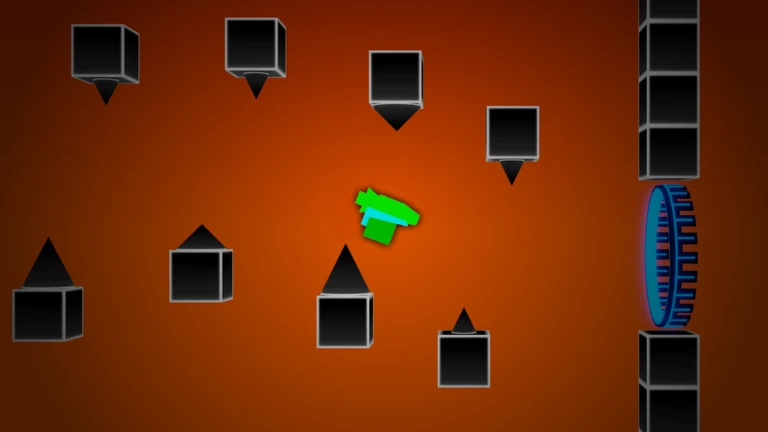
Most players who stall on a stage are trying to clear the whole thing at once. Each stage is built so that its sections line up with parts of the music, which means a tricky section will always appear at the same musical moment. Use that to your advantage by isolating the section that stops you and repeating it until the timing clicks. Fatigue is a real factor: your rhythm sense dulls when you are tired, so short focused sessions work better than long exhausted ones.
- Target the one section that is stopping you instead of restarting the whole stage every time
- Match your jumps to the beat of the music, not just to what you see on screen
- If you have been failing the same spot for a while, step away and come back fresh
- Watch a video of another player clearing the stage if a particular section makes no sense to you
- Stay calm — tensing up throws off the relaxed timing the game rewards
Troubleshooting when something feels off
Warn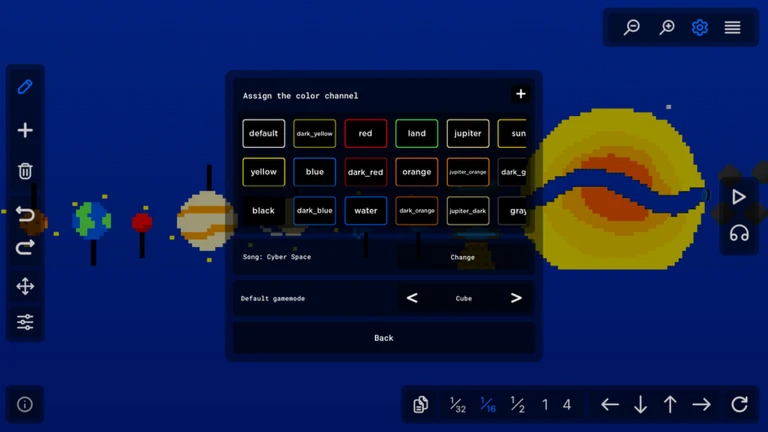
Sometimes a stage feels impossible not because of skill but because of a technical issue. Check these things before deciding a level is beyond you. The game supports PC, mobile, and console, so the fix will vary slightly by platform, but the principles are the same across all of them.
Finding and using community levels
Step
Beat Bounce ships with an advanced level editor so that players can build and publish their own stages, and the level explorer is how you find all of it. Community content means the game essentially never runs out of things to play. Once you are comfortable with the official levels, the explorer is the next natural step.
- Open the level explorer access it from the main menu
- Browse the popularity ranking highly rated levels tend to be well-built and fair
- Check the new arrivals ranking good for finding recent creations before everyone else does
- Use difficulty tags filter by the difficulty that matches your current skill so you are not overwhelmed
- Follow creators you like that way you see their new levels as soon as they go up
Ratings, reach, and free-to-play status
TableEverything in Beat Bounce — the official levels, the level explorer, and the level editor — is free. There are no purchases required to access any part of the game. The site measured the following figures on September 8, 2026.
| Cost to play | free, with no paid content gates |
| Total visits measured September 8, 2026 | 514,954,127 |
| Players who rated it positively | 72.43% |
| Players who favourited it | 363,066 |
| Platforms supported | PC, mobile, and console |
Glossary
Glossary- Level explorer
- The in-game browser where you search for and play stages created by other players, with rankings and tags to help you filter by popularity or difficulty.
- Level editor
- The built-in tool that lets any player place obstacles, set music, and publish a finished stage for the community to play.
- Respawn
- Returning to the very start of a stage after failing, triggered instantly by pressing R.
- Section
- A distinct portion of a stage that lines up with a specific part of the music, useful to isolate when practising a stage piece by piece.
- Framerate (FPS)
- How many frames your screen draws per second — a low framerate makes the game stutter and throws off jump timing.
- Creator
- A player who uses the level editor to build and publish original stages for others to find in the level explorer.
Common questions
FAQCan I play Beat Bounce on my phone?
Yes — Beat Bounce runs on PC, mobile, and console. On mobile you tap the screen to jump, which works the same way as clicking on PC.
How do I find community levels that match my skill level?
Open the level explorer and use the difficulty tags to filter out stages that are too hard or too easy.
What should I do if the game is running slowly or stuttering?
Close other apps running in the background to free up memory and improve your framerate, then restart the game.
Do I need to spend Robux to access everything?
No. The official levels, the level explorer, and the level editor are all free. Nothing in the game requires a purchase.
How do I report a bug or give feedback?
The game's group page has a link to the community where you can report bugs and share feedback directly with the developers.
Game updates can change what is on this page. If you spot something, get in touch and let us know.
