
Five Nights at Freddy's Guide: What you actually do each night

About
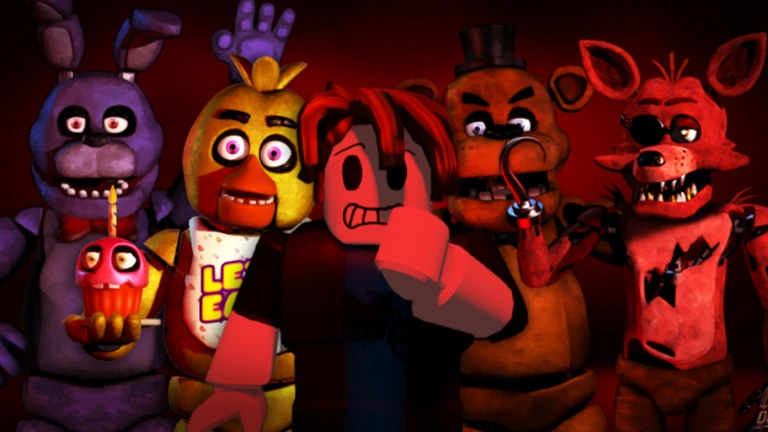
OverviewFive Nights at Freddy's [FNAF 1] is a solo survival horror game on Roblox where you play as a night security guard at Freddy Fazbear's Pizza. You watch camera feeds, manage your power, and shut the doors to keep the animatronics out across five nights.
What is on this page
Contents
What you actually do each night
Summary
You are locked in the security office for the entire night. The camera system lets you see every room in the building, and the doors on your left and right are the only things standing between you and the animatronics. Power runs out over time, so every action costs something. Survive all five nights and you clear the game.
- Goal survive all five nights
- Cameras switch to them to track where every animatronic is
- Doors close whichever side an animatronic is approaching from
- Power gauge shown at the bottom left; hits zero and you are in serious trouble
- Animatronics they start in rooms around the building and move toward the office along multiple routes
MetaNew Player Survey
The next survey is being prepared.
Getting through Night 1
StepThe animatronics are not very active on Night 1, so you have room to breathe and observe. Every repeat attempt teaches you more about their routes, so do not be discouraged if you fail early.
- Open the cameras check each room and note which animatronic is where.
- Watch the hallways once an animatronic enters a hallway leading to you, get ready to close that door.
- Close the door only then do not shut either door until an animatronic is actually approaching; unnecessary closures drain power.
- Reopen the door once it backs off leaving a door closed when the threat is gone wastes power.
Power habits that keep you alive
TipsPower does not refill. Five to ten seconds on the cameras is enough to spot where everyone is before you switch back. Aim to still have at least 30 percent power remaining by the middle of each night.
- Keep camera checks short — a quick sweep is enough; lingering on one room burns power.
- Scan the whole building, not just one room — multiple animatronics move at once.
- Leave doors open whenever no animatronic is in the adjacent hallway.
- Close a door the moment one appears in the hallway, then reopen it as soon as it retreats.
- Treat 20 percent power as a red line — every action from that point on has to count.
What to check when you keep failing
CheckIf you are running out of power before morning, or getting caught before you even see a low power warning, go through this list before starting again.
- Are you holding the camera open for long stretches? Switch back to the office view after each quick check.
- Are doors staying closed when the hallway is already clear? Reopen them the moment the threat is gone.
- Do you know which rooms the animatronics start in and which paths they take? If not, use a calm moment on Night 1 to watch and remember.
- Is your power below 30 percent at the midpoint of the night? That means earlier in the night you were spending too freely.
Difficulty settings and what changes
TableThe game offers different difficulty levels that affect how aggressively the animatronics move and how quickly power drains. The core rules do not change between modes.
| Low difficulty | animatronics move slowly, power drains at a forgiving rate; best for learning the camera and door system |
| Standard difficulty | balanced challenge that reflects the intended game experience |
| High difficulty | animatronics are more active and power runs out faster, requiring precise decisions throughout |
What costs you the run
WarnThese are the habits that end runs.
Glossary
Glossary- Animatronic
- The robotic animal characters that roam Freddy Fazbear's Pizza at night and try to reach the security office.
- Camera system
- The set of monitors in the security office that let you see every room in the building and track animatronic positions.
- Power gauge
- The meter shown at the bottom left of the screen indicating how much power remains; reaching zero puts you in serious danger.
- Doors
- The two closeable barriers on the left and right sides of the security office used to block animatronics coming down the hallways.
- Night
- A single timed session you must survive from the start of darkness until morning; the game has five of them.
- Blackout
- The state that occurs when power reaches zero, turning off the lights and making it much easier for animatronics to get to you.
Common questions
FAQWhere do the animatronics come from?
They start in various rooms around the building, all of which you can see on the cameras. They move through multiple routes toward the security office, so checking the cameras regularly lets you see which path each one is taking.
What happens when the power runs out?
The lights in the security office go off, which makes it much easier for animatronics to reach you.
Can you retry a night if you fail?
Yes, you can restart as many times as you need. Each attempt is a good opportunity to study the animatronics' movement patterns.
Is this a multiplayer game?
No, it is a solo survival game. There is no co-op or multiplayer mode.
Do you need to spend Robux to finish the game?
No. Every night is available for free, and clearing all five nights requires only skill and power management rather than any purchases.
Game updates can change what is on this page. If you spot something, get in touch and let us know.
