
Cruise Ship Port of Golden Springs — Boarding the ship at Golden Springs Port
About
OverviewCruise Ship Port of Golden Springs is a roleplay game by Seaside Studios where you sail between destinations, work as crew, or kick back as a passenger. This guide walks you through boarding, picking a role, exploring the ship and islands, and understanding what costs Robux and what is free.
What is on this page
Contents
Boarding the ship at Golden Springs Port
Step
When you join, you spawn outside the port building. The ship stays docked the whole time it is in port, so the gangway is always open. A room availability board near the check-in desk shows which rooms are free before you commit to one.
- Enter the port building walk from your spawn point straight to the entrance doors.
- Check the room board a display near the check-in desk lists available rooms so you can pick one before you queue.
- Use a self check-in kiosk most players skip the staffed desk and check in here; it is quicker and works even when no staff are on duty.
- Pass through security NPC employees stand at the scanners and an animation plays as you walk through; both security lanes are open to any role.
- Choose your queue the left lane is open to everyone; the right lane is reserved for VIP and Premium Passengers only.
- Walk the gangway once through security, the gangway leads directly onto the ship.
Passenger vs. staff — choosing how to play
TableEvery player picks one of two broad paths when they board. Passengers enjoy the ship's amenities and destinations freely. Staff take on jobs that give the roleplay its structure, and higher staff tiers require either leveling up or buying a gamepass.
| Passenger | explore rooms, dine at the Teppanyaki, Dining Hall, or Poolside Grill, use the pool and hot tub, and visit all three island destinations; no cost beyond basic Roblox. |
| Housekeeping | first staff role available, no level requirement, clean dirt and spills that appear around the ship. |
| General Staff | unlocks at Ship Staff Level 3, roughly 30 minutes of active play; work the Front Desk and restaurants. |
| Room Service | unlocks at Ship Staff Level 10, roughly 1 hour 40 minutes of active play; deliver food directly to passenger rooms. |
| Supervisor / Bridge Team | require Robux gamepasses; Bridge Team costs 899 Robux at full price and can drop 10–15% during sales. |
Getting around the ship and its destinations
Tips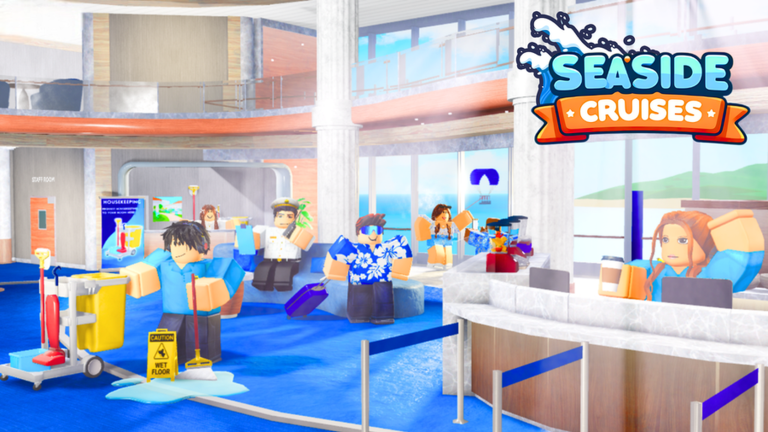
The ship sails to three destinations — Sunrise Island, Coconut Islands, and Glacier Bay — as well as returning to Golden Springs Port. The daily schedule also includes meals at the Dining Hall and occasional events like the Glow Party.
- Sunrise Island has beaches, a lazy river, and a waterslide.
- Coconut Islands gives every passenger a bike on arrival; VIP passengers get a differently coloured VIP bike. Attractions include the Bouncing Banana ride, Log Flume, two ziplines, a bungee jump, and gondolas connecting the mountain top to the main island. There is also a restaurant near the entrance serving tacos, drinks, and sides.
- Glacier Bay is the arctic stop, home to a penguin named Snowy, a bobsled ride, a polar bear exhibit, and a ski lift.
- Coconut Islands and Golden Springs are the only destinations you reach without taking a second ferry.
- The Pool Deck has slides operated by Slide Operators, a pool, a hot tub, and an ice cream machine near the elevators.
- The Atrium on Deck 0–1 connects the Front Desk, the Atrium Café, the Shopping District, and the Seaside Theatre, making it a useful navigation hub.
- Pool Suite rooms 802–804 and 700 are on Decks 7 and 8; take the elevator to Deck 7 then use the stairs — note the numbering jumps from 700 to 802 with no 800 or 801.
Room Service delivery, step by step
StepRoom Service unlocks at Ship Staff Level 10. Orders come in by phone in the Room Service kitchen. Use the !notepad chat command to write down orders and room numbers so you do not forget them mid-delivery.
- Answer the call pick up the kitchen phone when an order comes in and note the dish and room number.
- Prepare drinks press one of the four buttons on the drinks machine and wait for the cup to appear in your inventory automatically.
- Prepare ice cream grab a cone, interact with the ice cream machine, select the flavour (chocolate, vanilla, or swirl), then hold the blue button below.
- Prepare soup or gumbo grab cookware from by the door, fill it with the correct mix, cook it on the stove, and wait for the dish to land in your inventory.
- Prepare waffles or pancakes get batter from the relevant machine, pour it into the iron beside the machine, then wait for the dish to appear automatically.
- Prepare fries or onion rings when stock is low (two or fewer), take a box to the fryer, interact with the fryer, wait a few seconds, then interact again to receive the plate.
- Prepare steak, bacon, or pizza take the item from the freezer; cook bacon and steak on the stove, pizza in the microwave, then wait for your inventory to update.
- Deliver to the room navigate to the correct room; as a last resort, ask a Supervisor or Bridge Team member to teleport you.
Shoplifting and Security — how the system works
Warn
Passengers can deliberately steal from Sunny's Souvenirs, Glacier Gifts, or Big Bo's Snacks by carrying an item through the metal detector without paying. The moment you do, a tag appears above your head, Security gets an X-ray outline of your character, and a countdown timer starts. If Security arrests you before the timer runs out, you are moved to the detained team and held in a cell.
Staff tools and what they actually do
Table| Tool | Who gets it | What it does |
|---|---|---|
| Staff Key | All staff except Lifeguard | Opens any room door that is not set to Do Not Disturb (DND) |
| Radio | All staff teams | Lets you send and receive crew messages; hold it out and type in chat to broadcast |
| Segway | Security, Supervisor, Bridge Team | Moves you around the ship faster, but you cannot jump while riding it |
| Housekeeping Cleaning Kit | Housekeeping only | Cleans dirt and spills that spawn around the ship |
| Detain Tool | Security only | Used to arrest shoplifters and place them in the holding cell |
| Cameras | Security only | Used to monitor the Shopping District |
| Flare Gun | Bridge Team gamepass | Fires a flare into the sky; 30-second cooldown between uses; cannot be aimed except in VR |
| Megaphone | Supervisor gamepass | Roleplay tool with no mechanical function beyond its animation |
| Medic Bag | Lifeguard Team | Used in medical-themed roleplay scenarios |
| Whistle | Lifeguard Team | Plays a whistle sound when clicked |
What costs Robux and what is free
Summary
Several features require a gamepass or Roblox Premium, but the core experience — boarding, exploring, dining, visiting all three islands, and climbing the free staff ranks — is fully available without paying.
- Free boarding the ship, using the left queue, visiting Sunrise Island, Coconut Islands, and Glacier Bay
- Free Housekeeping role (no level needed), General Staff (Level 3), Room Service (Level 10)
- Free pool, hot tub, slides, restaurants during scheduled meal times, Smoothie Bar, Ice Cream Bar
- Paid (VIP gamepass) right priority queue, VIP lounge at the port, Handheld Fan, Premium Umbrella, Flash Camera, Rain Poncho
- Paid (Bridge Team gamepass, 899 Robux) fly command, teleport command, access to the Bridge Area, Captain and First Officer offices
- Paid (private server) hosting your own cruise; only private server owners can earn the Aye Aye Captain! badge and use the ship-sinking button in the Captain's office
Bridge Team — ranks and commands
TableAll three ranks share the same commands but differ in level requirement and responsibilities.
| Rank | Level needed | Key abilities |
|---|---|---|
| Bridge Team | 0 | Fly toggle (E key or :unfly), teleport to players (:to), list commands (:cmds), vote on shows and destinations, access Bridge and Costume Room |
| First Officer (FO) | 20 | Everything Bridge Team can do, plus shares the Captain/FO office and acts as second-in-command in roleplay |
| Captain | 50 | Everything FO can do, plus answers the 009 phone line and can activate the ship alarm every 600 seconds |
Glossary
Glossary- Gangway
- The walkway connecting the port to the ship; it stays in place the whole time the ship is docked.
- Self check-in kiosk
- An automated terminal in the port that lets you choose and check into a room without needing a staff member.
- Staff Radio
- A tool held by all staff that broadcasts typed chat messages to the rest of the crew.
- DND (Do Not Disturb)
- A setting passengers can activate on their room so the Staff Key cannot open their door.
- Cruisebux
- The in-game currency used to purchase certain items from the tool menu.
- Bridge Area
- The exclusive zone on Deck 6 where the Bridge Team works, containing the control panel, meeting room, and Captain's office.
- Detained team
- The team a player is moved to when Security arrests them, placing them in a holding cell for at least 20 seconds.
- Sunny / Snowy / Moony
- The game's mascot characters — Sunny is a sun, Snowy is a penguin, and Moony is a moon that appears only during Halloween events.
Common questions
FAQHow do I get a room on the ship?
Head into the port building and use one of the self check-in kiosks. Check the room availability board nearby first to see which rooms are open. Once checked in, you will receive a Room Key that lets you access your room or teleport directly to it.
Does the Bridge Team have the power to ban or punish me?
No. Bridge Team members can give roleplay instructions to lower-ranking staff, but they have no moderation powers at all.
How do I level up my staff rank faster?
You need to be actively playing — standing still for too long will not earn you levels. General Staff unlocks at Level 3 (about 30 minutes of active play) and Room Service unlocks at Level 10 (about 1 hour and 40 minutes).
Can the ship actually sink?
Yes, but only in specific circumstances. In public servers, the ship sinks during a rare random event. In a private server, the captain can trigger it manually using the button in the Captain's office. The Mayday! Mayday! badge is only awarded when it happens in a public server.
What is the Avatar Editor and who can use it?
The Avatar Editor lets you browse and try on Roblox catalog items inside the game, and your look is saved automatically when you leave. You can only use it if you are a member of the Seaside Studios Roblox community group, which the developers put in place to reduce trolling.
Game updates can change what is on this page. If you spot something, get in touch and let us know.
