
Sunshine Islands Bus Simulator Guide: First steps when you load in

About
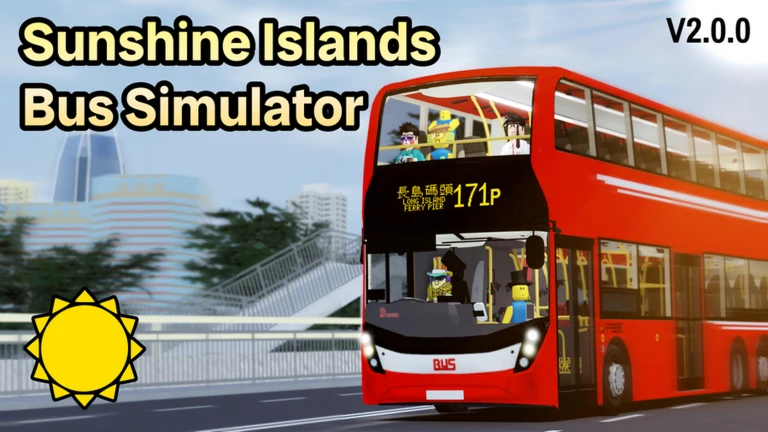
OverviewSunshine Islands Bus Simulator drops you behind the wheel of a detailed bus in a huge fictional city inspired by Hong Kong, complete with skyscrapers, mountain roads, tunnels, bridges, and highways. Your job is simple: find passengers waiting at bus stops, pick them up, and deliver them to their destinations to earn rewards.
What is on this page
Contents
First steps when you load in
Step
The game puts you straight into the city, so the fastest way to get your bearings is to climb into a bus and drive a short stretch of road. Before anything else, look at the dashboard — it shows your passenger count, your destination, and other key readouts. Once you know where everything lives on screen, you are ready to start a real run.
- Board a bus get in and sit in the driver's seat before touching anything else.
- Scan the dashboard find where the destination display and passenger indicator sit so you can check them at a glance.
- Pick up your first passenger once the controls feel natural, pull up to a bus stop, let the passenger on, and follow the destination shown on the dashboard.
The core loop: passengers, stops, rewards
CheckThe whole game revolves around finding AI passengers at bus stops around the city, picking them up, and dropping them off at the right destination. Completing a run earns you an in-game reward, which you can use later for things like repair costs. Not every stop will have someone waiting — passenger timing shifts as you play, so keep moving if a stop looks empty.
- Check bus stops as you drive AI passengers wait at stops scattered across the city, not at every stop at all times.
- Confirm the destination on your dashboard before pulling away.
- Collect the reward on arrival, then head out to find the next group of passengers.
Controls across PC, mobile, and console
TableSunshine Islands Bus Simulator is optimised for PC, mobile, and console. The dashboard layout is designed to be readable at a glance on every screen size, and the controls map naturally to whichever input you are using. You do not need a specific device to get the full experience.
| PC | keyboard and mouse control the bus. |
| Mobile | tap and swipe to steer and operate the bus; dashboard scales to touchscreen use. |
| Console | controller input is supported with the same city and map available as on other platforms. |
Driving safely and avoiding damage
Warn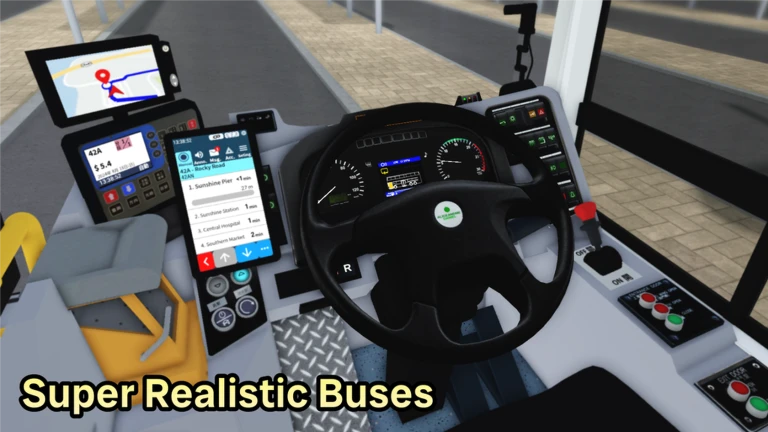
The city has AI-controlled vehicles sharing the roads with you. Because buses are large, your blind spots are bigger than you might expect, and squeezing through tight mountain roads or over bridges takes more care than city streets. If your bus takes enough damage — from a collision or going off the road — it needs repairs, and those come out of the rewards you have earned.
Exploring the full map
TipsThe map covers a wide range of environments beyond the central city streets, including mountains, tunnels, bridges, and highways. Spending time in each area pays off because you will discover bus stops you would otherwise never visit.
- City streets, mountain roads, tunnels, bridges, and highways are all part of the map.
- Push into the mountain roads once you are comfortable — there are stops there that city-only drivers never reach.
- Use bridges and tunnels as landmarks to orient yourself while the map is still unfamiliar.
Playing without spending anything
Summary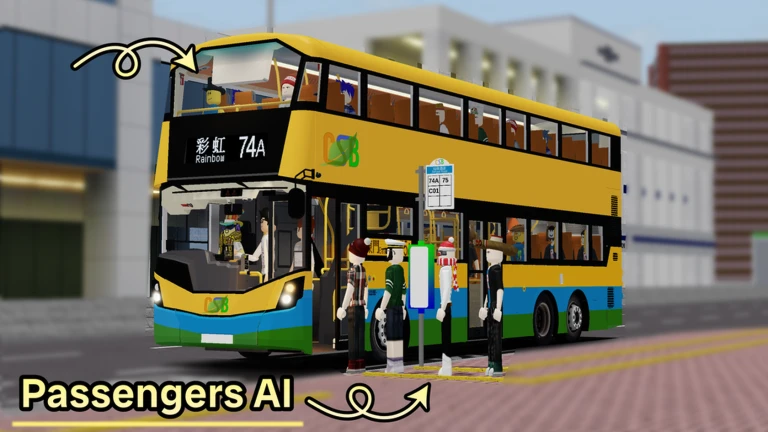
Picking up passengers, completing runs, earning rewards, and exploring the whole map are all free. The game recommends using a private server for a smoother experience, but the standard public servers work perfectly well.
- Passenger runs free, no restriction on how many you do.
- Full map access free, all areas open from the start.
- Rewards system free, earned by completing runs.
- Private server optional for a quieter session; not required to enjoy the game.
When things go wrong: quick fixes
CheckIf you feel stuck, run through this list before giving up on a run.
- No passengers at your current stop move to a different stop or circle back later; not all stops are occupied at the same time.
- Destination unclear look at the dashboard's destination display again before moving.
- Bus is damaged use your earned rewards to cover the repair cost, then drive more cautiously on the next run.
Glossary
Glossary- Dashboard
- The control panel inside the bus that shows your current destination, passenger count, and other driving information.
- AI passenger
- A game-controlled character who waits at a bus stop and rides with you until you reach their destination.
- Bus stop
- A designated point around the city where AI passengers may be waiting to board.
- Reward
- In-game currency you earn each time you successfully deliver passengers to their destination, usable for things like repairs.
- Private server
- An optional personal server instance that can make the game run more smoothly.
- Repair
- The process of fixing a damaged bus using your earned rewards after a collision or a fall.
Common questions
FAQWhy can't I find any passengers?
AI passengers do not appear at every bus stop at all times — their presence shifts as you play. Try driving to a different stop or giving a previously empty stop some time before coming back.
Do I need to spend Robux to enjoy the game?
No. Driving buses, picking up passengers, earning rewards, and exploring the full map are all free. A private server is an optional extra if you want a quieter session, but the standard servers give you the full game.
What happens if my bus gets damaged?
A damaged bus needs to be repaired, and the cost comes out of the rewards you have already earned.
Is the game playable on a phone?
Yes. The game is built for mobile as well as PC and console, with tap-and-swipe controls and a dashboard layout designed for touchscreens. You get the same map and features as on any other device.
Game updates can change what is on this page. If you spot something, get in touch and let us know.
