
 Live now
–
Live now
–
Game guide
Eat the World Guide: The core loop
Is this game fun?4 votes
Fun 75%3Average 0%0Not fun 25%1
About
OverviewEat the World is a Roblox simulator where you eat everything around you to grow bigger, earn money, and buy upgrades that make you faster and stronger. Once you're large enough, player-versus-player combat opens up and you can throw chunks of dirt at opponents.
What is on this page
Contents
01
The core loop
Step
In short
Everything in the game flows from one repeating cycle: eat, earn money, buy upgrades, then eat faster.
The entire game runs on a single loop that keeps accelerating as you play. Eating anything in the world grows your character and puts money in your pocket. That money goes straight into upgrades, which let you eat larger things and earn even more per bite.
- Start eating grab everything nearby the moment you spawn
- Watch your money check the on-screen counter to know when you can afford your next upgrade
- Open upgrades buy whatever is available as soon as you have enough money
- Enter PvP keep growing until combat unlocks, then add dirt-throwing to your toolkit
MetaNew Player Survey
The next survey is being prepared.
02
Early priorities
CheckIn short
If you are not buying upgrades regularly, your growth will stall — that is the most common reason new players feel stuck.
Upgrades raise both your eating speed and the size of things you can eat, so every purchase has an immediate effect.
- Spend money on upgrades as soon as you can afford them do not sit on cash
- Note the button on the bottom left it lets you skip maps or pause the timer
- Confirm that your character is visibly growing; if not, an upgrade purchase is overdue
Stuck? Try a video
ROBLOX EAT THE WORLD
Spending $942,525,925 EATING The Entire WORLD
CHEATING IN ROBLOX EAT THE WORLD
03 Live and upcoming events
Events
Events running now or coming soon. They have fixed dates, so check them first.
Live now
–
04
PvP tips
Tips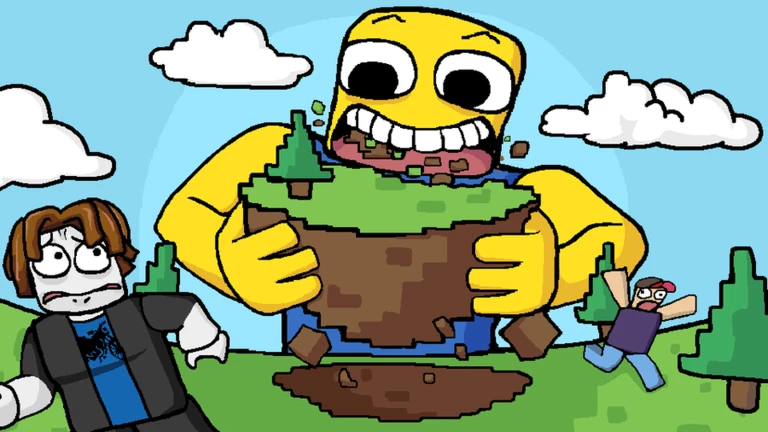
In short
Combat rewards patience — grow first, then pick your fights carefully.
PvP unlocks automatically once you have grown large enough, and from that point you can throw chunks of dirt at other players to deal damage.
Tips worth knowing
- Do not start fights while you are still small; build up through the upgrade cycle first
- Pick on players who are a similar size or smaller — avoid anyone clearly larger than you
- Time your dirt throws carefully to land hits
05
Playing without PvP
SummaryIn short
Private servers and the bottom-left button give you full control over how peaceful your session is.
The game offers two built-in ways to manage combat. Private servers cost nothing to create, so you can farm upgrades at your own pace without interference. The button on the bottom left also gives you map-skipping and a timer pause if you want to adjust your environment mid-session.
- Private server free to create, keeps other players out entirely
- Map skip available via the bottom-left button, moves you to a different map on demand
- Timer pause also on the bottom-left button, lets you slow down the session pace
06
When progress feels stuck
Warn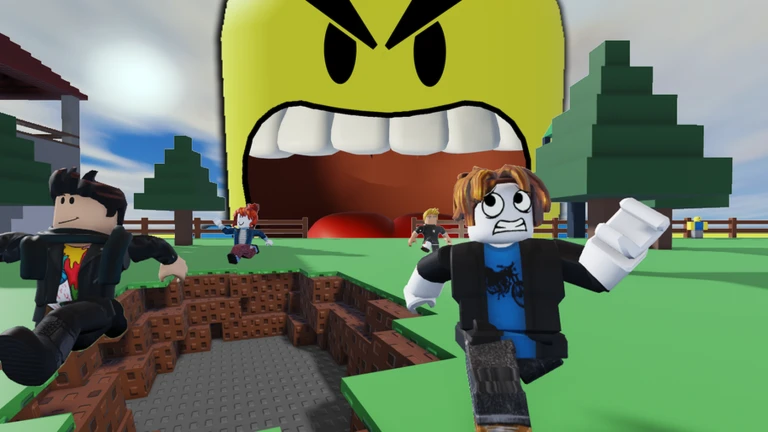
If your character stops growing noticeably, the cause is nearly always an upgrade gap. Spending accumulated money on upgrades widens the range of objects you can eat. If PvP from other players is the problem rather than upgrades, a private server resolves it without any cost.
Worth watching out for
Check your money total
if it is sitting unspent, buy upgrades before doing anything else
If stronger players keep attacking you, switch to a private server
Use the map-skip button to move away from an area dominated by larger players
07
Free-to-play ceiling
SummaryIn short
Spending real money is not required at any point in this game.
Every upgrade can be purchased with in-game money you earn by eating, and private servers are free to create.
- Upgrades all purchasable with in-game money earned through normal play
- Private servers free for anyone who wants a solo or low-conflict session
Community strategy ideas
CommunityThese ideas and tips come from people playing the game. Share your discoveries too!
No strategy ideas yet. Share a tip you discovered.
Share a strategy idea
Eat the World
Glossary
Glossary- Upgrade
- A purchasable improvement bought with in-game money that raises your eating speed or increases the size of objects you can eat.
- Dirt chunk
- A throwable projectile that unlocks automatically once you have grown large enough, used to deal damage to other players in PvP.
- Private server
- A personal server you can create for free that keeps other players out, letting you grow at your own pace without combat.
- Map skip
- A feature accessed through the button on the bottom left that moves you to a different map.
- PvP
- Player-versus-player combat that unlocks after you have grown large enough, letting you throw dirt chunks at opponents.
Common questions
FAQDo I need to spend real money to progress?
No — every upgrade is paid for with money you earn by eating, and private servers are free.
Why has my character stopped growing?
The most common reason is unspent in-game money sitting in your account without being used on upgrades. Spend what you have and your eating speed and the range of things you can eat will both increase.
How do I avoid other players attacking me?
Create a private server — it is free and completely removes other players from your session. You can also use the map-skip button on the bottom left to move to a different map.
When does dirt-throwing unlock?
PvP features, including throwing chunks of dirt, unlock automatically once your character has grown large enough through eating and upgrading.
What does the button on the bottom left do?
It lets you skip to a different map or pause the in-game timer.
Updated Sep 11, 2026
Game updates can change what is on this page. If you spot something, get in touch and let us know.
Game updates can change what is on this page. If you spot something, get in touch and let us know.
