 Upcoming
–
Upcoming
–
Halloween
Find the limited time halloween items only during halloween!

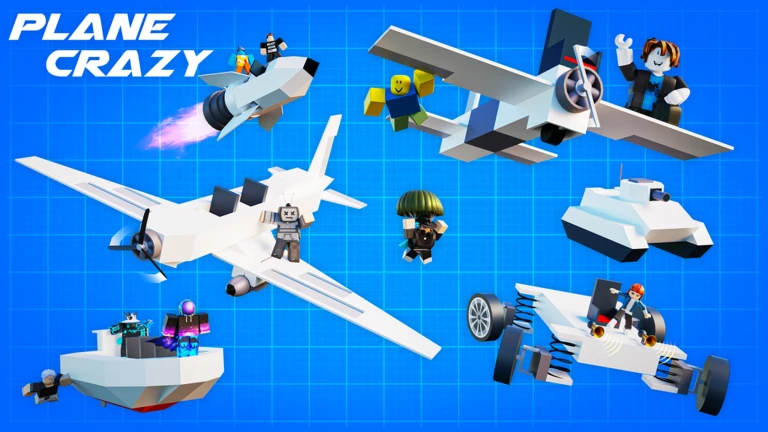
Plane Crazy is a physics sandbox game where you build planes, cars, boats, rockets, trains, mechs, and more, then fly or drive them yourself. You can battle other players in PvP or build peacefully with friends. This guide walks you through the interface, building your first plane, fixing common problems, and getting more out of the game.
The left side of the screen holds the tools you use during construction. The right side holds options for your session, your saves, and your spawn location.
| Build Tool | places blocks and parts onto your craft |
| Delete Tool | removes any part you click on |
| Configuration Tool | edits keybinds and parameters for parts that support it |
| Move Tool | shifts your entire craft in any direction |
| Paint Tool | applies any HEX color code or preset color, and changes the material of a part |
| Launch Button | sends your finished craft into the world |
The next survey is being prepared.
The Controller button is how you switch between Classic and PVP mode. Save slots are unlimited.
| Saving slot | opens the load and save menu; slot count is unlimited |
| Location pin | lets you choose where your build spawns |
| Controller | switches between Classic mode and PVP mode |
| Settings | shows your Plane Crazy profile info and other preferences |
| Shopping cart | opens the gamepass and donation shop |
| Jetpack (gamepass) | lets you fly around the map for easier building |
Events running now or coming soon. They have fixed dates, so check them first.
Upcoming
–
Find the limited time halloween items only during halloween!
Upcoming
–
Find the limited time blocks during the autumn season event!
Open the Build Tool, then tap the Basic Building Blocks button at the top of the panel that appears. Select the Block option to get started. The large arrow painted on the ground shows the direction you should build toward — follow it, or you may run into control problems later.
If your craft crashes, spins, or refuses to leave the ground, work through this list before rebuilding from scratch. Control surfaces have less lift than wings, so a plane built with only control surfaces will be hard to fly steadily.
Both modes are accessible through the Controller button on the right-side panel.
Large builds like airliners are often assembled in segments and use motors or magnets to fold out.
All the core parts — engines, wings, control surfaces, and seats — are available to everyone at no cost. PVP and Classic modes are both fully playable without spending anything. The two notable gamepass items visible in the interface are the Jetpack, which makes building easier by letting you fly around the map, and the Spacemine, which places an explosive.
The most common causes are uneven engine placement, wings that are too small, and a center of mass that does not line up with the center of lift. Check that your engines are balanced and add more wing area if needed. Note that control surfaces have less lift than proper wing panels.
No. All the parts that affect performance — engines, wings, and control surfaces — are free for every player. Gamepass items like the Jetpack and Spacemine exist, but the core PVP experience does not require them.
Tap the floppy-disk icon in the bottom left corner to open the save menu. Save slots are unlimited, so you can keep as many builds as you like.
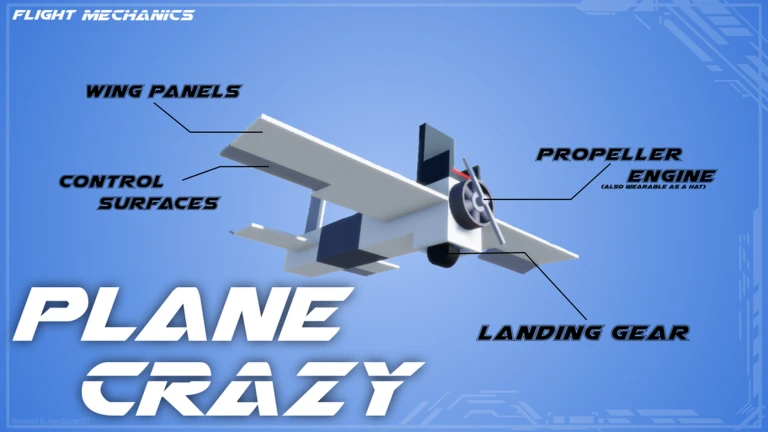
Wing panels and delta wings generate lift and keep the craft stable in the air. Control surfaces are movable panels that let you steer; they produce less lift than proper wings. A plane built with only control surfaces and no wing panels will be hard to fly steadily.
Before you start
Please check the following before using MetaNew.
* You can change your email preference any time from your profile.
