
Strideway Guide: Getting started
About
OverviewStrideway is an open-world roleplay game on Roblox where you play as a horse, exploring trails and scenery at your own pace. This guide covers how to get started, how to move around the world, and how to get the most out of customization — whether you are brand new or just looking for tips.
What is on this page
Contents
Player notes and tips
Found a useful trick? Share it with everyone! Notes with screenshots are welcome!
Write a guide note
❄ Strideway
Getting started — choosing and building your horse
Step
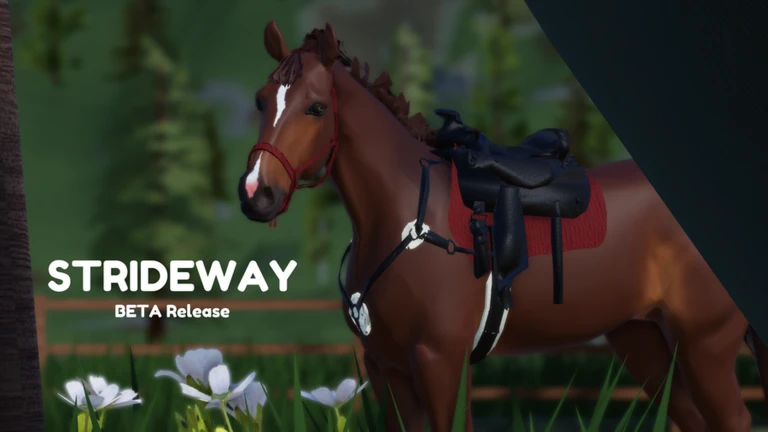
When you first launch Strideway, you are taken straight to a selection screen before anything else. There you pick a horse breed, then adjust its coat color and body markings to your liking. Once you confirm your choices, you drop into the open world and can start exploring right away.
- Pick a breed
choose from the available horse types on the selection screen.
- Adjust the coat
change the color and markings to whatever suits you.
- Enter the world
confirm your customization to load into the map.
MetaNew Player Survey

The next survey is being prepared.
Exploring the open world
TipsThe game gives you a wide open world full of trails and natural scenery with no set objectives. You can walk or run anywhere on the map, watch the landscape, or simply hang out and interact with other players. Your pace and your direction are entirely up to you.
- Roam at whatever speed feels right
walking and running are both available.
- Follow the trails to see different parts of the map.
- Interact with other players to roleplay as horses together.
- Use the scenery for screenshots by finding interesting angles around the world.
- On PC or laptop, press Shift+P to activate Freecam so you can move the camera independently of your horse.
Changing your horse's appearance mid-game
Check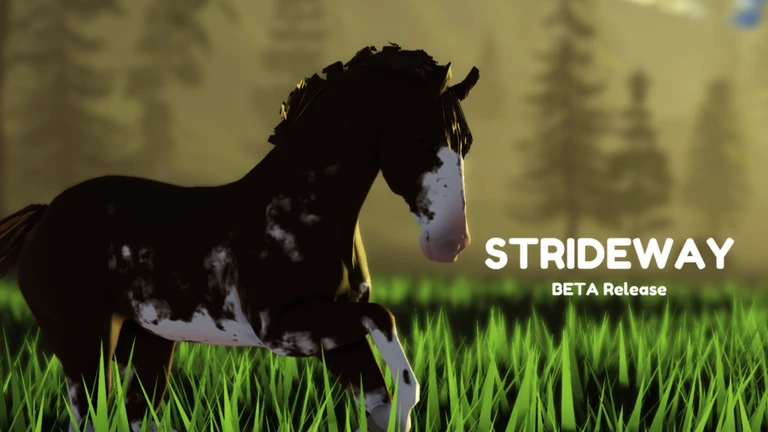
Your horse's coat and markings are not permanent. Open the customization menu from inside the game at any point to revise your color, pattern, or any other visual detail. The variety of coat patterns available means you can build something that stands out from other players.
- Open the in-game customization menu it is available any time after you have entered the world.
- Try different coat patterns there are many designs to choose from beyond the defaults.
- Show off your look to other players during roleplay sessions.
Beta status and what to expect
WarnStrideway is a work in progress. Bugs can appear, and the developers push updates by shutting the server down — if you see a shutdown, an update is being applied. The current price is expected to drop over time, and the game is planned to become free eventually.
What you can do without spending anything
SummaryThe open world, the trails, the roleplay features, and the full customization menu are all available without any extra purchase. Spending is optional on top of that baseline.
- Exploration
the entire open-world map is free to roam.
- Customization
changing your horse's coat and markings costs nothing.
- Roleplay and interaction
interacting with other players is fully free.
- Freecam
the Shift+P camera mode on PC is free to use.
Glossary
Glossary- Open world
- A map with no invisible walls or level gates — you can go anywhere from the moment you load in.
- Roleplay
- Playing as your horse character and interacting with other players inside the game's setting, rather than following a scripted mission.
- Freecam
- A camera mode, activated on PC and laptop with Shift+P, that moves independently of your horse so you can frame any view you want.
- Coat
- The color, pattern, and markings on your horse's body, all of which you can customize freely.
- Beta
- An early, unfinished release where updates are still being added and bugs are expected.
Common questions
FAQDoes Strideway have quests or objectives I need to complete?
No — the game does not force any tasks on you. You decide how to spend your time, whether that is riding trails, roleplaying with other players, or taking screenshots of the scenery.
How do I use Freecam?
On a PC or laptop, press Shift+P while in-game to enter Freecam mode. This lets you move the camera freely, separate from your horse, so you can get any angle you want.
Can I change my horse's look after I have already started playing?
Yes. Open the customization menu from inside the game at any point and adjust your coat color or pattern.
What does a server shutdown mean?
A shutdown means the developers are pushing an update. Once the server comes back up, you can rejoin and the new version will be live.
Game updates can change what is on this page. If you spot something, get in touch and let us know.
