
Car Deformation testing Guide: Core controls to learn first
About
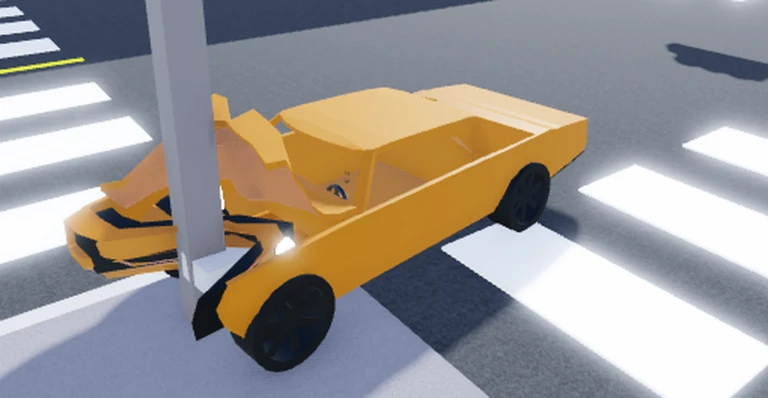
OverviewCar Deformation Testing is a Roblox simulator where you drive cars and watch them crumple, dent, and deform on impact using softbody physics. The deformation is not meant to be realistic — it's a sandbox for experimenting with crashes. This guide covers the controls, how to manage the car's state, and how to jump into multiplayer.
What is on this page
Contents
Core controls to learn first
Check
You can drive the moment you load in. Movement uses either WASD or the arrow keys. Every other action is tied to a single key.
- Drive use WASD or the arrow keys to move forward, backward, and turn.
- C shows the car's collision boundaries.
- T toggles traction control on and off.
- V applies the parking brake to hold the car still.
- U hides the on-screen buttons if they are in the way.
- B cycles through camera angles.
Managing the car's state during a test
StepAfter a crash the car stays deformed until you intervene. Two keys handle this: one locks the car in place and one restores its shape. You can also change gravity to test impacts from different directions.
- Freeze the car press P to stop the physics simulation and hold the car exactly as it is.
- Reset the deformation press J after freezing to return the car to its original shape.
- Change gravity press M to switch the direction or strength of gravity and see how it affects a crash.
- Park between tests press V to keep the car from rolling while you set up the next run.
Joining a multiplayer server
StepMultiple players can share the same world.
- Open the menu click or tap the square menu button on the right side of the screen.
- Select Multiplayer find the Multiplayer button inside the menu and press it.
- Join a server the game drops you into a shared world with other players automatically.
Glossary
Glossary- Deformation
- The way a car's body crumples, dents, or warps when it takes an impact.
- Softbody physics
- A physics system where the car's body can flex and deform rather than staying completely rigid.
- Traction control
- A setting that adjusts how well the car's tires grip the ground, toggled with T.
- Desync
- When network lag causes each player to see a different version of the same event, such as a crash.
- Colliders
- The invisible boundaries the game uses to detect when two objects have hit each other, made visible with C.
Common questions
FAQHow do I reset my car after it gets badly deformed?
Press P to freeze the car first, then press J to restore it to its original shape. You need to freeze it before the reset will work.
Game updates can change what is on this page. If you spot something, get in touch and let us know.
