
CRAZY CHEFS — How a round works

About
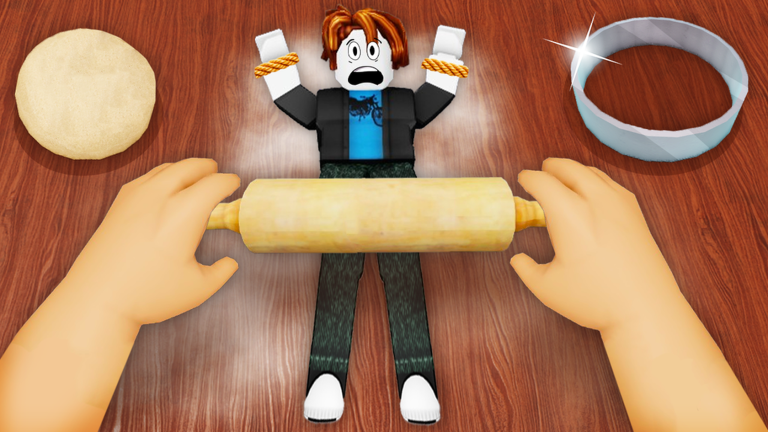
OverviewCrazy Chefs is a Roblox minigame where every player is either a chef trying to catch food characters or a food character trying to escape. Roles switch between rounds, so you need to think on both sides. This guide covers how each role works and how to get better at both.
What is on this page
Contents
How a round works
Summary
When you join, the lobby matches you with other players automatically. Each round then assigns every player either the chef role or the food role. Chefs win by catching all the food before time runs out; food wins by surviving until the timer hits zero. Rounds cycle through multiple minigames, so the stage and rules can change as you go.
- Lobby wait here and matchmaking places you into a game automatically
- Role assignment check whether you are a chef or a food character before you move
- Objective chefs catch, food escapes, and the round ends when one side completes its goal
- Round progression clearing a round moves everyone on to the next minigame
- Time limit each turn has a countdown; failing to meet the condition before it expires means a loss
First steps for new players
StepCrazy Chefs uses standard Roblox controls, so if you have played anything else on the platform you already know how to move and jump. The most important habit to build early is reading the screen before you run anywhere. Your role, your mission, and the countdown are all displayed, and checking those three things takes only a second.
- Join the lobby enter the game and wait for matchmaking to start a round
- Check your role look at the top of the screen to see whether you are a chef or food
- Read the mission understand what you need to do before the action starts
- Try the controls confirm that movement feels right on whatever device you are using
- Finish the round play all the way through even if things go wrong, so you see the full flow
Catching food as a chef
TipsYour job as a chef is to round up all the food characters on the stage before the clock runs out. Food players will start fleeing the moment they spot you, so charging straight at them rarely works. Use the stage layout to box them in, and if other chefs are in the round, spread out so the food has nowhere to run.
- Take a quick look around the stage at the start so you know where the food is spread
- Use walls and corners to cut off escape paths rather than simply chasing in a straight line
- Angle your approach so the food runs toward a dead end instead of open space
- When multiple food characters are nearby, plan the order you will catch them to waste as little time as possible
- If other chefs are playing, fan out and surround rather than all chasing the same target
Surviving as food
CheckAs a food character your only goal is to not get caught. The round ends in your favour if you are still free when the timer expires, so stalling is a completely valid strategy.
- Sprint toward a hiding spot the moment the round starts, before chefs can orient themselves
- Pick corners, building interiors, or spots with obstacles between you and the open area
- If a chef has not seen you, hold still rather than moving and drawing attention
- Staying near other food characters can make it harder for a chef to single you out
- Keep an eye on the countdown and stay patient surviving to zero is a win
Getting un-stuck mid-round
StepIt is easy to panic when things move fast, but the game always shows you what you need to know. Rather than running randomly, pause for a moment and read the screen. The mission conditions and remaining time tell you exactly how much pressure you are under, and knowing your role tells you which direction to move in.
- Read your role display confirm whether you are chef or food at the top of the screen
- Check the mission text re-read the win condition for this specific round
- Watch the countdown knowing how much time is left changes whether you need to rush or play safe
- Look at the stage layout notice where the open areas are versus where cover exists
Spending and free access
TableAll gameplay in Crazy Chefs is free to access. Both the chef and food roles, and every minigame stage, are open to all players. Any purchases in the game affect appearance rather than what you can do or where you can play.
| Chef role | free |
| Food role | free |
| All minigame stages | free to enter without conditions |
| Purchases | cosmetic changes only, no effect on gameplay |
Glossary
Glossary- Chef turn
- The role where you chase and catch food characters before the time limit ends.
- Food turn
- The role where you play as a food character and try to stay uncaught until the countdown hits zero.
- Minigame
- One of the several short games contained in Crazy Chefs, each with its own stage and rules.
- Role
- Whether you are assigned chef or food for a given round, determined at the start of each round.
- Matchmaking
- The automatic system that groups players from the lobby together into a game.
- Time limit
- The countdown given to each turn; the side that meets its condition before it expires wins.
Common questions
FAQCan I play alone without friends?
Yes. Joining the lobby automatically pairs you with other players, so you do not need anyone to come with you. Solo joining is completely normal.
What happens if I disconnect mid-round?
You lose that round. Return to the lobby and matchmaking will put you into a fresh game.
Do I need a microphone to play?
No microphone is required. Voice chat can be handy when playing with friends, but the game works fine without it.
Will I keep seeing the same stage over and over?
Crazy Chefs includes several minigames, and different stages appear as rounds progress. The rotation is designed so the experience stays varied.
Game updates can change what is on this page. If you spot something, get in touch and let us know.
