
Highway Showdown Guide: Controls to learn before you drive

About
OverviewHighway Showdown puts you on a highway where you can race, drift, or cruise with friends across multiple maps. This guide covers the controls you need to know, how to earn money without spending Robux, and tips for getting the most out of every session.

What is on this page
Contents
Controls to learn before you drive
Check
Almost everything in Highway Showdown runs through keyboard shortcuts, so it is worth spending a minute on the menu screen going over them. The camera, your brakes, your lights, and your driving-assist systems all have their own keys.
- Camera press V to cycle between first-person, chase camera, and free camera
- Handbrake hold Left Shift to lock the rear wheels for sharp turns and drifts
- Lights and signals L turns your headlights on or off, Z triggers the left blinker, C triggers the right blinker
- Hazard lights press X to flash all four indicators at once
- Traction Control (TCS) press T to toggle it
- Anti-lock Brakes (ABS) press Y to toggle it
MetaNew Player Survey
The next survey is being prepared.
Picking a map and vehicle
Step
When you load into the game you will be asked to make two choices before you hit the road.
- Choose your map several maps are available, so pick the one that matches what you want to do: racing, drifting, or a relaxed cruise
- Choose your vehicle you can get into a car or a bike
Ways to earn in-game money
Tips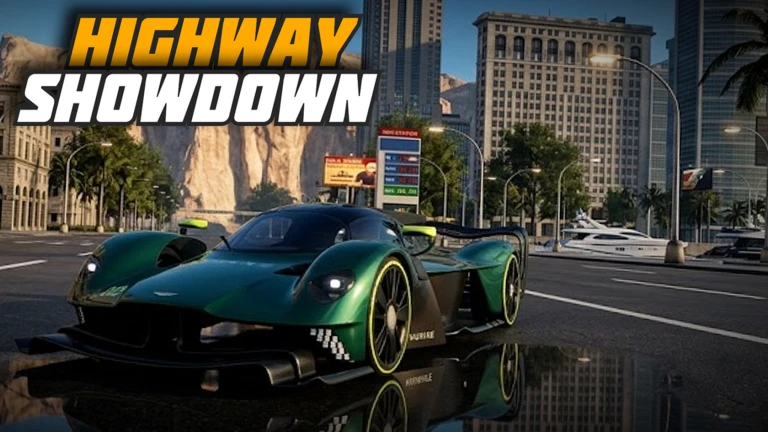
There are four separate ways to earn cash, and none of them require Robux.
- Swerve through traffic while driving — cutting close to other vehicles earns you money
- Keep the game running — you earn rewards just for the time you spend in a session
- Log in every day — a daily bonus lands in your account each time you come back
- Redeem codes — the developers release codes with updates and milestone announcements; entering them unlocks extra rewards
Redeeming codes
WarnThe developers tie new codes to like milestones and updates. As of October 19, 2026, two working codes are available through this site — check the codes section of this page for the current list, since codes are not printed here to avoid showing expired ones.
Drifting and driving techniques
Step
The game has genuine drift mechanics built in, and the TCS and ABS toggles let you tune how the car responds.
- Use the handbrake press Left Shift for sharp curves and drifts
- Adjust TCS press T to toggle traction control
- Use ABS press Y to toggle anti-lock brakes, changing how the car behaves under hard braking
The game is still in development
Warn
The developers have stated clearly that Highway Showdown is not in full release and that everything is subject to change. When the game goes offline, that means an update is being applied.
Glossary
Glossary- TCS (Traction Control System)
- A driving-assist feature that stops the wheels from spinning out during acceleration; toggle it with T.
- ABS (Anti-lock Braking System)
- A safety feature that prevents the wheels from locking up under hard braking so you can still steer; toggle it with Y.
- Handbrake
- Activated with Left Shift, it locks the rear wheels and is the main tool for starting a drift.
- Hazard lights
- All four blinkers flashing at once, turned on with X.
- Free camera
- A camera mode accessed by pressing V, along with first-person and chase camera.
Common questions
FAQDo I need to spend Robux to enjoy the game?
No. Swerving in traffic, logging in daily, and simply playing over time all generate in-game money without any purchase. Redeeming codes adds to that without costing anything either.
Can I play with friends?
Yes. The game supports cruising, racing, and exploring together.
Where do I find new codes?
The developers release codes alongside updates and when the game hits like milestones. Joining their Roblox group is the most reliable way to catch them early before they expire.
Why did the server suddenly shut down?
A shutdown means the developers are pushing an update. Wait a minute and rejoin — the game will be back with whatever was just added or changed.
Game updates can change what is on this page. If you spot something, get in touch and let us know.
