
Chained — The one rule that changes everything
About
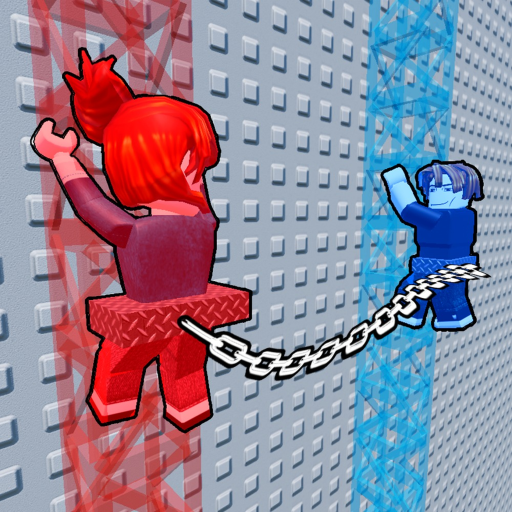
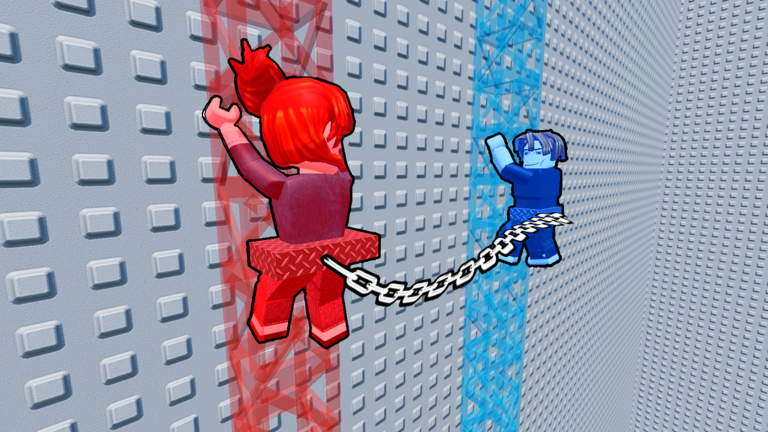
OverviewChained is a two-player obstacle course where you and a partner are literally linked by a chain the entire time, so every jump and climb has to be done together. This guide walks you through the controls, how to move as a pair, and how to push past the stages that keep tripping you up.
What is on this page
Contents
The one rule that changes everything
Summary
This game is built for two players. If you start without a friend, an NPC fills the second slot, but the whole experience is designed around human cooperation. The chain connecting you cannot be adjusted, which means when one player moves, the other feels it. Everything else in this guide follows from that single fact.
- Core mechanic a fixed-length chain links both players at all times
- Solo option an NPC partner replaces a missing human player
- Key mindset watch what your partner is doing before you move
- Communication calling out your next move before you make it cuts down on failed attempts
Controls for every device
TableJumping and walking work the same as any Roblox game, but pulling your partner is a separate action unique to Chained. The input for it differs by device, so check yours before you jump into a stage. On mobile, the pull button is a toggle rather than a hold, which trips up players who switch from PC.
| PC | hold E to pull your partner toward you |
| Mobile | press the pull button once to start pulling, press it again to stop |
| Console (PS4) | hold R2 to pull |
| Console (Xbox) | hold RT to pull |
Getting through early stages
StepThe first stages cover basic jumps and ladder climbs. None of them are meant to be brutal — they are where you and your partner get used to how far apart you can stand before the chain pulls tight. Falling just sends you back to the start of the stage, so there is no cost to experimenting here.
- Watch your partner spend a moment observing how fast they are moving before you commit to a jump
- Count together agreeing on "jump on three" out loud or in chat lands you both on the platform at the same time
- Pace your ladder climbs climbing faster than your partner yanks them off their footing, so match their speed
- Stop when they stop if your partner hesitates, pause and let them signal when they are ready
- Embrace the restarts falling repeatedly on one obstacle is normal; treat each attempt as practice for timing
Harder stages and when the chain fights you
TipsLater stages add narrow corridors, platforms at different heights, and tight-window jumps. The chain starts to feel more like a hazard than a tool here. Short taps on the pull input give you more control than holding it down, and waiting for your partner to clear a turn before you enter it prevents you from dragging each other off the edge. Lava sections send you back to the beginning of that obstacle, so slow and deliberate beats fast and careless.
- Tap the pull input in short bursts instead of holding it when precision matters
- Let your partner round a corner fully before you follow them into a narrow passage
- On jumps to platforms at different heights, agree on who lands first so the chain does not drag the second player off
- In lava sections, stop at each safe platform and confirm your partner is ready before moving to the next
- Talk through a tricky section once before attempting it — a quick plan beats ten blind retries
When you are completely stuck
CheckIf you keep falling on the same spot, run through this list before trying again. Lag is a real factor in a co-op game where both players need to react to each other in real time, and it can make an easy jump feel impossible.
- Are both players moving at the same tempo, or is one rushing while the other hangs back?
- Is there lag on either side are inputs showing up late on screen?
- Does the platform move? If so, have you both watched its full cycle before jumping onto it?
- Is the pull input actually registering is the chain visibly going taut when you hold the button?
- Have you told your partner exactly where you plan to move next, or are you both guessing?
Free chain cosmetic from the group
WarnThe game offers a free Chain cosmetic to players who like the game and join the developer's Roblox group. It is purely decorative and has no effect on stage difficulty or how the chain mechanic works. All stages and all difficulty levels are accessible without spending anything.
Badges and what they tell you about the game
SummaryThere are four badges in Chained. One is a simple welcome badge for joining. Another is earned by hitting the ten-minute mark in a run, so staying alive and moving forward matters beyond just clearing individual obstacles. The fourth, Sheep Detectives Quest, is linked to earning limited UGC.
- Welcome badge awarded automatically when you first join
- Ten-minute badge keep your run going without quitting to earn this one
- UGC badge follow the Sheep Detectives Quest to earn limited UGC
Glossary
Glossary- Chain
- The fixed-length link connecting both players — when one moves, the other is pulled along.
- Obby
- Short for obstacle course, the genre of Roblox game where you jump and climb through a series of challenges.
- Pull
- The special input (E on PC, a button on mobile, R2/RT on console) that lets you drag your partner toward you.
- Platform
- A surface you jump onto; some stay still and some move on a set path.
- NPC
- A game-controlled character that fills the partner slot if you start without a second human player.
- Lag
- A delay between your input and what happens on screen, caused by a slow network connection.
- UGC
- User-Generated Content — wearable items for your Roblox avatar, sometimes offered as limited rewards.
Common questions
FAQCan I play this alone?
You can — an NPC will take the partner slot. The whole game is built around two human players cooperating, though, so the NPC experience is a pale version of what the game is meant to be. Grab a friend if you can.
Why do my partner and I keep falling on the same jump?
The most common cause is a timing gap — one player jumps a beat before or after the other, and the chain pulls the slower one off the edge. Call out when you are about to jump and make sure your partner answers before you go. If the timing still feels off, check whether either of you is experiencing lag.
Do I need to spend Robux to see everything in the game?
No. Every stage and every difficulty is free to play. The group cosmetic is also free.
How do I earn the ten-minute badge?
Stay in your run for at least ten minutes without leaving the game. Keep moving through the stages with your partner and the badge unlocks when you hit that mark.
Game updates can change what is on this page. If you spot something, get in touch and let us know.
