
BeatMerger Guide: Getting your device ready before you start
About
OverviewBeatMerger is a fully functioning music-making tool on Roblox where you build original songs using over 200 instruments and drum sounds, then share them with other players.
What is on this page
Contents
みんなの攻略ノートとコツ
見つけたコツや、とっておきの攻略をみんなに教えよう!画像付きのノートも大歓迎!
Write a player note
[🎶] BeatMerger (CREATE YOUR OWN SONGS)
Getting your device ready before you start
Check
BeatMerger does heavy audio processing, so your device's performance directly affects how well it runs.
- Close apps you are not using audio files put real load on your processor, so free up as much as you can.
- Trim your browser tabs too many open pages compete for memory and slow things down.
- Expect better results on a stronger device the game itself recommends one for this reason.
MetaNew Player Survey

The next survey is being prepared.
Instruments and drum sounds available to you
SummaryThe game gives you two main building blocks: melodic instruments for carrying a tune and drum sounds for building rhythm. All of them are yours from the moment you join — no extra cost, no unlocking required.
- Instruments over 200 unique tones covering a wide range of styles.
- Drum sounds a broad set of rhythmic samples you can pattern however you like.
- Cost every instrument and drum sound is free to use.
- Combinations any instrument can be paired with any drum sound, so your options are open-ended.
Tools that shape your sound
Tips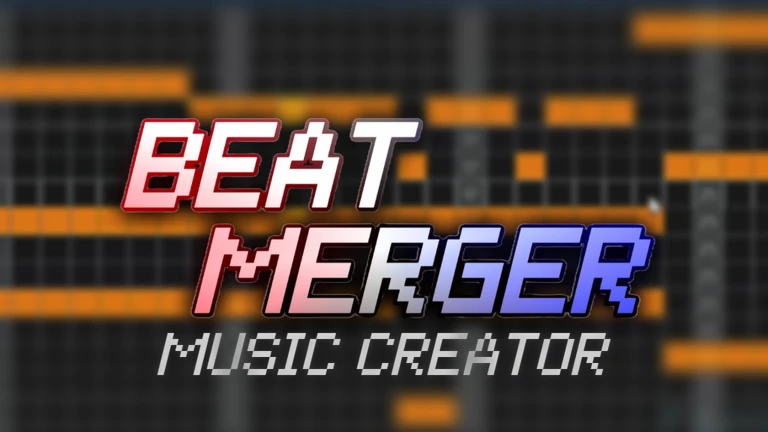
BeatMerger includes production controls you would find in desktop music software.
- Turn on the metronome while you work so your notes land on the beat consistently.
- Adjust volume separately for each part of your track.
- Apply note effects to individual notes.
- Use the solo function to listen to one part on its own.
- Set up sidechain if you want one sound to automatically duck when another hits.
- Use tempo control to set how fast or slow your track feels.
Publishing your song to the Music Library
StepOnce your track is finished, you can send it to the in-game Music Library so other players can search for it and play it back. If you would rather keep it to yourself, you can simply skip that step.
- Submit to the Library send the completed song to the Music Library.
- Let others find it after it goes up, any player can search the Library and listen to your song.
- Skip publishing if you prefer the Library submission is entirely optional, and your song stays private if you do not submit it.
Glossary
Glossary- DAW
- Short for Digital Audio Workstation, a tool for creating and editing music — BeatMerger works like one inside Roblox.
- Tempo
- The speed of a song, measured in beats per minute.
- Metronome
- A steady beat that plays while you work, helping you place notes in time.
- Sidechain
- An effect that automatically changes the volume of one sound when another sound plays.
- Note effect
- An audio effect applied to a single note rather than the whole track.
- Solo
- A mode that mutes everything except one selected part so you can hear it clearly on its own.
- Music Library
- The in-game collection where players publish finished songs so others can search for and play them.
Common questions
FAQDo I have to pay for any of the instruments or drum sounds?
No. All 200-plus instruments and drum sounds are free from the start. There is no extra cost to unlock or use any of them.
What happens if I do not want anyone else to hear my song?
Publishing to the Music Library is completely optional. If you skip that step, your song stays private and no other player can find it.
Why does the game run slowly or glitch on my device?
BeatMerger does intensive audio processing, so a stronger device is recommended for performance reasons. Closing background apps and extra browser tabs before you play can help.
Game updates can change what is on this page. If you spot something, get in touch and let us know.
