
Flex Your FPS And Ping Guide: How your FPS and ping get displayed
About
OverviewFlex Your FPS And Ping! is a Roblox hangout game that automatically displays your device's frame rate and ping above your head for every other player to see. Beyond showing off your specs, the game offers five obstacle courses to complete and a set of badges to collect. This guide covers the obby progression, the FPS badges, and the rare staff-encounter badges.
What is on this page
Contents
How your FPS and ping get displayed
Check
The moment you join the game, your current FPS and ping appear above your character's head with no extra setup required. Every other player in the server can see those numbers, which is the whole point of the game. One thing to know: without an FPS unlocker active, your displayed FPS will cap at 240 no matter how powerful your device is.
- Join the game your FPS and ping appear above your head immediately.
- Check that an FPS unlocker is running if you want to display more than 240 FPS.
- Look up how to get an FPS unlocker through Roblox's official guidance if you do not already have one.
MetaNew Player Survey
The next survey is being prepared.
Obby progression from Easy to Terrifying
Step
There are five obstacle courses in the game: Easy, Medium, Hard, Extreme, and Terrifying. Each one you finish awards a dedicated badge, so clearing all five means collecting all five obby badges. Terrifying is the top tier — the developers described its badge simply as 'beat.... what?', which gives you a sense of how far it goes.
- Easy obby complete this course and earn its badge.
- Medium obby complete this course and earn its badge.
- Hard obby complete this course and earn its badge.
- Extreme obby complete this course and earn its badge.
- Terrifying obby the hardest course in the game.
FPS badges and what they need from your setup
Tips
Two badges are tied entirely to your frame rate: reaching 250 FPS and reaching 1000 FPS. Because the game caps displayed FPS at 240 without an unlocker, you cannot trigger either badge unless you have one active.
- Turn on an FPS unlocker before you try for either badge — without it, 240 is the ceiling.
- The 1000 FPS badge is described by the developers as insane.
Staff-encounter badges and why they are rare
Summary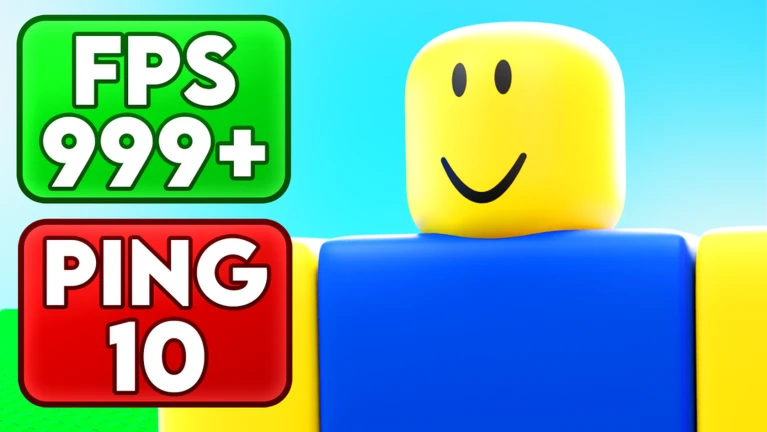
There are six badges tied to meeting specific people: the owner, the head developer, the scripter, and three admins. You earn the badge simply by being in the same server as that person. The owner's badge is noted as quite rare these days.
- Owner (RTYQZ) described as quite rare now.
- Head Developer (Atmerek) encounter badge awarded on joining the same server.
- Scripter (Ducki) described as the most awesome scripter in the world.
- Admin (Alter) the badge description jokes about hoping he does not kill you.
- Head Admin (Wolfie) encounter badge.
Community strategy ideas
CommunityThese ideas and tips come from people playing the game. Share your discoveries too!
No strategy ideas yet. Share a tip you discovered.
Share a strategy idea
Flex Your FPS And Ping!
Glossary
Glossary- FPS
- Frames per second — how many times your screen updates each second; a higher number means smoother visuals.
- Ping
- The time it takes for data to travel between your device and the game's server; a lower number means a more responsive connection.
- FPS unlocker
- A tool that removes Roblox's default frame rate ceiling, allowing your displayed FPS to go above 240.
- Obby
- Short for obstacle course — a Roblox staple where you jump and navigate through increasingly tricky platforms to reach the end.
- Hangout game
- A Roblox game built around relaxing and socializing with other players rather than following a strict objective.
Common questions
FAQDo I have to do anything to show my FPS and ping?
No setup is needed. Your FPS and ping appear above your character's head as soon as you join. The only action required is enabling an FPS unlocker if you want the display to go above 240.
What is the hardest obby in the game?
Terrifying is the top-tier course, sitting above Easy, Medium, Hard, and Extreme.
Can I plan when to meet the owner or developers to get their badges?
The owner's badge is specifically noted as quite rare, so keep playing and hope you land in the right server.
Game updates can change what is on this page. If you spot something, get in touch and let us know.
