Flight World is a Roblox flight simulator where you pilot passenger and cargo aircraft between airports, complete jobs to earn cash, and use that cash to unlock better planes. This guide covers the controls, the five jobs, how to land reliably, and how to keep your cash growing — whether you are brand new or trying to push further.
In shortLearning which keys do different things on the ground versus in the air will stop most early mistakes.
Before your first flight, check that you know these controls. Z and C behave differently depending on whether you are on the ground or already airborne, so the context matters. Mouse movement controls your heading and pitch — keep it near the centre of the screen and use small inputs. Large mouse movements cause sharp turns or sudden dives.
Z on the ground boards the pilot seat; C on the ground boards as a passenger
E starts or stops the engine; W raises throttle, S lowers it
G raises or lowers the landing gear; L toggles the landing lights
R holds your current altitude; it is not autopilot and will not steer for you
P engages reverse thrust; F toggles flaps; T toggles spoilers
M opens the map; Z in the air opens advanced controls; C in the air toggles camera lock
In shortCargo pays the most and Air Traffic Control pays nothing, so choose based on what you want from the game.
Four of the five jobs earn you cash; the fifth is purely for roleplay. All four paying jobs reward longer routes with more cash, and the Copenhagen–Keflavík run is the longest route available in the jobs that use fixed airport pairs. Levelling up any job by repeating it improves the bonus cash it gives you, and flying a better aircraft increases how many passengers or cargo boxes you can carry.
Cargo
highest cash of the four paying jobs; pick up boxes at a cargo terminal and deliver them to another airport's cargo gate
Cargo Drop
second-highest pay; pick up boxes and drop them into marked circles in the air instead of landing at a second airport
Passenger
mid-range pay; collect passengers at a gate and fly them to a gate at a different airport
Celebrity Passenger
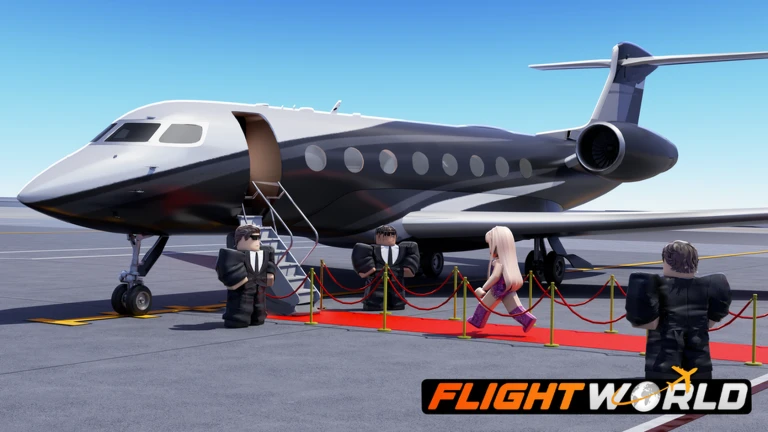
lowest cash among paying jobs; same flow as Passenger but requires a private plane and carries celebrity riders
Air Traffic Control
costs 80 Robux to unlock, earns no cash, and is used for roleplay only
03Live and upcoming eventsEvents
Events running now or coming soon. They have fixed dates, so check them first.
Upcoming –
MAJOR UPDATE
- Revamped & Detailed Anchorage Island
- Ability to place props
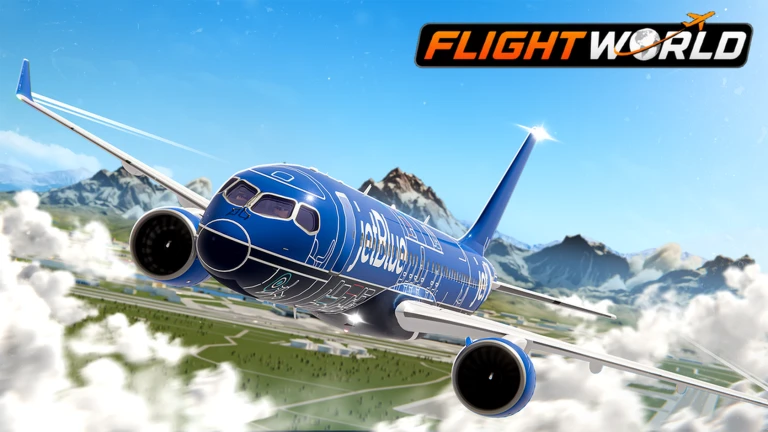
- A321 Neo
- A320 Neo
- DC3
In shortLining up far out and going around when something feels wrong are the two habits that make landings consistent.
Poor landings are the most common reason new players lose progress. The fixes are simple but they all depend on setting up the approach early, not at the last second. If the runway looks off-angle or your speed is wrong, going around and trying again is faster than fighting a bad approach.
Tips worth knowing
Start lining up with the runway centre-line from a long distance out — not as you reach the threshold
Lower the landing gear with G before you start your final descent
Bleed speed gradually with S rather than cutting throttle all at once
Keep mouse inputs tiny during descent — small corrections, not sharp pulls
If the runway looks crooked or your speed is wrong, add throttle with W, climb away, and rejoin the approach
After touchdown, roll straight and slow down fully before turning off the runway
05
Growing your cash and choosing the next aircraft
Tips
In shortShort completed jobs beat abandoned long ones.
Cash only arrives when a job is fully completed, so leaving mid-flight means losing that run. When you are ready to buy a new aircraft, check what job type and route it suits before spending, because cheap planes are not always faster.
Tips worth knowing
Always wait for the completion screen before leaving — quitting early can lose the reward
Check a plane's passenger or cargo capacity and supported job types before buying it
Large aircraft need early turns and early descents, so fly one empty first before taking a job in it
Robux aircraft are not required — cash-bought planes are enough to progress through all the jobs
06
When things go wrong
Warn
In shortMost problems come down to seat, engine, or server — check those three things first.
A few common problems have straightforward fixes. Work through them in order rather than assuming the game is broken.
Worth watching out for
Aircraft will not moveconfirm you are in the pilot seat, not the passenger seat, then press E to start the engine
Speed will not buildcheck whether reverse thrust from P is still active and cancel it
Aircraft suddenly rolls or divesmove the mouse back to the centre of the screen and toggle camera lock with C
Destination is unclearopen the map with M and confirm your job is still selected
Cash did not arrive after landingwait for the full completion screen; if it still fails, rejoin a fresh server and test with a short job
Lag on mobilelower the graphics quality setting and close other apps running in the background
07
Redeem codes
Step
In shortEach code works once per account and expires, so enter them as soon as you see them.
Codes give you free cash. The entry screen is inside the main menu. This site currently tracks two working codes — check the codes section on this page for the actual strings, since they are updated automatically.
Open the main menulook for the code entry button
Type carefullymatch every capital letter and character exactly, or the code will fail
Press the confirm buttona success message appears and the reward lands immediately
Do not try the same code twiceeach code is accepted once per account only
Act quicklycodes expire and cannot be redeemed once the period ends
The in-game currency you earn by finishing jobs and spend on new aircraft.
Throttle
The engine power setting that controls your speed, raised with W and lowered with S.
Landing gear
The wheels under the aircraft, toggled with G — retract them after take-off and extend them before landing.
Go-around
Aborting a landing approach by adding power and climbing away so you can line up and try again.
Altitude hold
The R key function that keeps the aircraft at its current height — it does not steer or descend automatically.
Flaps
Wing surfaces toggled with F that help the aircraft fly at lower speeds, mainly used during take-off and landing.
Spoilers
Wing surfaces toggled with T that help slow the aircraft down, mainly useful after touchdown.
Cargo terminal
The pick-up point for Cargo and Cargo Drop jobs where you collect boxes before flying your route.
Air Traffic Control (ATC)
A roleplay-only job costing 80 Robux that lets you give instructions to other aircraft at your airport but earns no cash.
Celebrity Passenger job
A variant of the Passenger job that requires a private plane and carries celebrity riders, paying the least of the four cash jobs.
Common questions
FAQ
Can I finish the game without spending Robux?
Yes. The four paying jobs are all free to take, and cash-bought aircraft are enough to progress through every one of them. Some aircraft are sold for Robux, but nothing in the game requires you to own them.
Why does R stop working when I get close to the airport?
R holds whatever altitude you set it at — it will not bring you down on its own. You need to turn it off and descend manually before you reach the runway.
What is the longest route in the game?
The Passenger, Cargo, and Celebrity Passenger jobs all have Copenhagen to Keflavík as their longest available route, and it pays the most cash in each of those job types.
Updated Sep 10, 2026
Game updates can change what is on this page. If you spot something, get in touch and let us know.
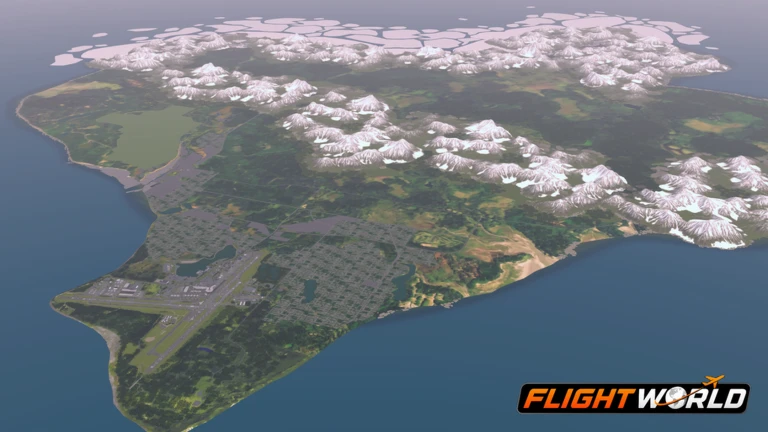 Upcoming
–
Upcoming
–

 300KLIKES
30k cash
300KLIKES
30k cash
