
Game guide
Ro-Scale Central Railroad Train Sim Guide: What to check when something goes wrong

Is this game fun?
No votes yet. Cast the first one.
About
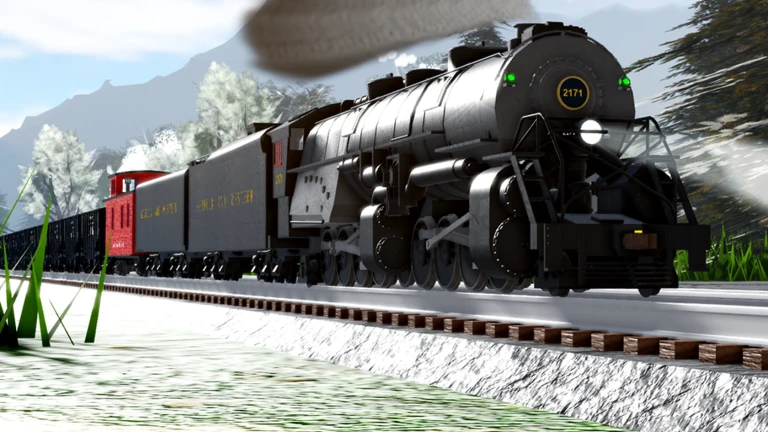
OverviewRo-Scale Central Railroad is a free-drive train simulator on Roblox where you pick a locomotive and run it wherever you like across a large model railroad. There are no required routes or missions — just steam and diesel engines, freight and passenger trains, and open track.
What is on this page
Contents
01
What to check when something goes wrong
Check
In short
Most control problems clear up once you revisit the Settings menu and adjust your camera angle.
If the locomotive is not responding the way you expect, run through these checks. The in-game Change Log is inside the Settings menu.
- Opened the Settings menu and reviewed the control layout.
- Read the in-game Change Log to see whether a recent update changed anything.
- Switched to a different camera view.
Glossary
Glossary- DCC control system
- The in-game control panel that lets you adjust a locomotive's speed and movement in fine detail.
- Steam locomotive
- A classic engine type available in the game.
- Diesel locomotive
- A more modern engine type available in the game.
- Freight train
- A train configuration used to haul cargo rather than passengers.
- Passenger train
- A train configuration used to carry passengers along the railroad.
- Free-drive
- A mode with no required route, letting you travel wherever you choose on the railroad network.
Common questions
FAQDo I need to follow a set route?
No. The game is built around free-drive play, so there is no required route or objective.
My train is not moving — what should I do?
Open the Settings menu and check the control layout. Then try switching your camera view.
What is the Change Log and where do I find it?
The Change Log lists recent updates to the game. You can access it from the Settings menu inside the game.
Updated Oct 26, 2026
Game updates can change what is on this page. If you spot something, get in touch and let us know.
Game updates can change what is on this page. If you spot something, get in touch and let us know.
