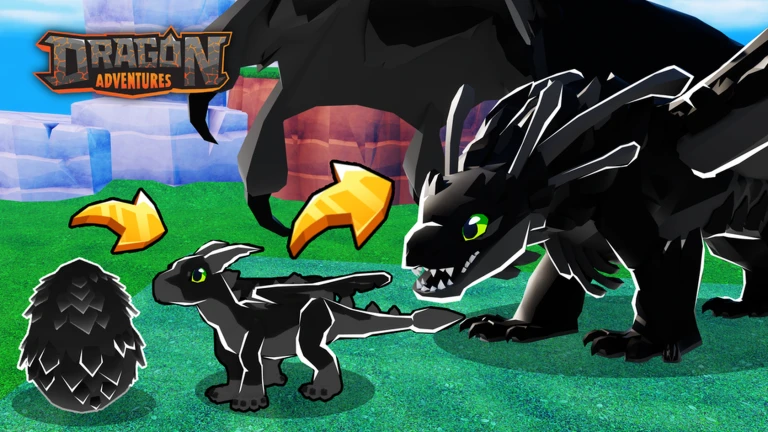
Dragon Adventures is a pet-raising RPG where you hatch eggs, grow dragons through four life stages, and fly them across a series of open worlds. This guide covers the tutorial, the core loop of finding and hatching eggs, raising your dragons through feeding and bonding, and training their four skills so you can get further in the game.
In shortFinishing the tutorial earns you a bonus egg and hands you full control of the game.
When you first load in, a guide named Rodger introduces you and a starter dragon appears waiting to be mounted. The tutorial walks you through the core actions in order, and you can skip it entirely if you already know the basics.
Mount your dragonpress the prompted button to climb on the starter dragon Rodger gives you.
Ride through the ringfollow the green ring that appears; a tutorial egg nest will show up nearby afterward.
Collect the eggwalk up to the nest and press E, then click one target to pick up the Tutorial Egg.
Fly to your basepress the fly button to take to the air and land at your home plot in the Origins World.
Place the egg in an incubatorinteract with the incubator, select the egg, and press E after two seconds to hatch a baby dragon.
Equip the baby and exitopen your dragon menu, select the new hatchling, equip it, then leave your base to complete the tutorial and receive the Tutorial Completion Egg.
In shortCollecting eggs from nests and incubating them back at your base is the main way to add new dragons to your collection.
Each world has its own unique dragon species locked inside its eggs, so exploring different worlds expands what you can hatch. Eggs continue incubating while you are offline, so there is no need to sit and wait.
Explore each world to find nest locationseggs sit in nests scattered across most worlds.
Equip a baby dragon before you go searchingbaby dragons detect nearby egg nests and guide you to them.
Interact with a nest to harvest the egg inside it.
Return to your base in the Origins World and walk up to an available incubator.
Open the Incubation Menu, select the egg, and start incubatingthen check back later or log off and let it run.
03Live and upcoming eventsEvents
Events running now or coming soon. They have fixed dates, so check them first.
Upcoming –
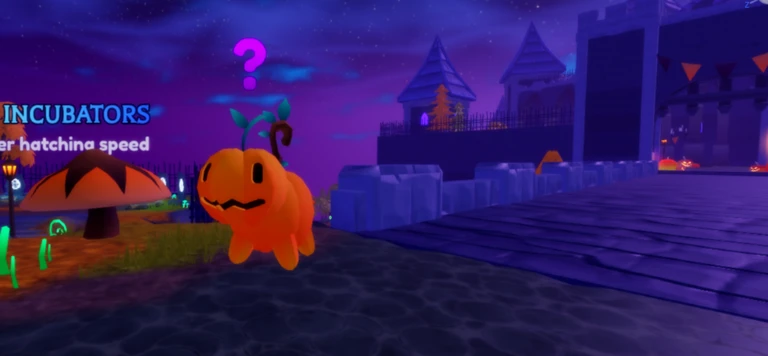
🧪 HALLOWEEN WEEK 3!
The Halloween Event CONTINUES! Hatch a new Halloween Dragon that's SUPER SMELLY! Fight a new boss as you continue the s…
Upcoming –
🔧 SEASON 11
Season 11 begins with the theme of Steel and silver! Complete missions to progress through the pass for some new themed…
Upcoming –
❓ SEASON 12
Season 12 begins with the theme of ????! Complete missions to progress through the pass for some new themed rewards, in…
In shortKeeping your dragon fed and bonded speeds up skill learning and unlocks new growth stages over time.
Dragons move through four growth stages — Baby, Juvenile, Adult, and Elder — but they only advance when you manually choose to grow them after they hit an age milestone. Food comes from the General Store in the Origins World, your farm plot, or Food Deposits found across worlds.
Tips worth knowing
Select your dragon, press Feed, and choose a food item to restore hunger and grant Skill XP at the same time.
Check the tooltip on each food to see which skill it trains before feeding.
Bond with your dragon when it feels lonely by selecting it, pressing Bond, and picking a bonding activity — some activities need Tools bought from the General Store.
When your dragon hits a new age milestone, open its menu and press Grow to move it to the next stage.
05
The four dragon skills
Table
In shortEach skill does a different job, and you train each one through a specific set of in-game activities.
Every dragon can learn four skills, and each one levels up separately through the activities tied to it. You can also train any skill by feeding your dragon the right food.
Riding
controls speed and agility; train it by flying through the Riding Courses found in each world.
Combat
governs bite and breath damage as well as duration; train it by using bite and breath attacks on mobs, bosses, and other objects.
Bonding
increases your dragon's health; train it by bonding with your dragon whenever it feels lonely.
Tracking
sets how far away your dragon detects treasures and egg nests; train it by opening chests, collecting eggs from nests, and interacting with Clue Mounds.
06
Event dragons and why they matter
Warn
In shortEvent dragons disappear when the event ends, so prioritize them while they are available.
The game runs seasonal events that add limited-time dragons. The current Solstice Event has introduced two new dragons, Leonelios and Celesteis.
Worth watching out for
Event dragons are gone once the event closesthere is no guarantee they return.
In shortUse this as a fast reminder of the game's key systems.
These are the core facts worth keeping in mind as you play.
Growth stages Baby, Juvenile, Adult, Elder; you must manually trigger each transition.
Guidebook found in the Menu; contains 22 tutorials covering every major system.
Food source options General Store, your farm plot, or Food Deposits in the open world.
Skill count four per dragon: Riding, Combat, Bonding, and Tracking.
Incubation runs offline, so eggs hatch even while you are away.
Starter dragon randomly assigned as an Atarix, Saurium, or Rocirus when you begin.
Glossary
Glossary
Incubator
A station at your base in the Origins World where you place eggs to hatch them over time.
Nest
A spawn point found across most worlds where you interact to collect a dragon egg.
Growth Stage
One of the four phases of a dragon's life — Baby, Juvenile, Adult, or Elder — each unlocking new interactions.
Bonding Need
A dragon's social meter that drops over time and must be refilled through bonding activities.
Clue Mound
An interactable object in the world that trains your dragon's Tracking skill when you examine it.
Riding Course
A set of rings in each world that trains the Riding skill when you fly through them.
Origins World
The home world where your base, incubators, General Store, and farm plot are located.
Common questions
FAQ
How do I get more food for my dragon?
You have three options: buy food from the General Store in the Origins World, grow it on your farm plot, or harvest Food Deposits scattered across the various worlds.
My dragon hit a new age milestone but hasn't changed — what do I do?
Reaching a milestone doesn't trigger growth automatically. Open your dragon's menu and select Grow to manually advance it to the next stage.
Can I play through the tutorial more than once or skip it?
The tutorial became skippable in December 2024. Finishing it rewards you with a Tutorial Completion Egg.
How do I find eggs faster?
Equip a baby dragon before exploring — baby dragons actively detect nearby egg nests and lead you to them. You can also level up your dragon's Tracking skill to increase the range at which nests are detected.
Does my egg keep incubating when I log off?
Yes. All dragon eggs incubate while you are offline, so you don't need to stay in the game waiting for them to hatch.
Updated Sep 10, 2026
Game updates can change what is on this page. If you spot something, get in touch and let us know.


 Upcoming
–
Upcoming
–