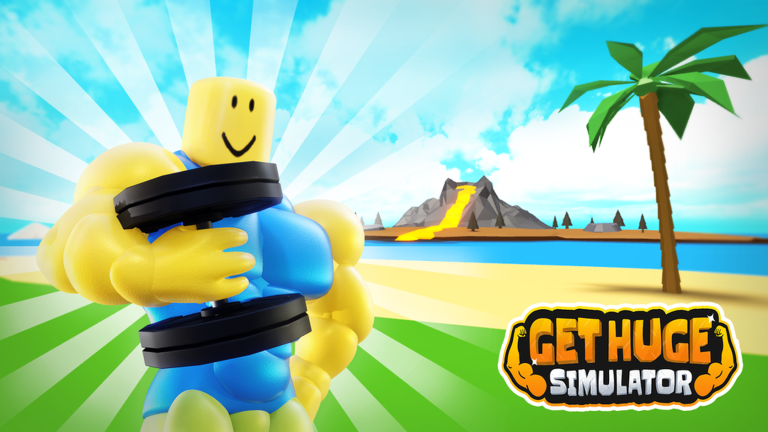
Get Huge Simulator is a Roblox strength game where you lift weights to build muscle, sell that strength for cash, and use the money to upgrade your weights, body, and DNA so you can grow even faster. This guide covers how to get started, how the upgrade loop works, how to use codes, and how to hold your own on the islands.
In shortEvery action in the game feeds back into this same cycle: lift, earn, upgrade, repeat.
The game runs on a simple rhythm that you repeat throughout your whole playthrough. Tap the Lift button to raise a weight, which adds to your strength and puts cash in your pocket at the same time. When you have enough cash, spend it on upgrades, then keep lifting to build strength back up.
Lifttap the button repeatedly to gain strength and earn cash simultaneously
Upgrade weightseach level means more cash earned per lift
Upgrade bodyeach level means more strength gained per lift
Upgrade DNAraises the overall speed at which you grow across the whole game
Sell strengthconverts your accumulated strength into a large cash payout, then resets your strength to zero
Repeattake that cash straight into the next round of upgrades
In shortSpend your earliest sessions just lifting and putting every coin straight back into upgrades.
Progress feels slow at the very beginning because upgrades cost more than your first few lifts bring in. Push through it — once your weight and body upgrades start stacking, cash comes in noticeably faster.
Tap Lift continuouslyboth your strength and cash counters rise with every press
Buy a weight upgrade as soon as you can afford onehigher weight means bigger cash per lift
Buy a body upgradethis increases how much strength each lift adds
Check your DNA upgradeit affects your growth rate across the board and is easy to overlook
Sell your strength once it is highthe bigger the number when you sell, the larger the cash payout
Pour the proceeds back into all three upgrade types before lifting again
03Live and upcoming eventsEvents
いま開催中・開催予定のイベントです。期間が決まっているので先に確認しておきましょう。
Live nowOct 4 – Oct 25
🎃 New Update
Got spooky ideas? Post your Halloween suggestions in our Group Forum and help shape the event! 👻
In shortRedeeming codes is the fastest way to close the gap in the early game without spending Robux.
Codes are short strings the developers release periodically. You enter them in the code input screen inside the game menu. Rewards can include cash, Auto-Lift time, or multiplier boosts. Capitalization matters, so copy the code exactly. Each code can only be redeemed once per account, and codes expire, so use them as soon as you find them.
Tips worth knowing
Open the game menu and find the code input field
Auto-Lift is a timed feature that lifts weights for you automatically, letting your strength and cash grow even when you are not tapping
The developers share new codes on their official Discord and social channels
One code gives 5 hours of Auto-Lift
05Working codesCodes
Back2School400M Gems, 10 hours of Auto-Lift, 2 hours of 2xStrength and more
400M Gems, 10 hours of Auto-Lift, 2 hours of 2xStrength and more
AFK5 hours of Auto-Lift
5 hours of Auto-Lift
OGStrength300M Gems, 10 hours of Auto-Lift, 2 hours of 2xStrength and more
300M Gems, 10 hours of Auto-Lift, 2 hours of 2xStrength and more
In shortSlow progress almost always comes down to a missed upgrade or an unused code.
Run through this list whenever the game feels like it has stopped moving.
Are your weight upgrades at the highest level you can currently afford?
Are your body upgrades keeping pace with your weight upgrades?
Is Auto-Lift running, and if so, how much time is left on it?
Have you entered every available code from the developers' official channels?
07
Island battles
Tips
In shortArrive at the islands with strong upgrades already in place and you will compete far more effectively.
The islands are where you test your strength against other players. Higher strength gives you the advantage in these matchups.
Tips worth knowing
Max out your weight and body upgrades before jumping into island fights
Keep DNA upgraded so your strength keeps climbing
If you are losing fights, go back to single-player lifting and sell a few more times before trying again
Leaderboard events on the islands reward top finishers with exclusive badges
08
Seasonal worlds and events
Tips
In shortSeasonal events add separate worlds with their own leaderboards and badges, so check in whenever a new one is live.
The game has run seasonal worlds tied to holidays and special occasions, each with its own visit badge and competitive leaderboard. Leaderboard events track different stats — some count total coins, others count strength or hearts — so read what each event is measuring before you decide how to spend your time in it.
Tips worth knowing
Visiting a seasonal world for the first time always unlocks its visit badge
Each event leaderboard rewards the top finishers with an exclusive badge that cannot be earned any other way
Check what currency or stat the current event leaderboard is measuring — coins, strength, and hearts have all been used in past events
You do not need to reach the top three to earn a badge; some events have top 25 or top 30 tiers as well
Glossary
Glossary
Lift
The core action of the game — tapping the Lift button raises a weight, adding to both your strength and your cash at once.
Strength
The stat that builds up as you lift; you can sell it for a cash payout, after which it resets to zero.
Sell
Converting your accumulated strength into cash — the higher your strength when you sell, the bigger the payout.
Weight upgrade
Increases how much cash you earn from each individual lift.
Body upgrade
Increases how much strength you gain from each individual lift.
Auto-Lift
A timed feature that lifts weights automatically without any tapping, letting your strength and cash grow hands-free.
Islands
Areas in the game where you pit your strength against other players in competitive battles.
Common questions
FAQ
What does selling my strength actually do?
Selling converts all your built-up strength into a cash payout and then wipes the strength counter back to zero. The bigger the number before you sell, the more cash you receive.
Can I play this game without spending Robux?
Yes — all upgrades are reachable through regular lifting and selling. Redeeming codes for Auto-Lift and boost rewards costs nothing.
Can I reuse a code I already redeemed?
No. Each code works once per account. Once you have used it, that code is done for you permanently, so look for new ones from the official channels.
Why am I losing island fights even though I have been playing a while?
Island performance is directly tied to your strength, which means your upgrade levels. Go back to lifting, complete a few more sell cycles, and put the cash into weight, body, and DNA upgrades before returning to the islands.
Updated Oct 5, 2026
Game updates can change what is on this page. If you spot something, get in touch and let us know.

 Back2School
400M Gems, 10 hours of Auto-Lift, 2 hours of 2xStrength and more
Back2School
400M Gems, 10 hours of Auto-Lift, 2 hours of 2xStrength and more