
[FREE ADMIN] Guide: Your first two minutes in the game

About
OverviewFree Admin hands every player admin commands the moment they join — no purchases, no unlocks. This guide covers how to start using commands right away, how to get more out of the game with friends, and how to stay safe while doing it.
What is on this page
Contents
Player notes and tips
Found a useful trick? Share it with everyone! Notes with screenshots are welcome!
Write a guide note
[FREE ADMIN]
Your first two minutes in the game
Step
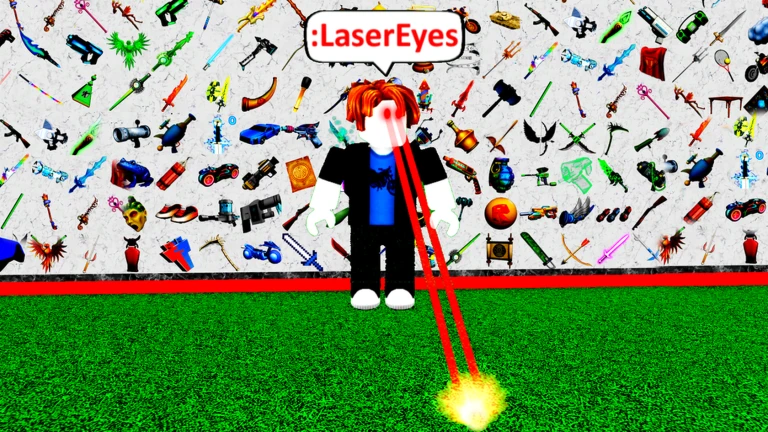
Every player spawns with full admin powers already active. The prefix for every command is a colon, so nothing works without it at the front. If your account has chat restrictions, the Admin Command Bar in the top-right corner of the screen accepts commands just as well as the chat box.
- Find the command bar
look at the top-right corner of your screen before typing anything
- Type :cmds
a full list of available commands appears immediately
- Pick a command
:Fling and :Jail are popular starting points because their effects are obvious
- Add the target
type the command followed by the username of the player you want to affect
- Grab some gear
hundreds of free weapons and tools are available to fight and mess around with
MetaNew Player Survey

The next survey is being prepared.
How commands are structured
TipsCommands follow a simple pattern, but small mistakes break them every time. Knowing what to check saves a lot of frustration.
- Every command starts with a colon
skip it and nothing happens
- :Fling flings the target player; :Jail locks them in a cell
- Usernames are case-sensitive, so a single wrong letter means the command finds no target
- If nothing happens, type :cmds to double-check the exact spelling of the command
- The Admin Command Bar works even when Roblox chat is turned off for your account
Free play vs. Premium play
TableThe game is built around giving everyone the same powers from the start. The only thing Roblox Premium adds is a single bonus item.
| Free players | full admin commands, hundreds of gears, and free VIP servers included |
| Premium players | everything free players get, plus one Lucky Block as a bonus |
Practicing with a private server
CheckVIP servers in this game cost nothing to create. You can use one to experiment with commands at your own pace, invite specific friends, or just have a quieter session away from crowded public servers.
- Create a VIP server from the game's page it is listed as free
- Invite only the friends you want there
- Try combining commands to see how effects interact
Working toward kill badges
SummaryThe game awards badges for reaching kill milestones.
- First badge
awarded at 10 kills
- Second badge
awarded at 50 kills
- Third badge
awarded at 100 kills
- Fourth badge
awarded at 500 kills
- Fifth badge
awarded at 1000 kills
Staying safe while you play
WarnFree Admin gives everyone powerful tools. A few habits protect your account and your experience.
Glossary
Glossary- Prefix
- The colon symbol you type before every command to make the game recognize it as a command rather than ordinary chat.
- Admin Command Bar
- A dedicated input field in the top-right of the screen that accepts commands even when Roblox chat is restricted on your account.
- :cmds
- A command that displays the full list of available admin commands in the game.
- :Fling
- An admin command that flings the target player.
- :Jail
- An admin command that traps the target player inside a cell.
- Gear
- Weapons and tools available for combat and general play; hundreds of them are free in this game.
- VIP Server
- A private server you create yourself so only invited players can join; it is free in this game.
- Lucky Block
- A bonus item given exclusively to players who have Roblox Premium.
Common questions
FAQMy commands aren't working — what should I check?
Start by making sure every command begins with a colon. Then check that the target's username is spelled correctly, including any capital letters. If you are still stuck, type :cmds to confirm the exact name of the command you want to use.
I can't use the chat — can I still use commands?
Yes. Open the Admin Command Bar in the top-right corner of your screen and type your commands there instead. It works regardless of your account's chat settings.
Someone told me to give them my password and they'd give me extra admin powers — should I?
No. Every player already gets full admin powers for free the moment they join, so there is nothing to offer you that you don't already have. Never give your password to anyone.
Do I need to pay anything to enjoy this game fully?
No. All admin commands, all free gears, and VIP servers are available without spending anything. Roblox Premium only adds a Lucky Block, which is a small bonus rather than a core feature.
Game updates can change what is on this page. If you spot something, get in touch and let us know.