
Ray's Mod Guide: Physics gun controls
About
OverviewRay's Mod is a Roblox remake of Garry's Mod where you can build bases out of props, drive vehicles, spawn enemies, and compete in structured game modes — all in the same place. This guide covers the physics gun controls, the different ways to play, how to earn addons without spending Robux, and tips for each game mode.
What is on this page
Contents
Physics gun controls
Step
The physics gun is your main tool for interacting with the world. Every object you want to move, freeze, or adjust goes through these six controls, so it is worth practising each one before you try building anything complicated.
- Left-click grab an object and drag it wherever you want.
- Right-click or G freeze an object in place so it stops moving.
- C or scroll up push a held object further away from you.
- X pull a held object closer to you.
- E straighten an object so it sits flat and level.
- R rotate a held object freely.
MetaNew Player Survey
The next survey is being prepared.
Three ways to spend your time
Table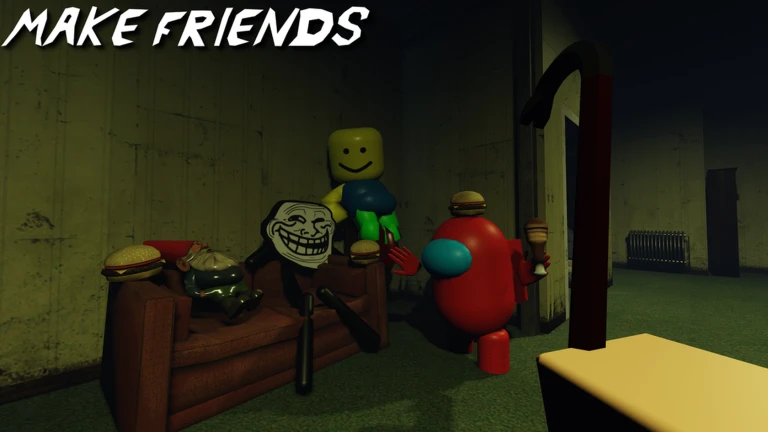
Ray's Mod gives you three distinct things to do, and you can mix them however you like within a single session.
| Free building | use props and vehicles to create whatever scene or base you want, with no rules or timer. |
| Game modes | structured rounds with other players, including Hide and Seek, Zombie Survival, and Build to Survive Creepers. |
| Missions | complete in-game challenges to earn Mission Points you can spend on addons. |
Game mode survival tips
Tips
Several of Ray's Mod's game modes have their own win conditions and hazards.
- In Zombie Survival, your goal is to stay alive — reaching ten minutes without dying earns a badge.
- In Hide and Seek, hiders win by not being found and seekers win by tracking everyone down.
- In Build to Survive Creepers, surviving the night is the target.
- Prop damage is off by default; turn it on in the spawn menu only if you want that challenge, since taking damage from a prop is otherwise impossible.
- To reach 1000 health in one life, that figure is the threshold the Juggernaut badge requires.
Earning and spending Mission Points
CheckMission Points are the in-game currency you earn by completing missions. You spend them on addons that expand what you can do.
- Complete missions every day to accumulate Mission Points at no Robux cost.
- On the seventh day of each month, you receive that month's exclusive addon it is only available that day.
- Use addon testing to try a Mission Point addon before you spend your points on it.
- A 50% off gamepass is available if you want to buy Mission Point addons at half price.
- Addons expand your options but are not required to enjoy building or game modes.
Collectible events and bonus addons
Tips
Ray's Mod has run several timed events where finding every collectible in a map rewarded free addons. The badge descriptions show how these events have worked.
- The Cursed Woods map hosted a candy hunt (50 pieces), a firefly hunt, and a musheye hunt — completing them rewarded addons or recognition badges.
- Merryland had 65 stars hidden around it; finding them all was worth eight free addons.
- A boulder-rolling challenge rewarded one free addon for getting it to the top of the hill.
- An April Fools challenge appears each year on April 1st.
- Pop 250 balloons in one server to earn the Balloon Popper badge.
- Being in the same server as the Creator earns the Nice to meet you badge.
- Getting struck by lightning earns the Millions to one badge.
- Getting run over by a car earns the Look both ways badge.
- Running someone over earns the No drivers license badge.
Glossary
Glossary- Physics gun
- The primary tool in Ray's Mod, used to grab, freeze, move, rotate, and straighten objects using mouse clicks and keyboard keys.
- Prop
- Any placeable object in the world that you can manipulate with the physics gun to build structures or scenes.
- Mission Points
- Currency earned by completing in-game missions, spent on addons that add new features or content.
- Addon
- An unlockable expansion to the game — such as the Mech addon — that gives you new tools or abilities.
- Spawn menu
- The in-game menu where you access props and settings like prop damage.
- Community maps
- Maps added to the game's map selection, each with a different environment and layout.
Common questions
FAQWhat should I do first when I join Ray's Mod?
Spend a few minutes with the physics gun and run through all six controls one by one — grab, freeze, push away, pull closer, straighten, rotate.
Can I get addons without paying Robux?
Yes. Completing missions earns Mission Points, and you spend those points directly on addons. On the seventh day of each month you also receive a free addon for that month.
How do the game modes work?
Ray's Mod includes several structured modes — Hide and Seek, Zombie Survival, Build to Survive Creepers, and others — each with its own win condition. You join them through the game and play against or alongside other players in the same server.
What is the 50% off gamepass for?
It reduces the cost of Mission Point addons by half.
Game updates can change what is on this page. If you spot something, get in touch and let us know.
