
Southwest Florida Beta — Getting started in the city
About
OverviewSouthwest Florida Beta is a large open-world roleplay game set around the Bonita Springs area, where you can take on jobs, drive a range of vehicles, and explore a detailed city with friends. This guide walks you through getting started, learning the controls, picking a career path, and staying out of trouble.
What is on this page
Contents
Getting started in the city
Step
Southwest Florida Beta is big enough that jumping straight into a job without any sense of the map can leave you confused. Take a short walk when you first load in to get a feel for the layout. Once you have a rough idea of where things are, decide whether you want to focus on jobs, vehicles, or just hanging out with friends.
- Walk the area spend a couple of minutes exploring on foot so the city layout makes sense before you do anything else.
- Check your controls the game uses several non-obvious keys, so read the control list before you get into a vehicle.
- Adjust graphics if needed if the game feels slow or choppy, lower the graphics level in Roblox settings.
Movement controls on foot
Summary
The map is large enough that knowing your movement options saves real time. You have two toggleable speeds on foot, plus a sprint, and the same functions work whether you are on a keyboard or an Xbox controller.
Vehicle controls by type
Table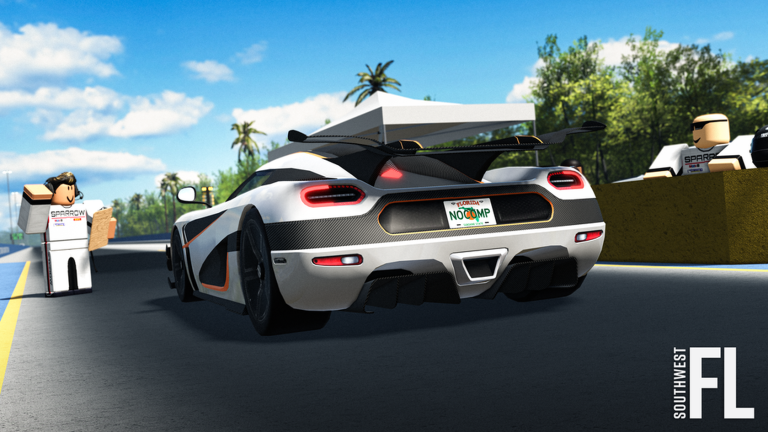
The game includes cars, semi-trucks, bicycles, and more, and the shifting system changes depending on what you are behind the wheel of. Manual vehicles are the most demanding because they add clutch control on top of shifting. Bikes have their own trick input for wheelies. If you are on an Xbox controller, the buttons below replace the keyboard keys.
| Semi and automatic cars | E to upshift, Q to downshift (X and Y on Xbox). |
| Manual cars | hold Shift to control the clutch while shifting (RB on Xbox). |
| Bicycle wheelie | hold left-Ctrl while accelerating to lift the front wheel. |
Performance problems and what to do about them
CheckThe game itself warns that lower-end PCs, laptops, phones, and tablets can struggle with performance.
- Game running slowly lower the graphics level in Roblox settings.
- Cannot operate a vehicle make sure you are fully seated in it, then double-check the correct shift keys for that vehicle type.
Rules and bans
WarnThe game's own page calls this out explicitly: all forms of exploiting lead to a permanent ban. That covers vehicle abuse as well as any other form of exploiting. The game is still in beta and some features are missing.
 4JULY
CHRISTMAS24
HAPPYHOLIDAYS
CHRISTMAS22
4JULY
CHRISTMAS24
HAPPYHOLIDAYS
CHRISTMAS22
Glossary
Glossary- Drivers' Club
- A job team you can join in-game that unlocks the racing system, a motorsports facility, new properties, and updated car models.
- Upshift / Downshift
- Changing gears up or down while driving; semi and automatic vehicles use E and Q on keyboard, or X and Y on Xbox.
- Clutch (Manual)
- An extra input required when shifting in a manual vehicle, controlled by holding Shift on keyboard or RB on Xbox.
- Wheelie
- A bike trick performed by holding left-Ctrl while accelerating.
- Motorsports facility
- A location unlocked through the Drivers' Club.
- Toggle walk/jog
- Pressing V switches your character between a walking pace and a jogging pace.
Common questions
FAQDo I have to join the Drivers' Club to race?
Joining the Drivers' Club job team is what unlocks the racing system and the motorsports facility.
Is the game finished?
No — it is still in beta and some features are missing.
Game updates can change what is on this page. If you spot something, get in touch and let us know.
