
Gacha Online RP Guide: Getting started for the first time
About
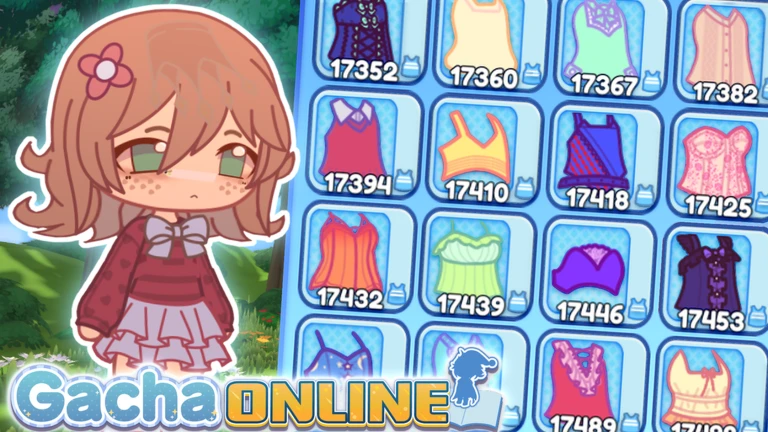
OverviewGacha Online ✨ RP is a chill Roblox customization and roleplay game where you can dress up as anyone — or anything — and hang out with friends in an anime-inspired world. It is an independent Roblox experience made with permission from the Gacha Club and Gacha Life series, and it has no set goals or winners. This guide covers how to get started, how to build your character, how to run a roleplay, and how to keep your home and presets organized.
What is on this page
Contents
Getting started for the first time
Step
When you first load in, resist the urge to perfect your character immediately. Pick something quick, check a couple of things, and get into the world first. You can always come back and fix the details.
- Open the character menu pick hair, face, and outfit quickly rather than going for perfection straight away.
- Check your preset slots note which slot you are editing so you do not overwrite something you want to keep later.
- Move to an area head to the school, café, or beach to get a feel for the world.
- Try a short roleplay pick one role and one simple situation and play it out for about ten minutes.
- Explore home and runway once you are comfortable with movement and areas, come back to fine-tune your character and set up your home.
Building your character
Tips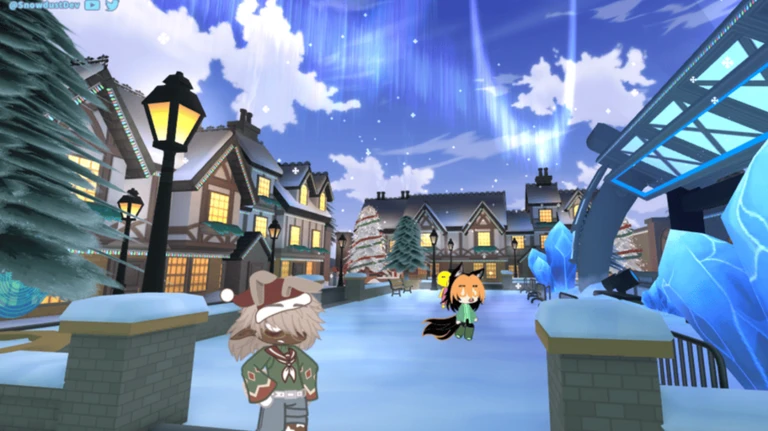
The customization system lets you change practically everything — hair, face, skin color, outfit, and even your whole form. You can play as a human, a cat, a dog, or a car. New clothing is added every week, and none of it requires Robux.
- Decide your role in one sentence before you open the menu — something like 'quiet café worker' or 'lost kitten' gives you a filter for every choice.
- Pick two main colors early and use them to guide hair, outfit, and accessories so the look stays consistent.
- Work from large to small: body and skin first, then face and hair, then outfit, and accessories last.
- Keep accessories to one or two items — stacking too many hides your face and makes the character harder to read.
- Check your character from the front and a slight angle before you confirm, especially if you are using a non-human form, since accessories can overlap differently.
- Free clothing added each week means you can refresh your look regularly without spending anything.
Preset slots and avoiding overwrite mistakes
Warn
The game lets you save multiple character designs in separate preset slots and switch between them. Before you make a big change, check which slot is currently selected and confirm that any design you want to keep is saved somewhere safe.
Starting a roleplay quickly
StepYou do not need a long script or detailed lore to start a roleplay. Three decisions are enough: who you are, where the scene takes place, and one thing that happens. Keeping the first scene to about ten minutes makes it easy for others to join or swap roles, and choosing your area before you walk there saves time spent wandering.
- Pick your role one short label is enough, such as 'new transfer student', 'junior barista', or 'lost kitten'.
- Choose your area school suits student and teacher stories, the café works for shopkeeper scenarios, the beach fits relaxed hangout or date storylines, and your home works for domestic scenes.
- Decide one event something small like 'gets the order wrong' or 'can't find the classroom' gives the scene somewhere to go.
- End or swap after about ten minutes short scenes keep the pace up and make it easy for new players to join.
- Build custom roleplays when none of the preset areas fit the story you want to tell.
Roleplaying with players you do not know
Warn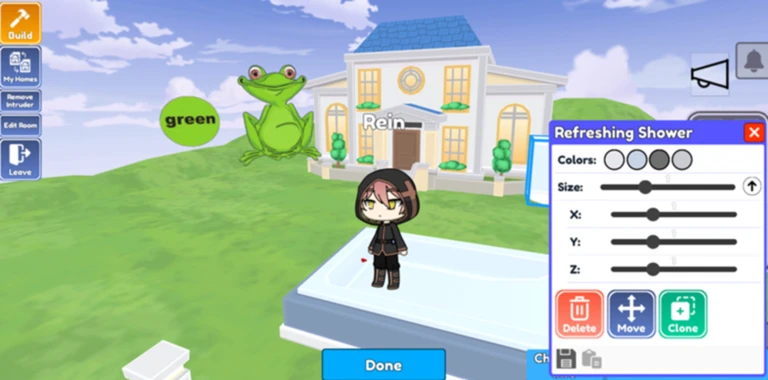
Not everyone nearby wants to join the same story. Checking in with someone before you assign them a role keeps things comfortable for both of you, and respecting a 'no' — or silence — is just as important as asking.
Home design and decoration
Check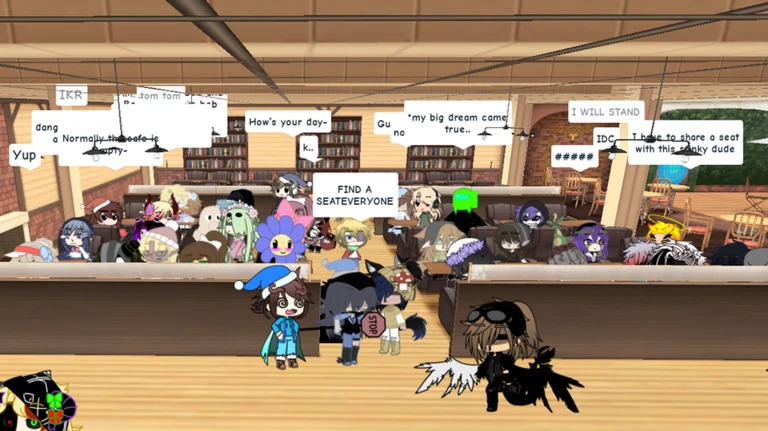
Your home is a private space you can shape however you want, and friends can be invited in to see it. Starting with a clear purpose for the room makes every furniture decision easier. Place the large pieces first, keep a walkable path clear from the start, and add small decorations at the end.
- Decide the room's purpose before placing anything.
- Keep the entrance and main walking path clear from the start so the space is actually usable.
- Place large furniture sofas, tables, beds — before anything else, since they anchor the whole layout.
- Check that chairs and desks can actually be used once they are in position.
- Add small decorations last, since placing too many too early means rebuilding around them later.
- After any major rearrangement, confirm the save so changes are not lost.
The runway and gift codes
TipsThe runway is where you walk your character in front of other players to show off your outfit and design. The game also distributes gift codes from time to time; codes are entered through the in-game menu, each code works only once per account, and codes expire.
- Walking the runway lets every player in the area see your full character design.
- Find the code entry field inside the in-game menu.
- Each code can only be redeemed once on a single account.
 HELLOWORLD
THANKSGIVING
CUSTOMCONTENT
HELLOWORLD
THANKSGIVING
CUSTOMCONTENT
Online safety while roleplaying
WarnBecause the game is built around meeting new people and acting out stories together, it is worth thinking carefully about what you share. Keep your profile bio filled with fictional character details only, and treat any request to move the conversation off Roblox as a reason to stop and report.
Glossary
Glossary- OC
- Short for Original Character — a character you invent yourself rather than basing on an existing one.
- Roleplay (RP)
- Playing out a story or scenario in-game by acting as a character and interacting with other players doing the same.
- Home
- Your personal private space in the game where you can place and arrange furniture however you like.
- Runway
- A location in the game where you walk your character so other players can see your outfit and style.
- Customization
- The process of changing your character's hair, skin, outfit, accessories, and even body form to make them look exactly how you want.
- Area
- One of the game's distinct locations — such as the school, café, or beach — each with its own setting for roleplay.
- Preset
- A saved slot that stores one complete character design so you can switch between looks without rebuilding from scratch.
- Home Designer
- The in-game feature that lets you place and arrange furniture and decorations inside your private home.
- Profile / Bio
- An in-game text field where you can write fictional details about your character — keep it fictional only.
- Emote
- An animation your character plays to express a feeling or action, such as waving, dancing, or looking surprised.
- Server
- One game room that multiple players share at the same time — each server holds up to 45 players.
Common questions
FAQIs this an official sequel to Gacha Life or Gacha Club?
No. Gacha Online is an independent Roblox experience made with permission from the Gacha Club and Gacha Life series, not a direct sequel.
Do I need Robux to enjoy the game?
No. Free clothing is added every week, and all core activities — roleplaying, decorating your home, and exploring areas — cost nothing.
Can I play as a dog, cat, or car?
Yes — non-human forms are a supported option in the customization system. After switching to one, return to the normal game view and check that you can move comfortably, since accessories can behave differently depending on the form.
Can I play without friends already in the game?
Yes. Character creation, area exploration, home design, and runway are all things you can do alone.
How many times can I change my character's appearance?
You can go back and adjust your character's hair, outfit, skin color, or even switch to a completely different form like an animal whenever you want.
Game updates can change what is on this page. If you spot something, get in touch and let us know.
