
TASK FORCE Guide: Controls every operative needs to know

About
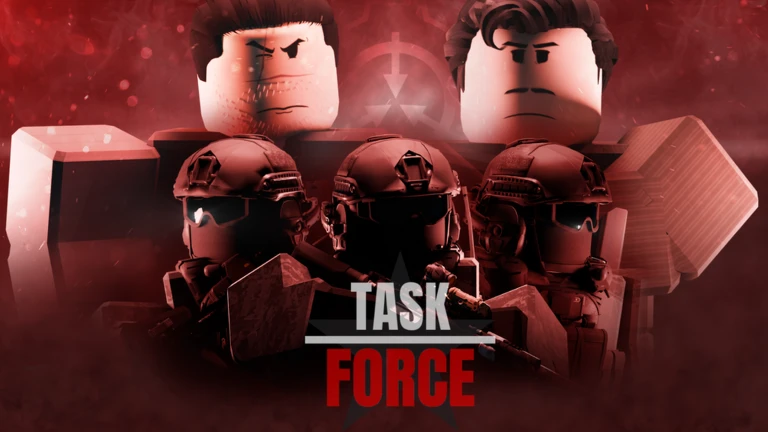
OverviewSCP Task Force is a tactical military game on Roblox set in the SCP universe, where you play as a Foundation operative working through story-driven missions. Each operation sends a different Mobile Task Force into a dangerous situation, from containing outbreaks to rescuing hostages. This guide covers controls, healing, weapons, and how to get through each operation.
What is on this page
Contents
みんなの攻略ノートとコツ
見つけたコツや、とっておきの攻略をみんなに教えよう!画像付きのノートも大歓迎!
Write a player note
[SCP] TASK FORCE
Controls every operative needs to know
CheckThe control guide is available in-game by pressing B, but it is worth knowing the most important binds before you load in. Some actions only unlock in later operations, so do not panic if a key does nothing in early missions.
- R reload; hold R to check how many rounds are in the magazine and how many spare mags you have left
- G use a bandage or First Aid Spray on yourself; double-tap G to spray a teammate (available from Operation Clean Out onward)
- F interact with doors, intel, buttons, levers, and ammo crates
- Z cant your weapon to the left; use the scroll wheel to fine-tune the angle (scroll wheel available from Operation Clean Out onward)
- Q and E lean left and right around cover
- H apply zipties to unarmed personnel such as Class-D and Foundation staff
MetaNew Player Survey

The next survey is being prepared.
Healing: bandages and sprays
Table
Bandages appear only in Operation Red Skies and can only heal yourself. From Operation Clean Out onward they are replaced by First Aid Sprays, which can also be used on teammates. Sprays cannot be replenished once used.
| Bandage | self-heal only; Operation Red Skies exclusively |
| First Aid Spray (self) | press G once to heal yourself |
| First Aid Spray (teammate) | double-tap G to heal an ally; available from Operation Clean Out onward |
| Full Metal Jacket class | carries 5 sprays |
| Sleight of Hand class | carries 5 sprays |
| Medic class | carries 8 sprays |
Weapons, attachments, and canting
TipsYour weapon loadout is fixed by your class. What you can change are the attachments — barrel, grip, rail items, and sights — along with how you hold the weapon. Pick your attachments before clicking ready, because there is no way to change them once a mission begins.
- Primary attachments cover barrel (Suppressor), grip (Vertical or Angled), left rail (Flashlight), right rail (Laser Sight), and sights (ACOG, COMP M4, EOTech, Iron Sight, or Reflex Sight)
- Secondary attachments cover barrel (Suppressor) and bottom rail (Flashlight or Laser Sight)
- Press Z to cant your weapon to the left, then use the scroll wheel to adjust the angle — useful for peeking around corners without fully exposing yourself
- A laser sight combined with the cant acts as a backup aiming point when you do not want to use your main optic
- In Operation Clean Out, the middle mouse button becomes available as a melee attack
- A secondary weapon slot opens in Operation Black Nightmare — press 2 to draw it
Operation by operation: objectives and what to expect
StepOperations are released in a set order and each follows a separate Mobile Task Force. Completing an operation's main objective unlocks its badge. The missions below are listed in release order.
- Operation Red Skies (Epsilon-11) Secure Site-19 after a Chaos Insurgency breach; restrain unarmed staff with zipties to stop classified information leaking out; find ammo crates in the first hallway, near the elevator, and at the far end of the cargo room
- Operation Black Nightmare (Alpha-1) Fight into a Chaos Insurgency base at Port Lockroy and rescue O5-4; the only ammo crate is inside the armoury where you also pick up the C4
- Operation Clean Out (Beta-7) Enter Site-17 through a maintenance shaft near the radio tower; shoot spores twice to destroy them; take each survivor immediately outside to the extraction point rather than carrying them to the end of the mission; equip the flashlight attachment before readying up because most of the facility is pitch black
- Operation Blind Eye (Eta-10) Track and bag SCP-096 in the arctic; there are no ammo crates anywhere on this map
- Disavowed: Paper Trail (Eta-10 rogue unit) Infiltrate a UN headquarters without authorization; stay out of camera sight lines and take out cameras fast if a detection meter fills; your suppressed M1911 sidearm cannot be drawn unless you are already compromised
- Operation Shattered Mind (Mu-13) Navigate a warped subway station and restart the Scranton Reality Anchor; no ammo crates are present
Zipties and non-combatant control
SummaryZipties let you restrain Foundation scientists, Class-D personnel, and other unarmed characters so they cannot escape or interfere with your mission. They are unlimited and are bound to H on PC.
- Target unarmed personnel including Class-D and Foundation staff
- Supply unlimited; no resource cost
- Key use case Operation Red Skies, where OVERWATCH instructs you to stop unarmed staff from fleeing and leaking classified material
- Effect restrained individuals cannot move or take any action that disrupts the operation
Ammo management across operations
WarnPress F on an ammo crate to refill your current magazine and replace any discarded mags. In Clean Out the three crates are hidden in side rooms. Operations Blind Eye and Shattered Mind have no crates anywhere.
Badges and the currency goal
SummaryEach operation awards a badge when you meet its main objective. One badge stands apart from mission completion: The Funder unlocks when your account holds over $100,000 at once.
- Crisis Averted resecure Site-19 in Operation Red Skies
- Lost and Found rescue O5-4 in Operation Black Nightmare
- No Trace Left clear Site-17 of the SCP-008 strain in Operation Clean Out
- Heads Turned bag SCP-096 in Operation Blind Eye
- Trail Gone Cold collect intel at the UN headquarters in Disavowed: Paper Trail
- Bringing Stability restart the Scranton Reality Anchor in Operation Shattered Mind
- The Funder hold more than $100,000 in your account at one time
Glossary
Glossary- Operation
- A self-contained mission in SCP Task Force, each one following a different Mobile Task Force with its own objectives and setting.
- Mobile Task Force (MTF)
- An elite Foundation unit specialised for a particular kind of threat, such as biohazard cleanup or hostage retrieval.
- First Aid Spray
- A limited-supply healing item that can restore health to yourself or, from Operation Clean Out onward, to a teammate.
- Cant
- Tilting your weapon to the left by pressing Z, which lets you peek around corners more safely.
- Ammo Crate
- An interactable grey box you open with F that refills your loaded magazine and replaces any magazines you have discarded.
- Zipties
- An unlimited non-lethal tool bound to H that restrains unarmed personnel so they cannot escape or interfere with the mission.
- OVERWATCH
- The command figure who briefs and directs Mobile Task Force squads throughout the game's operations.
- Scranton Reality Anchor
- A Foundation device that stabilises reality, restarted by Mu-13 during Operation Shattered Mind.
Common questions
FAQCan I heal my teammates?
Yes, but only from Operation Clean Out onward. Double-tap G to apply your First Aid Spray to a nearby ally. Sprays cannot be restocked once used.
Why is my keybind not working?
Several controls only activate in later operations. The secondary weapon slot (2) opens in Operation Black Nightmare, teammate healing (double-tap G), melee (middle mouse), and scroll-wheel canting all become available from Operation Clean Out onward.
What happens if a camera catches me in Disavowed: Paper Trail?
A detection meter fills while you are in a camera's line of sight. If it maxes out, you have roughly 25 seconds to destroy all cameras and guards in the room or the mission fails. The countdown does not pause once it starts.
Do I need to carry survivors to the end of Operation Clean Out?
No — carrying them all the way to the mission's end will not count as a rescue. You must bring each survivor directly to the extraction point outside the facility as soon as you find them.
Game updates can change what is on this page. If you spot something, get in touch and let us know.
