
Elemental Battlegrounds Guide: Basic controls
About
OverviewElemental Battlegrounds is a magic fighting game where you collect diamonds and shards to unlock elements and learn new spells. You can fight alone or team up with friends — up to eleven players share a room at once. This guide covers the controls, how to gather resources, how to unlock elements, and the level and kill milestones worth aiming for.
What is on this page
Contents
Player notes and tips
Found a useful trick? Share it with everyone! Notes with screenshots are welcome!
Write a guide note
Elemental Battlegrounds
Basic controls
CheckEvery action in the game runs through a small set of key presses and mouse inputs. Get comfortable with these before worrying about which element to buy.
- Double-tap any WASD key to do a flip useful for dodging incoming spells.
- Hold Ctrl (or Cmd on Mac) to sprint and close distance quickly.
- Press Q to throw a punch and R to block.
- Hold the mouse button down to charge a magic move, then release it to fire.
- Mute the in-game music from the button in the bottom-right corner of the game menu.
MetaNew Player Survey

The next survey is being prepared.
Earning and spending diamonds and shards
Step
Diamonds and shards are the two resources you need to unlock new elements. There are three ways to get them, and one clear place to spend them.
- Fight other players
using your magics and leveling up earns diamonds and shards.
- Explore the map
look for Drop Zones scattered around and pick up the resources sitting there.
- Visit the in-game shop
you can also purchase diamonds and shards directly from the shop.
- Spend your resources in the shop
choose any element you want and buy it to unlock that magic.
Element milestones to aim for
Summary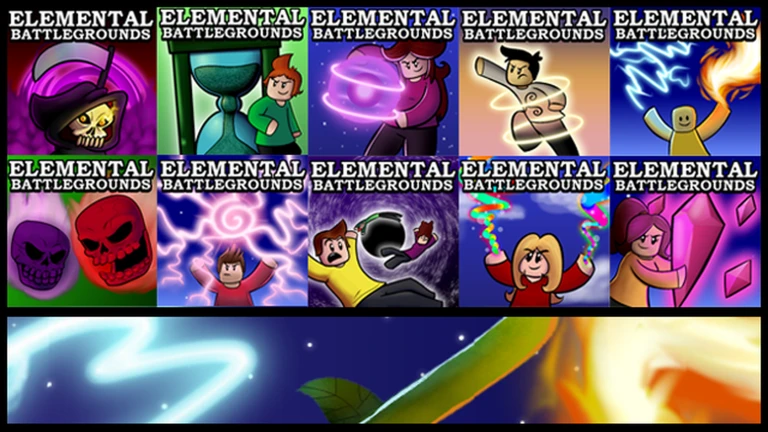
Each time you unlock a new element you gain access to a different set of spells, so your fighting options grow with every purchase. The game marks three specific totals with badges.
- 3 elements
first badge milestone.
- 5 elements
midpoint badge.
- 10 elements
top-tier badge.
Things that will get you banned
Warn
The game's rules are short but strict. Breaking them ends your account with no second chance.
Glossary
Glossary- Element
- A magic type you purchase from the shop; each element gives you a set of spells to use in battle.
- Diamond
- One of the two in-game resources used to buy elements from the shop.
- Shard
- The second in-game resource, collected and spent alongside diamonds to unlock elements.
- Drop Zone
- A marked spot on the map where diamonds and shards spawn for players to pick up.
- Flip
- A dodge move triggered by double-tapping any WASD direction key.
- Charge
- Holding the mouse button down to load power into a spell before releasing it to cast.
Common questions
FAQWhere is the best place to find diamonds and shards?
Check the Drop Zones spread around the map — resources spawn there and you can grab them without fighting anyone. You also earn them by using your magics and leveling up through combat, and you can buy them directly from the in-game shop.
Can I play with friends instead of against everyone?
Yes. The game supports both solo and team play, and a room holds up to eleven players. Team up with friends to take on other players together.
The game is stuck on a loading screen — what do I do?
This happens when you are running Roblox through the Microsoft app. Uninstall that version and download Roblox directly from the official Roblox website, then try launching the game again.
How do I cast a spell?
Hold the mouse button down to charge the move, then release to fire it. Some magic moves require this charge step before they will activate.
Game updates can change what is on this page. If you spot something, get in touch and let us know.
