
Outfit Loader Testing Place Guide: How to load an outfit
About
OverviewOutfit Loader Testing Place is a Roblox space where you can try on items from other players' outfits before deciding what to buy for your own avatar. This guide walks you through loading outfits, mixing and matching items, buying what you love, and fixing it when something goes wrong.
What is on this page
Contents
How to load an outfit
Step
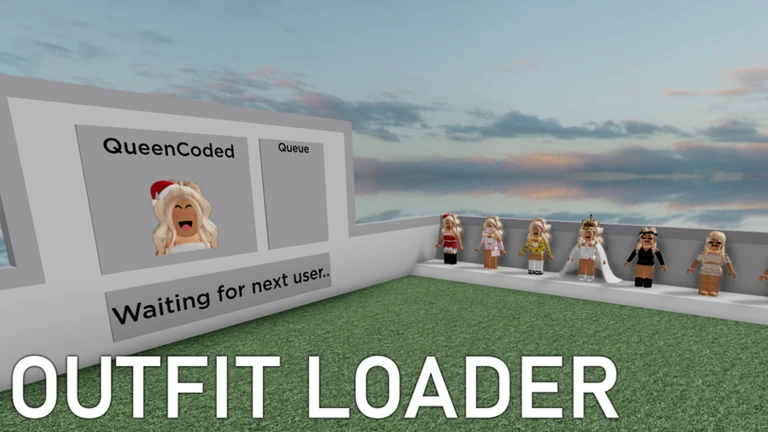
When you first enter the game, look for a button on the screen labeled Load User. Click it, type in the exact username of the player whose outfit you want to see, and wait for the items to appear. Once they load, click any item to try it on your avatar.
- Find the button look for the Load User button on the game screen as soon as you spawn in.
- Type the username enter the player's Roblox username exactly as it appears on their profile.
- Wait for the load give the game a moment to pull up all of that player's outfit items.
- Click an item tap any item in the list to put it on your avatar right away.
MetaNew Player Survey
The next survey is being prepared.
Building your own look from other players' outfits
TipsYou are not limited to copying one person's outfit wholesale. Load one player, try on a piece you like, then load a different player and layer on something from them. Swapping to a new item of the same type automatically removes the old one, so you never have to manually strip anything off.
- Load several different players in a row to borrow the best pieces from each.
- Replacing an item in the same slot removes the previous one automatically.
Trying for free versus buying to keep
TableThe try-on feature costs nothing and has no limit — you can spend as long as you like browsing outfits from different players without spending a single Robux. When you find something you genuinely want to keep, hit the purchase button on that item and it stays on your avatar even after you leave the game, and across every other Roblox game you play.
| Trying on | free, unlimited, resets when you leave the game. |
| Purchasing | saves the item to your account permanently. |
| Availability after leaving | try-on reverts; purchases stay on your avatar forever. |
| Where it works | purchases are usable in all Roblox games, not just this one. |
When outfits will not load
WarnIf the outfit screen stays empty after you submit a name, go back and double-check every character in the username. Spaces, hyphens, and other special characters all need to match exactly. Also make sure the game has fully finished loading before you try to use the Load User feature.
Private servers
SummaryThe game offers free private servers.
- Private servers free and available to anyone who wants one.
- Total visits as of October 2, 2026 162,655,242.
Glossary
Glossary- Load User
- The in-game button you click to enter a player's username and pull up all the items in their outfit.
- Avatar
- The character that represents you in Roblox, which you customize with clothing and accessory items.
- Try-on
- Previewing how an item looks on your avatar inside the game without actually purchasing it.
- Private server
- A separate game session that only you and people you invite can join, available here at no cost.
- Catalog
- Roblox's storefront where all purchasable avatar items are listed and sold.
Common questions
FAQDoes buying an item in this game keep it forever?
Yes — any purchase you make inside the game is saved to your Roblox avatar account. You can wear that item in other Roblox games after you leave this one.
Can I see outfits from more than one player in the same session?
Yes. Load one player, try on what you want, then use the Load User button again and type a different username. You can pull pieces from as many players as you like by repeating this process.
Will my tried-on outfit still be there when I rejoin the game?
No — the try-on is temporary and resets when you leave. If you want to keep wearing an item, you need to purchase it before you go.
How can another player load my outfit?
Just give them your Roblox username. They enter it in the Load User screen and your current outfit items will appear for them to browse and try on.
Game updates can change what is on this page. If you spot something, get in touch and let us know.
