
Color Block Guide: How a round works
About
OverviewColor Block is a Roblox party game where every round you race to stand on the tile that matches the color shown on screen — land on the wrong one when time runs out and you're eliminated. The last player still standing wins. This guide covers the core rules, how to read each round, tips for going further, and how to earn free coins.
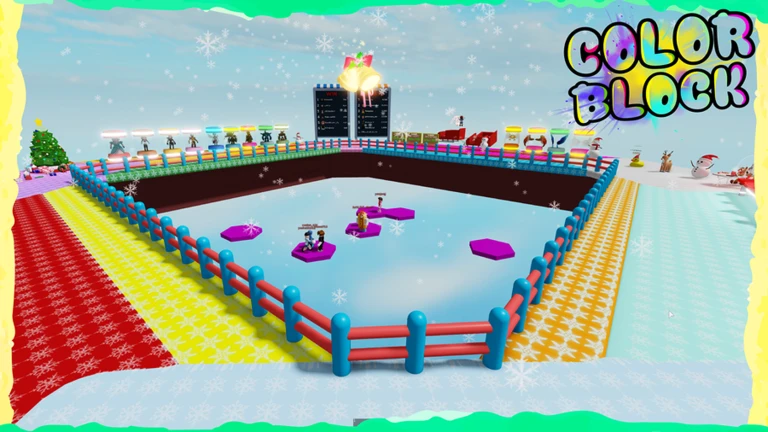
What is on this page
Contents
How a round works
Step
When a round starts, the game shows you a color. Your only job is to get onto a tile of that color before time runs out. Anyone standing on the wrong color at the deadline is eliminated. Rounds repeat, and the field gets smaller each time, until one player is left.
- Read the screen look at the color the game is calling out before you move a step.
- Pick your tile scan the floor and choose a tile of that color nearby.
- Move immediately start running the moment you know where you are going.
- Reach it in time be standing on the correct color when the timer hits zero.
- Repeat keep doing this each round until you are the last one standing.
MetaNew Player Survey
The next survey is being prepared.
Reading the color fast
TipsThe whole game comes down to reaction time. The moment a color is announced you need to be moving, not still deciding.
- Keep your eyes on the area of the screen where the color indicator appears so you catch it the instant it changes.
- Glance around the floor at the start of each round so you already know where each color sits before the call comes.
- Move the moment you see the color — every second you spend hesitating is a second someone else uses to take your spot.
- Trust your own read of the color, not the direction other players are running — they can be wrong.
What to check when you keep getting eliminated
CheckWork through these before blaming luck.
- Is the color indicator clearly visible on your screen? A dim display or a small device makes it harder to read.
- Are you misreading a specific color pair for example, confusing two tiles that look similar on your screen?
Playing with friends
Tips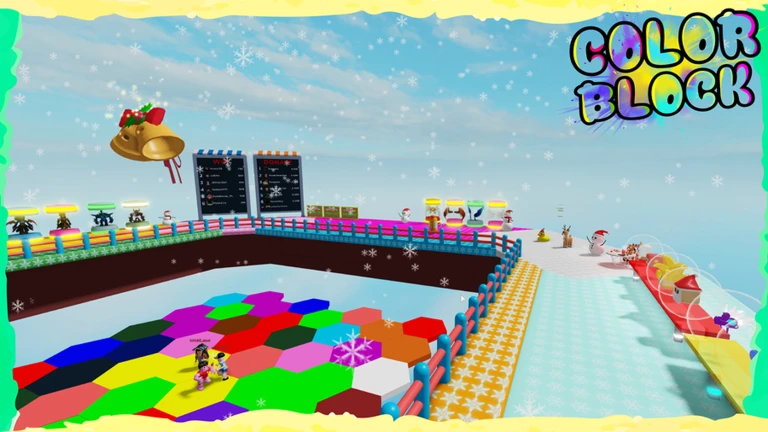
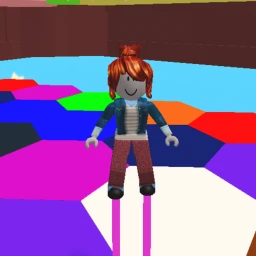
The game supports multiplayer, and there is even a badge for inviting a friend to join you.
- Invite friends directly — getting them into your session earns you the More Friends badge.
- Share tips with friends who keep getting eliminated early.
Earning free coins
StepThere is a code entry field inside the game where you can type in codes distributed by the developers. Each code works only once per account, so use them as soon as you find them. Liking the game also rewards you with coins, and a new code is released when the game reaches two million likes.
- Find the code entry field look for the input area within the game's interface.
- Like the game hitting the thumbs-up button on the Roblox game page earns you a coin bonus.
- Check back regularly codes expire and new ones drop as milestone like counts are reached.
- Remember each code is single-use once you redeem it on your account, it cannot be entered again.
 like1000k
free coins
like600k
like800k
like500k
like1000k
free coins
like600k
like800k
like500k
The win badges and what they mean for long-term play
SummaryColor Block tracks your cumulative wins with a long series of badges.
- First milestone 1 win, awarded the first time you outlast every other player.
- Early ladder 5, 10, 15, 20, 25, and 30 wins.
- Mid ladder 35, 40, 45, 50, 60, 70, 80, 90, and 100 wins.
- Upper ladder 150, 200, 300, and 400 wins.
- Top milestones 600, 800, and 1,000 wins.
Community strategy ideas
CommunityThese ideas and tips come from people playing the game. Share your discoveries too!
No strategy ideas yet. Share a tip you discovered.
Share a strategy idea
Color Block
Glossary
Glossary- Round
- One cycle of play — from the moment a color is announced to the point where players on the wrong tile are eliminated.
- Eliminated
- What happens to any player standing on the wrong color tile when a round's timer expires; they are out for that game.
- Redeem code
- A short string of characters you type into the game's code field to receive free coins; each code can only be used once per account.
- Riding Mode
- A mode added in a recent update that offers a different play experience while keeping the basic rules the same.
- Like bonus
- A coin reward you receive for giving the game a thumbs-up on its Roblox page.
Common questions
FAQWhere do I enter a redeem code?
There is a code entry field built into the game's interface — look for an input area on the in-game screen. Type the code exactly as it appears and confirm it to receive your coins.
Can I play Color Block without spending Robux?
Yes, the game itself is completely free to play. Coins can be earned through redeem codes and by liking the game, so there is no need to spend anything to enjoy it.
Does playing with friends change the rules?
No, the rules stay the same in a multiplayer session. Bringing friends along earns you the More Friends badge, but everyone is still competing under the same color-matching rules.
Game updates can change what is on this page. If you spot something, get in touch and let us know.
