
Anime Tycoon Guide: Getting started
About
OverviewAnime Tycoon is a Roblox simulation game where you pick a favorite anime character and build your own tycoon empire from the ground up. This guide covers everything from your first minutes in the game to fixing a stuck progression, so you can keep earning and expanding no matter where you are.
What is on this page
Contents
Getting started: character selection and tutorial
Step
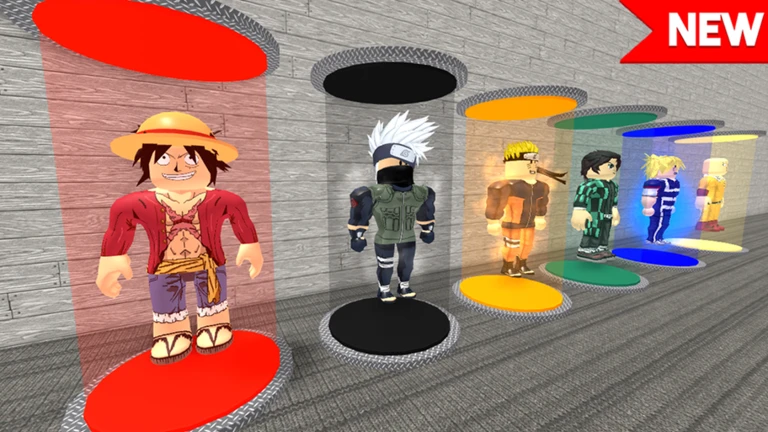
When you first launch the game, you choose an anime character — this becomes the face of your tycoon, so pick whoever you like. After the selection, the game drops you into a tutorial that walks you through the basic controls. Read every prompt carefully before moving on.
- Pick your character choose any anime character you like, since the choice is about preference.
- Start the tycoon once you confirm your character, the building phase begins immediately.
- Follow the tutorial the game explains map movement and building placement step by step.
- Learn the controls get comfortable moving around and placing structures before you start spending your starting funds.
MetaNew Player Survey
The next survey is being prepared.
The earning loop: how money flows
SummaryThe core of Anime Tycoon is placing buildings that generate income, then using that income to place or upgrade more buildings. Early on your funds are tight, so you work with cheaper structures first. Once cash starts coming in, you decide between adding new buildings or strengthening ones you already have.
- Start small cheap buildings are the only option early.
- Collect income buildings produce money that needs to be gathered and added to your total.
- Upgrade or expand each round of collected cash can go toward upgrading existing buildings or buying new ones.
- Spread your income multiple sources keep cash flowing steadily.
- Grow your area the tycoon's usable space can be expanded gradually to make room for more structures.
Choosing and placing buildings
TipsNot every building earns at the same rate. Each one has its own profit amount and a time interval for generating it, and upgrading a building increases both. Check the in-game info on a building before committing your cash.
- Check profit figures in the game before you build anything — they tell you exactly what each structure earns.
- Compare upgrade effects building by building, since each structure improves differently.
- Arrange your layout so you can move around and reach everything without getting blocked.
- If you need to rearrange, you can sell a building and place it somewhere else — you are not locked into your first layout.
When progress stalls
CheckIf your cash stops growing or you cannot afford the next building, run through these checks before assuming something is broken.
- Are you collecting income? Buildings that have earned money need that money picked up.
- Is every building actually running? Confirm each structure is active and producing, not idle.
- Have you upgraded anything lately? Even old buildings can see a large profit jump after an upgrade.
- Do you know what the next building costs? Work out exactly how much you need before you start saving toward it.
- Is the layout getting in your way? If everything feels jammed, sell some buildings, rearrange, and start a cleaner setup.
Free-to-play and paid options
SummaryAll the main mechanics — building, upgrading, collecting income, and expanding — are available without paying.
- Core gameplay entirely free, including building, upgrading, and area expansion.
- Paid items speed up progress but do not block any goal from free players.
- End goal free players reach the same place as paying ones; it just takes longer.
- Redeem codes a free way to pick up in-game currency or items without spending Robux.
Codes and the developer group
StepThe developer group, The Tycoon Games, is where new codes and event news are announced. Joining unlocks exclusive cash and items in-game. Codes are entered through an in-game menu and can expire, so use them as soon as you find one. Each code can only be redeemed once per account.
- Join the group look up The Tycoon Games on Roblox to get announcements about new codes and exclusive in-game cash and items.
- Open the code menu find the code input field inside the game's menu.
- Redeem quickly codes expire, so do not sit on them.
- Stick to official sources only trust codes from the developer group or in-game notices.
Glossary
Glossary- Tycoon
- A game genre where you build and grow a business empire by placing income-generating structures and reinvesting the profits.
- Upgrade
- Spending in-game money on an existing building to raise the amount it earns.
- Income collection
- The action of picking up money that a building has generated so it counts toward your total funds.
- Expansion
- Increasing the playable area of your tycoon to make space for additional buildings.
- Reset
- Selling buildings and repositioning them to give your tycoon a different layout.
- Redeem code
- A short string of characters you enter in the game's menu to receive free currency or items.
Common questions
FAQDo I need to spend Robux to make real progress?
No — paying only speeds up how fast you advance. Every goal in the game is reachable without spending anything, though it takes more time.
Game updates can change what is on this page. If you spot something, get in touch and let us know.
