
Game guide
Parenthood Beta — Your first steps in the game
Is this game fun?
No votes yet. Cast the first one.
About
OverviewParenthood is a Roblox roleplay game where you adopt an NPC child and live life as their parent — caring for their needs, decorating a home, and working jobs to earn money.
What is on this page
Contents
01
Your first steps in the game
Step
In short
Getting your child, your look, and your home sorted gives you a solid start.
When you first load in, three things need to happen before the real gameplay opens up.
- Adopt your child find the NPC child and adopt them to unlock the core parenting loop.
- Customize your avatar your appearance is free to change, so set it up the way you want.
- Buy a home you need it before you can decorate or settle in.
- Decorate your home once you own a house, place furniture and arrange it however you like.
02
Caring for your child's needs
TipsIn short
Keeping up with your child's needs regularly is the heart of the game.
Your NPC child has multiple needs — things like food and play — and it is your job to meet them. You can also change how your child looks at any time, which costs nothing.
Tips worth knowing
- Remember there are several different types of needs, not just one.
- Customizing your child's appearance is free.
03 Live and upcoming events
Events
いま開催中・開催予定のイベントです。期間が決まっているので先に確認しておきましょう。
04
The Daycare job
StepIn short
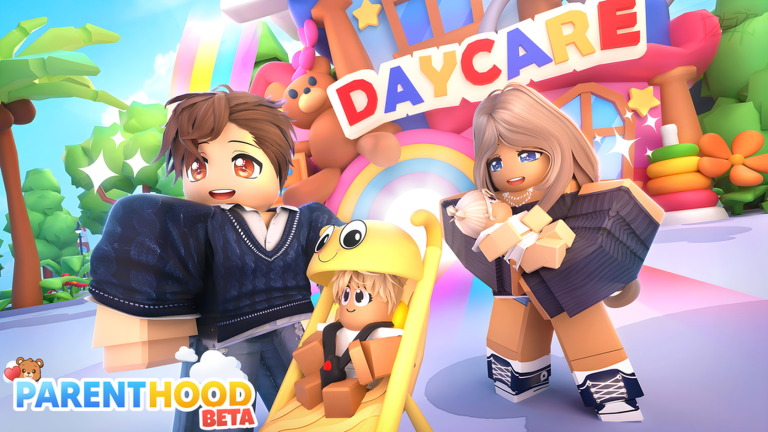
The Daycare is the job currently in the game.
Money pays for your home and anything your child needs. The Daycare is the job currently in the game, where there is a mess to clean up.
- Find the Daycare check the in-game map to locate it.
- Read the job instructions understand what you are being asked to do before you start.
- Complete the job finish the cleanup to collect your reward.
05
Playing without spending Robux
Check
In short
Every core part of the game is free.
The main activities — parenting your child, customizing your avatar, buying a house, and decorating it — can all be done with in-game money you earn through jobs.
- Avatar customization is free, with no Robux needed.
- Child appearance customization is also free.
- Houses are bought with in-game money earned from jobs.
- Home decoration is paid for with that same in-game money.
06
Long-term goals and streaks
SummaryIn short
The biggest achievements in the game reward players who show up every single day over many weeks.
Beyond the day-to-day parenting loop, there are milestones that take real commitment.
14-Day Streak badge
earned after completing a 14-day play streak.
30-Day Streak badge
earned after completing a 30-day play streak.
Diamond Parent
the highest Parent level in the game, described as a huge achievement that very few players reach.
Glossary
Glossary- NPC
- A non-player character — in this game, the child you adopt and raise is an NPC.
- Needs
- The things your child requires, such as food and play, that you must keep satisfied.
- Daycare
- A location added in the Jobs Update where you complete a cleanup job to earn money.
- Diamond Parent
- The highest Parent level in the game, earned by very few players.
Common questions
FAQHow do I earn money in the game?
Complete jobs like the Daycare cleanup to get paid. Over time this gives you enough to buy a home and care for your child.
What happens if I miss a day of my login streak?
The 14-day and 30-day streak badges require consecutive daily logins.
What should I do if I run into a game-breaking bug?
Report it to the development team so they can investigate and fix it.
Updated Oct 3, 2026
Game updates can change what is on this page. If you spot something, get in touch and let us know.
Game updates can change what is on this page. If you spot something, get in touch and let us know.
