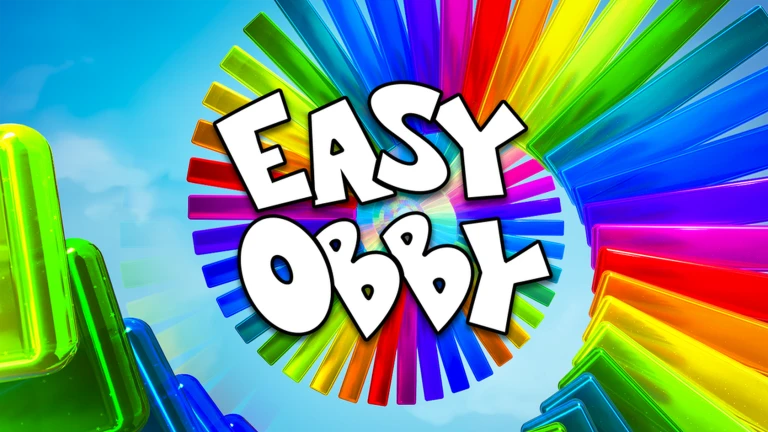
Easy Obby is a colorful obstacle course game where you run, jump, and slide through stages that get harder as you go. It's designed to be approachable for beginners, so anyone can pick it up and make progress. This guide covers the basics, how to push through tough stages, and what to know about game passes and staying connected to updates.
Found a useful trick? Share it with everyone! Notes with screenshots are welcome!
Write a guide note
Easy Obby
01
Controls to learn before stage one
Step
In shortGetting the controls into muscle memory during the tutorial saves a lot of frustration later.
When you first load in, a tutorial area shows you the key bindings for running, jumping, and sliding on screen. Follow those prompts and repeat each action until it feels natural. Stages are designed to introduce difficulty gradually, so time spent here pays off quickly.
Check the key bindings
the game displays jump, run, and slide controls on screen, so read them before moving on.
Practice in the tutorial
repeat each move several times until you stop thinking about which key to press.
Try sliding early
narrow passages that require sliding appear later in the game, so getting comfortable with it now keeps those sections from blindsiding you.
Reset without worry
if you want to redo the tutorial or any section, resetting carries no penalty.
In shortLanding in the center of platforms and reading floor-color changes are the two habits that matter most at the start.
The early stages use wide platforms, which makes sloppy landings more obvious and more punishing than players expect. Pay attention to color changes on the floor — they signal where the next required action begins.
Tips worth knowing
Aim for the middle of each platform when landing, not the edge.
Treat a change in floor color as a cue that a jump or slide is coming.
Fix one mistake per attempt rather than trying to overhaul everything at once.
03Live and upcoming eventsEvents
Events running now or coming soon. They have fixed dates, so check them first.
Live now –
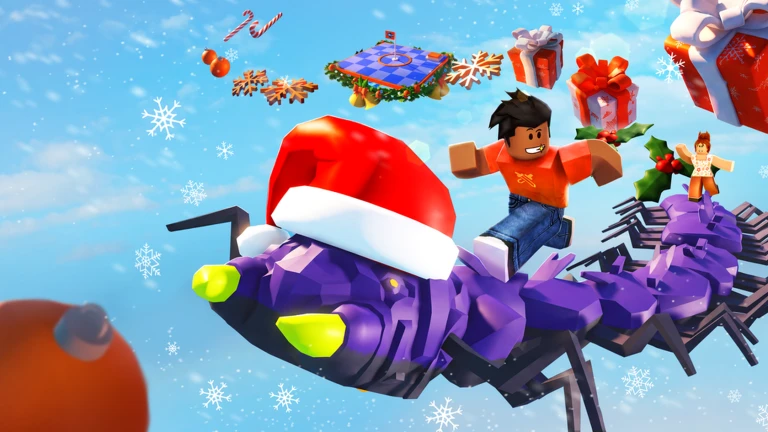
EXPLODAPEDE IS COMING! 🐛
Get ready for a NEW Hexbot holiday obstacle course filled with moving Explodapedes, epic jumps, and festive challenges!…
In shortAccuracy matters more than speed — players who chase pace end up falling more than those who stay controlled.
From the middle stages onward, sequences of back-to-back jumps become common, and some sections demand quicker movement. Failing repeatedly on the same spot is normal, and there is no penalty for it — the game is built around trying again.
Commit to each jump individually rather than rushing through a sequence.
Prioritize landing cleanly over crossing a section quickly.
When a section defeats you multiple times, isolate it and practice just that part instead of replaying the whole stage.
Stuck? Try a video
DIT MAAKT MIJ GEK! HELP! (Roblox Easy Obby)
ASMR Roblox 🍀 Easy Obby Parkour Relaxing Triggers to Help You Fall Asleep 💤 😴
How To Play Roblox: Really Easy Obby! 🌈 Roblox Full Gameplay
In shortMost repeated failures come down to one of three causes: mistimed input, an unstable connection, or a pattern you have not memorized yet.
If you are stuck on the same section, the first step is figuring out which of those three is the actual problem. Recording yourself or watching your own run in a second window can show mistakes that are invisible in the moment.
Worth watching out for
Watch a replay or recording of your run to spot the exact moment things go wrong.
Check your connection if jumps feel like they register latehigh ping shifts timing.
Verify your key bindings have not been changed accidentally.
Repeat only the failing section, not the entire stage, to build the pattern efficiently.
06
Game passes and free play
Summary
In shortEvery stage in the game is completable without spending anything.
Game passes add conveniences but are not required to reach any stage or finish the game.
Free play
every stage is designed to be clearable without a game pass.
Pass activation
run several resets after purchasing before checking your inventory.
Cheat tools
using them risks a permanent account ban.
07
Stage milestones and pacing
Step
In shortBreaking the full game into short daily sessions makes reaching stage 100 feel manageable.
The game tracks your progress through badge milestones at stages 25, 50, 75, and 100. Using those as short-term targets keeps the full run from feeling overwhelming.
Set stage 25 as your first target
it is the earliest badge milestone and a natural checkpoint.
Aim for one to three stages per session so each sitting ends with a clear win.
Use stages 50 and 75 as mid-game checkpoints to measure overall progress.
Treat stage 100 as the final goal and celebrate each badge along the way.
08
Staying updated through the developer group
Tips
In shortJoining the official group is the fastest way to hear about new content and code drops before anyone else.
The developers use their Roblox group to share update announcements, event details, and codes. Group posts are the primary source for code releases, so joining puts you ahead of third-party sites.
Tips worth knowing
Join the official developer group to get update and code news first.
Ignore any group post that asks for a password, personal details, or an external website registration.
Report suspicious posts to the developers rather than engaging with them.
Group event announcements sometimes include bonus item opportunities, so check in regularly.
09
Badge milestones at a glance
Table
In shortEach badge marks a quarter of the full journey and gives you a clear short-term goal to chase.
The game awards six badges in total. Reach each stage listed to unlock the corresponding badge and track your overall progress.
Badge
How to unlock
Welcome!
Play the game for the first time
Continental Champion!
Complete the soccer summer celebration event
Stage 25
Reach stage 25
Stage 50
Reach stage 50
Stage 75
Reach stage 75
Stage 100
Reach stage 100
Glossary
Glossary
Obby
Short for obstacle course — a Roblox game type where you navigate platforms and hazards to reach a finish line.
Stage
A single section of the obstacle course; clearing it advances you to the next one.
Reset
Restarting your character at the beginning of the current stage, with no penalty.
Game Pass
An optional purchase made with Robux that adds conveniences, but is not needed to complete any stage.
Robux
Roblox's virtual currency, used to buy game passes and avatar items.
Parkour
The style of movement at the heart of Easy Obby — running, jumping, and sliding to clear obstacles quickly.
Group
An official Roblox community run by the developers where updates, events, and codes are announced.
Common questions
FAQ
What do I do when I keep failing the same section?
Isolate that section and practice it on its own instead of replaying the whole stage from the start. Also check whether your internet connection is stable, since lag can throw off jump timing. If you are still stuck after several tries, step away for a few minutes and return fresh.
Do I need to buy a game pass to finish the game?
No — every stage is designed to be clearable without spending anything. Game passes add conveniences but do not unlock stages that are otherwise blocked.
My game pass is not showing up after I bought it. What should I do?
Reset the game several times and then check your inventory again. It can take multiple resets for a pass to appear, so give it a few tries before worrying.
Updated Oct 10, 2026
Game updates can change what is on this page. If you spot something, get in touch and let us know.




 Live now
–