
Car Driving Simulator Guide: Getting started
About
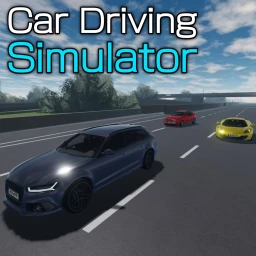
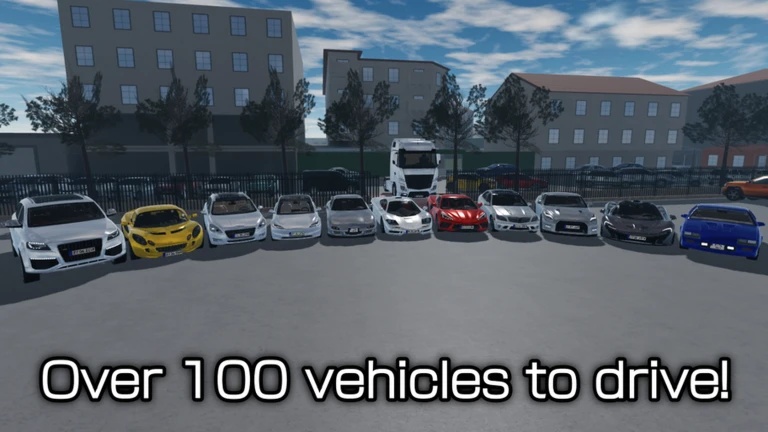
OverviewCar Driving Simulator lets you get behind the wheel of more than 100 cars across a town, a city, an airport, a racing track, and a sprawling highway. This guide walks you through getting started, understanding your options, and making the most of both public and private servers.
What is on this page
Contents
Getting started
Step
When you first load in, you land on the car selection screen. Before you pick a car, open the help menu right there in that list — it covers every control and all the driving modes available in the game. Once you know the controls, choose a car and head out into whichever location you want to explore.
- Open the help menu find it in the cars list and read through the driving modes and controls before anything else.
- Pick a car choose from more than 100 options, each with a detailed interior and exterior.
- Choose a location the town, city, airport, racing track, and highway are all available.
MetaNew Player Survey
The next survey is being prepared.
Community strategy ideas
CommunityThese ideas and tips come from people playing the game. Share your discoveries too!
No strategy ideas yet. Share a tip you discovered.
Share a strategy idea
Car Driving Simulator
Glossary
Glossary- Driving modes
- Different control or physics settings for how your car handles, all explained in the in-game help menu.
- Odometer
- The in-game tracker that records how many kilometers you have driven in total.
- Private server
- A session only the people you invite can join, available at no cost from the in-game menu.
- Cars list
- The selection screen where you choose your vehicle and can also access the help menu.
Common questions
FAQWhere do I find the controls?
Open the help menu inside the cars list screen before you start driving. It covers every control and explains the different driving modes available.
How many cars can I choose from?
There are more than 100 cars in the game. Each one has been modified to have a detailed interior and exterior, and all of them run on the same advanced driving physics.
Can I play with just my friends and no strangers?
Yes — set up a private server from the menu. Private servers are free, so there is no cost to keeping your session to yourself or a chosen group.
Game updates can change what is on this page. If you spot something, get in touch and let us know.
