
코튼타워 Guide: Getting started with the controls
About
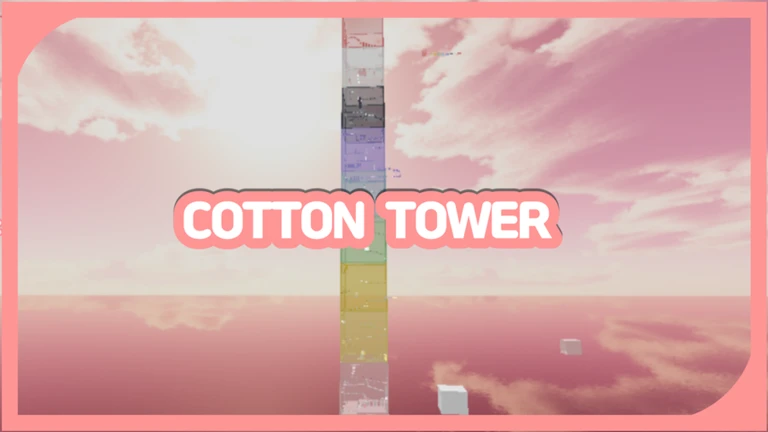
OverviewCotton Tower is a parkour jump-map game where you climb a colorful tower of clouds, clearing stages one by one until you reach the top. New stages are added regularly, so there is always something new to tackle.
What is on this page
Contents
Player notes and tips
Found a useful trick? Share it with everyone! Notes with screenshots are welcome!
Write a guide note
☁️ 코튼타워 ☁️
Getting started with the controls
Step
When you join Cotton Tower you begin in a tutorial stage. Work through it before pushing toward higher sections of the tower.
- Move and jump
use WASD to move and the spacebar to jump.
- Read the on-screen guide
the game displays hints on screen; take a moment to read them before moving on.
- Find the reset button
if you fall or get stuck, press the reset button on screen to return to the start of your current stage.
- Finish the tutorial
complete the opening stage so the movement feels natural before you push further up the tower.
MetaNew Player Survey

The next survey is being prepared.
Core jump technique
TipsEvery stage in Cotton Tower asks you to judge distance and height before you commit to a jump.
- Build a run-up before long gaps
moving before you jump sends you higher and farther than jumping from a standstill.
- Check where your landing platform is before you leave the edge.
- Jump diagonally when you need to steer mid-air
pressing a movement key and jump at the same time lets you curve your path.
- Land and jump again quickly
keeping your momentum flowing from one platform to the next stops you from stalling on tight sections.
- Rotate the camera with your mouse so the path ahead is visible before you commit to a jump.
What to check when you are stuck on a hard stage
CheckThere is no penalty for failing, so you can experiment freely until something clicks.
- Re-examine the target platform look at exactly where the next foothold is relative to where you are standing right now.
- Change your run-up length or speed if the same approach keeps failing, try taking a shorter or longer run before the jump.
- Watch another player if someone else is on the same stage, observe their line through the section before you try again.
- Use the reset button without hesitation resetting costs nothing and puts you back at the stage start with a fresh attempt.
In-game buttons and how to use them
SummaryThe game shipped with a focused set of tools shown on screen.
- Reset button
returns you to the beginning of your current stage whenever you fall or get completely stuck.
- Report button
sends a bug report to the developer if you spot an error or something behaving wrong in the game.
- Group tag
joining the developer's group connects you to the Cotton Tower community.
Keeping up with new stages
TipsThe game is still in active development, with more stages announced as upcoming. All existing and future stages are playable without spending anything.
- Join the developer's group to get update news.
- Every stage is free
you never need to pay to access a new stage when it arrives.
- If you encounter a bug in a newly updated section, message the developer directly or use the in-game report button.
Glossary
Glossary- Parkour
- The main style of play in Cotton Tower — running, jumping, and landing across platforms to move through each stage.
- Stage
- A single section of the tower with its own set of platforms to clear before you advance upward.
- Reset
- Using the on-screen reset button to return to the beginning of your current stage after a fall or a stuck moment.
- Run-up
- The distance you cover by running before a jump, which increases how far and high you travel through the air.
- Landing
- Coming down onto a platform after a jump.
Common questions
FAQThe stages are getting really hard really fast — what should I do?
Stay on a single tough section and keep adjusting your run-up length and jump timing until the movement feels right. There is no penalty for failing, so repeat attempts cost you nothing.
Where is the reset button?
The reset button is displayed on screen during play. Press it whenever you fall or cannot find a way forward, and you will be sent back to the start of your current stage. You can use it as many times as you need.
Do I have to pay to play new stages when they come out?
No — every stage in Cotton Tower is free to play, including stages added in future updates.
I found a bug. How do I report it?
Use the in-game report button to flag the issue, or send a direct message to the developer.
Game updates can change what is on this page. If you spot something, get in touch and let us know.
