
Ragdoll Physics Havoc — First steps when you load in
About
OverviewRagdoll Physics Havoc is a sandbox chaos simulator where you experiment with ragdoll physics, explore a map packed with interactive objects, and create mayhem solo or with friends. This guide walks you through starting out, the game's main activities, hidden secrets, and settings that affect how the game looks and feels.
What is on this page
Contents
First steps when you load in
Step
The game gives you a set of guide NPCs at the start. Talking to all of them earns the 'Let's start!' badge and teaches you how the controls and systems actually work.
- Talk to every guide NPC work through all of them to learn the basics the game itself wants you to know.
- Adjust graphics level set it to 3 or higher if your device can handle it, since metallic reflections only appear at that level.
- Equip the Shield practice blocking incoming rockets so you understand what it does before you need it in a tight spot.
Main activities across the map
CheckThere is no story or quest system here — the game is a sandbox. The map holds a wide range of activities, from competitive modes to weird interactive objects that do something unexpected when you touch or activate them.
- Try Capture the Flag win a round for the Flag Champions badge, and aim for the most captures in a single round for Flag Master.
- Find and fire the cannon hit the target with it to unlock the Cannon Target badge.
- Use the rocket launcher against the giant Robloxian this is how you defeat him.
- Touch the sphere bot while it recharges the badge requires you to make contact during that specific window.
- Activate PvP/PvE and use the rocket launcher doing so and eliminating targets is how you progress through the First Impact, Certified Menace, and Agent of Chaos badges.
- Take the ball into the goal the Goal Machine badge is awarded for scoring.
Hidden objects and secret rooms
Tips
Beyond the obvious activities, the map hides items and rooms that most players walk past. Some require a specific key to unlock. Others just need you to interact with the right object.
- Find the blue key and use it on the carousel console to unlock the highest speed setting.
- Find the red key and use it on the carousel console to unlock the highest speed setting and gain access to a secret room.
- Go to the house and interact with the ¿? object to enter the error room.
- Head to the Subway Station Maintenance Room and grab the bucket to earn A Bucket badge.
- Find the object that changes how you see colors — the badge calls it a super-secret color.
- Enter and exit the maze without dying even once in your session to earn the harder of the two maze badges.
Interactive objects that do something surprising
Tips
A handful of objects reward you just for activating them, even if the result is not what you planned.
- Press the ULTRA! button — something will happen, just not what you expect.
- Turn on the gramophone — it plays an old-fashioned song and then produces a sonic blast.
- Hit your boombox with the hammer — the music changes in a noticeable way after the boombox breaks.
- Step into the cauldron — it transforms your character.
- Check the pot — the Delicious Pasta badge suggests there is a pot of hot pasta somewhere worth finding.
- Look for the Moai Stone — interacting with it gives your character a new jaw.
Shield and Alt Ragdoll mode
Table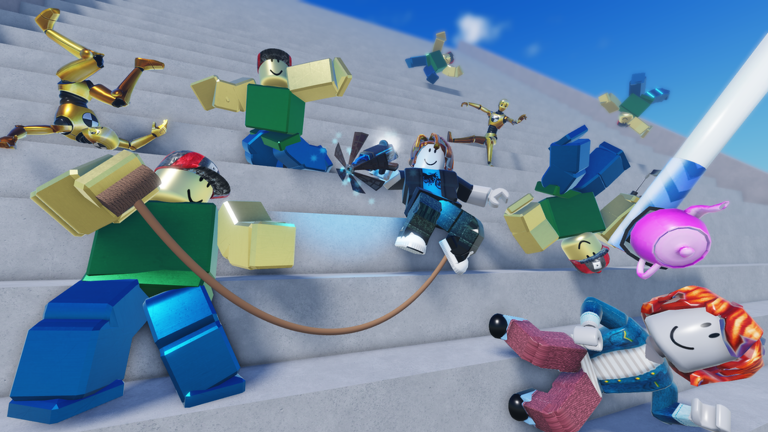
Two optional systems change how you experience the physics. The Shield blocks incoming rockets and other hazards, while Alt Ragdoll switches your character to a different physics behavior entirely.
| Shield equipped | incoming rockets and other hazards are blocked, protecting your character. |
| Alt Ragdoll on | your character moves and falls differently, opening up new ways to experiment. |
| Alt Ragdoll off | standard physics behavior, and 3D clothing displays correctly on your character. |
| Alt Ragdoll with 3D clothing | your clothing will not appear, so your character looks simpler. |
Roblox Plus perks and graphics settings
Summary
Roblox Plus members get two extras per session. The graphics setting controls whether reflections appear on metal surfaces.
- Roblox Plus: Rain of Tacos triggers a special effect once per session after a short playtime.
- Roblox Plus: Giant Mode members get priority access to play in Giant Mode.
- Graphics level below 3 metallic reflections are not displayed.
- Graphics level 3 or higher metallic reflections appear on metal objects in the map.
Glossary
Glossary- Ragdoll physics
- A simulation system that gives your character realistic-looking falls, stumbles, and collisions by calculating each body part separately.
- Alt Ragdoll
- An optional mode that changes how your character's physics behaves and adds new ways to experiment. 3D clothing is not supported in this mode.
- Shield
- An equippable item that blocks incoming hazards like rockets.
- Giant Mode
- A mode where your character becomes much larger than normal; Roblox Plus members get priority access to it.
- Rain of Tacos
- A special effect that Roblox Plus members can trigger once per session after playing for a short time.
- Carousel console
- An in-map console that unlocks higher speed settings when you use the blue or red key on it.
- Killbot
- A sphere-shaped enemy that recharges periodically; you must touch it during the recharge phase to earn its badge.
Common questions
FAQIs there a story or quest system to follow?
No — Ragdoll Physics Havoc is a sandbox with no story or quests.
Do I need Roblox Plus to enjoy the game fully?
The Rain of Tacos effect and Giant Mode priority are the only things Roblox Plus adds.
My device runs slowly — should I lower the graphics setting?
Dropping the graphics level below 3 removes metallic reflections but all gameplay remains intact.
How do I get into the secret room behind the carousel console?
You need the red key. Find it somewhere on the map, bring it to the carousel console, and using it there unlocks both the highest speed setting and access to the secret room.
What is the harder maze badge and how do I earn it?
The Run and escape one-time badge requires you to enter and escape the maze without dying in the same session.
Game updates can change what is on this page. If you spot something, get in touch and let us know.
