Games listed 43,107
Game guide

Funky Friday Guide: Controls and setup before your first match

Funky Friday
Lyte Interactive, Playing 1.4K, Rating 90.2%
Creator Lyte Interactive
Playing 1.4K
Rating 90.2%
Is this game fun?
No votes yet. Cast the first one.

About

Overview

Funky Friday is a rhythm battle game on Roblox based on Friday Night Funkin', where you tap keys in time with falling arrows to outscore your opponent. This guide covers the controls, how scoring works, tips for improving your accuracy, and how to get your settings right before you jump into a tough song.

What is on this page

Contents
01

Controls and setup before your first match

Step
In short Getting your controls right before you play makes everything else easier.

Funky Friday supports WASD keys, arrow keys, and console buttons (D-Pad or XYBA), so the first thing to do is pick whichever feels natural to you. Keybinds and arrow skins are both found under Settings.

  1. Open Settings find the keybind and arrow skin options in the Settings menu.
  2. Pick your input method try WASD, arrow keys, or your controller buttons.
  3. Choose an arrow skin pick a style that stands out clearly on your screen.
Ask on the board
02

How a match works

Summary
In short Whoever lands the most accurate hits by the end of the song wins.

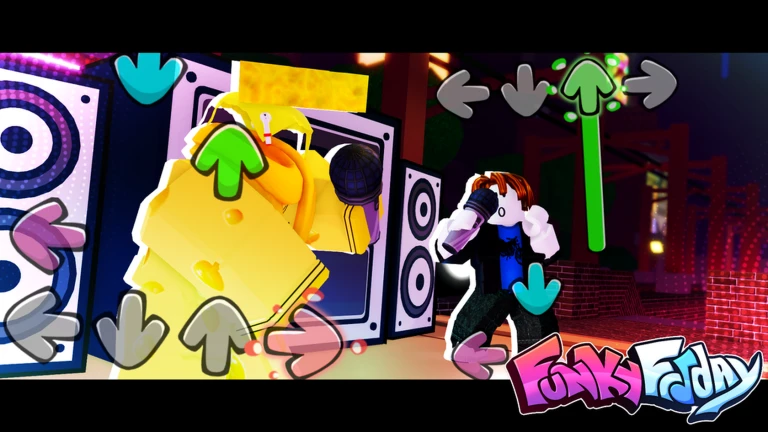
Arrows fall down the screen toward a judgment line at the bottom. Press the matching key exactly when an arrow reaches that line. The closer your timing, the more score you earn. Both players' scores are visible throughout the match, and the higher score at the end wins.

  • Arrows fall from the top of the screen toward the judgment line
  • Judgment line the target zone where you press your key to score
  • Timing tighter timing earns more points; a late or early press scores less
  • Score display both your score and your opponent's are shown live during the song
  • Winner the player with the higher total score when the song ends
03 Live and upcoming events Events

Events running now or coming soon. They have fixed dates, so check them first.

Live now –

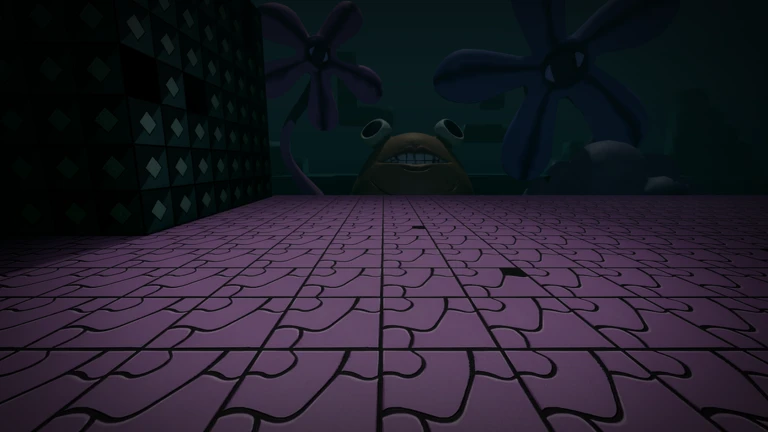
Bikini Horrors - Part 1

This is part 1 of a multi part update of Bikini Horrors that is scheduled to take place over the next few weeks!

Upcoming –
Step Right Up & More

Upcoming –

Bikini Horrors - Part 2

Part 2 of the Bikini Horrors update!

See the whole schedule
04

Building accuracy over time

Tips
In short Listening to the music and replaying songs you know are the fastest ways to improve.

Raw reaction speed only gets you so far. The players who score well are the ones who anticipate arrows rather than just reacting to them. The more familiar a song is, the easier it is to hit every note cleanly.

Tips worth knowing
  • Listen to the music, not just the screen — arrows follow the rhythm, so your ears can give you a head start on your eyes.
  • Replay the same song several times until its pattern feels predictable.
  • B-Sides songs contain more double notes than standard tracks.
05

The song library at a glance

Summary
In short With over 143 songs across dozens of mod categories, there is always a difficulty level that suits where you are right now.

Songs are grouped by the mod they come from — categories include Whitty, Tricky, Hex, Garcello, Undertale, Vs Shaggy, Mid-Fight Masses, B-Sides, and many more. Some song names have been changed from the originals to comply with Roblox rules or copyright requirements — for example, the song originally called Milf appears under the name Mother. A handful of songs and mods have been removed from the game over time.
  • Total songs over 143 across all categories
  • Mod categories more than forty distinct groups, from Tricky to Vs Camellia
  • B-Sides a dedicated remix category with heavier double-note patterns
  • Renamed songs several tracks carry different titles in-game due to copyright or Roblox policy
  • Removed content a small number of songs and mods are no longer available in the current version
Stuck? Try a video
The Life Of A Pro Bacon In Roblox Funky Friday
He PRETENDED To Be ME, So I JOINED Him... (Roblox Funky Friday)
NOOB Goes PRO And SHOCKS EVERYONE In Roblox Funky Friday
See more guide videos
06 Working codes Codes
SMASHTHATLIKEBUTTON
19DOLLAR the Rickroll Animation
the Rickroll Animation
TAMBRUSHISBACK FNAF Speaker
FNAF Speaker
5yearsfunky
Every code, and the votes on it, are on the codes page

Community strategy ideas

Community

These ideas and tips come from people playing the game. Share your discoveries too!

No strategy ideas yet. Share a tip you discovered.

Glossary

Glossary
Arrow
A marker that falls down the screen; pressing the matching key when it reaches the judgment line earns you points.
Judgment line
The target zone at the bottom of the screen where your key press is evaluated for timing.
Double note
Two arrows that must be hit at the same time, common in B-Sides songs and harder tracks.
Arrow skin
A cosmetic option in Settings that changes the color and shape of the arrows on your screen.
B-Sides
A category of remix songs that tend to include more double notes than the standard versions of the same tracks.
Keybind
The key or button assigned to each arrow direction; you can change these in Settings.

Common questions

FAQ

What should I do first when I open the game?

Go to Settings and set up your keybinds and arrow skin before playing anything.

Should I use WASD or the arrow keys?

Funky Friday supports WASD keys, arrow keys, and console D-Pad or XYBA buttons — pick whatever keeps your input feeling natural.

Why does a song have a different name than I expected?

Some tracks are renamed inside Funky Friday to meet Roblox rules or copyright requirements. For instance, the song known elsewhere as Milf is called Mother in this game.

Are the B-Sides songs harder than normal songs?

B-Sides songs include more double notes — moments where you have to press two keys at once.

Updated Sep 10, 2026
Game updates can change what is on this page. If you spot something, get in touch and let us know.
Funky Friday Lyte Interactive, Playing 1.4K, Rating 90.2%
See the game pageSee working codesAsk on the boardWatch guides and let's plays
Add it to your home screen and it works like an app. One tap to open, and it loads faster after that.