
Speed Runner Guide: First steps when you load in
About
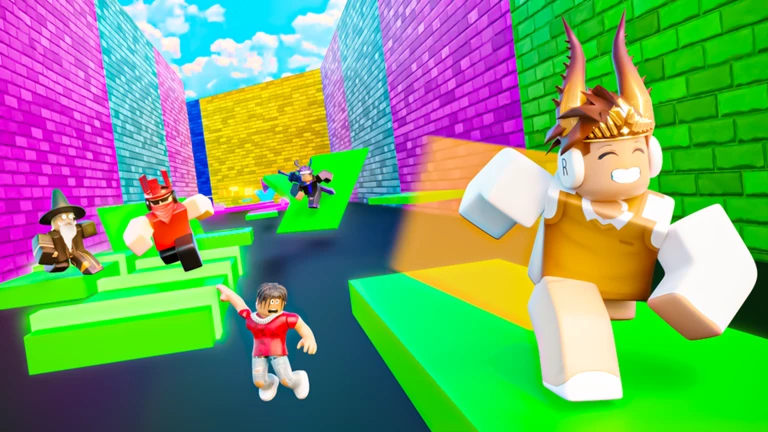
OverviewSpeed Runner! is an obstacle platformer where you race through stages by jumping through rings, with 8 minutes on the clock to clear all of them. This guide covers how to get started, how to handle the trickier stages, and how to make the most of coins and daily rewards.
What is on this page
Contents
First steps when you load in
StepEach code can only be used once, so enter them carefully.
- Open the Settings menu to enter codes.
- Enter your codes locate the code field inside Settings and type each code exactly.
- Check your rewards after entering a code, confirm that your coin balance has updated.
 85klikes
75klikes
100 Coins
holidays
100 Coins
YAYUPDATE
85klikes
75klikes
100 Coins
holidays
100 Coins
YAYUPDATE
How rings and the 8-minute limit work together
Summary
The goal of each stage is to reach the end by jumping through a series of rings. Clearing a stage earns you coins. Because the timer covers all stages at once, the time you spend struggling on one stage directly eats into the time left for the rest.
- Core task jump through rings in order to reach each stage's goal.
- Timer scope one 8-minute window covers all stages.
- Coin reward completing a stage adds coins to your total every single time.
- Retry freedom you can attempt a stage as many times as you need.
Tips for getting through early stages
TipsThe first stages keep ring placement simple and forgiving. Focus on building a steady rhythm rather than sprinting and stumbling.
- Keep your eyes on the next ring, not the one you just passed.
- Rings at the same height in a row take the same jump timing, so once you nail it once, repeat it.
- If you fall, just restart that stage — each attempt teaches you the layout.
- Watch your coin total grow after each clear; steady completion is how you earn customisation options.
Pushing through harder stages
CheckLater stages add more obstacles and more complex ring arrangements. The layout is fixed every run, so repetition genuinely pays off.
- Identify the exact spot where you keep failing and repeat only that section until it clicks.
- Map out a route through each stage's rings before trying to run it at full speed.
- Budget your 8 minutes estimate how long your problem stages take.
- Check that your chosen mutator isn't blocking your camera or making movement feel sluggish.
Coins, effects, mutators, and Premium
TableEvery stage you complete adds coins, regardless of whether you pay for anything. Those coins buy effects that change how your character looks and mutators that add special gameplay twists.
| Coins (free) | earned every time you clear a stage. |
| Effects | purchased with in-game coins to decorate your character. |
| Mutators | purchased with in-game coins to alter how a run feels. |
| Premium bonus | doubles the coins you earn from each stage clear. |
Daily login and playtime rewards
TipsThe Summer Update added login rewards and playtime rewards alongside normal stage play.
- Log in every day to accumulate login rewards.
- Longer sessions trigger playtime rewards.
- Friends and Premium together unlock boost options that can increase rewards when you play with others.
Glossary
Glossary- Ring
- A hoop suspended in a stage that you must jump through to progress toward the goal.
- Stage
- One course section; you complete stages in sequence and each one awards coins on completion.
- Mutator
- An item bought with in-game coins that adds a special effect to your gameplay.
- Effect
- A cosmetic purchase made with in-game coins that changes how your character looks or moves.
- Premium
- A paid option that doubles the coins you earn from clearing stages.
Common questions
FAQI keep running out of time before I finish all the stages. What should I do?
Practise each stage on its own until you know the ring layout by heart. Once a stage feels automatic, you stop losing seconds to hesitation.
Do I need to pay for Premium to enjoy the game?
No — every stage is playable for free, and both effects and mutators can be bought with coins you earn just by completing stages. Premium only doubles how fast your coin total grows.
What happens if I fall off a stage?
You can retry as many times as you need. The only cost is the time a failed attempt takes out of your 8-minute window.
Game updates can change what is on this page. If you spot something, get in touch and let us know.
