
Avatar Simulator Guide: Your first minutes in the lobby
About
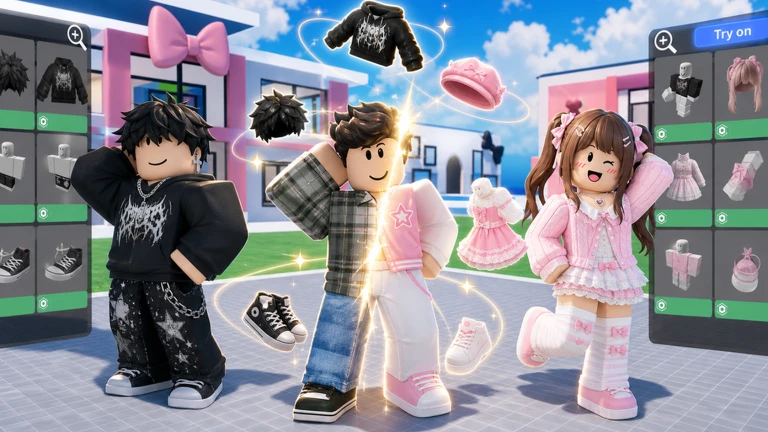
OverviewAvatar Simulator lets you morph into other players' avatars and try on clothes, emotes, and animations from the Roblox Avatar Shop. This guide covers how to get started, how the try-on and purchase system works, how to play with friends, and how to stay safe.
What is on this page
Contents
Your first minutes in the lobby
Step
When you join, you land in a lobby filled with other players. From there, everything revolves around clicking or tapping avatars. Try a few different players to get a feel for how varied the looks can be.
- Find a player walk up to any avatar in the lobby and tap or click on it to morph into that player's look.
- Try an emote play back a dance or animation to see how it looks on you.
- Reset your look morph into a different player to swap looks, or use the revert button to return to your own avatar.
MetaNew Player Survey
The next survey is being prepared.
How trying on and buying works
Table
The game connects to the Roblox Avatar Shop, so new items show up as the shop updates. Trying anything on costs nothing — payment only comes in if you decide to own the item.
| Trying on | completely free for every item in the game |
| Robux purchases | real-money currency used to buy outfits and emotes you want to keep |
| In-game currency | earnable in-game and spendable on a smaller selection of items |
| Catalog connection | new Roblox Avatar Shop releases appear in-game automatically |
Playing with friends
Tips
Friends add a social layer the game is clearly built around. Morphing into each other and reacting to each other's taste is part of the appeal.
- Click a friend's name in your friend list to morph directly into their avatar.
- Take turns morphing into each other and give feedback on the outfits.
- Try running the same emote at the same time for a coordinated look.
When something is not working
Warn
Glossary
Glossary- Morph
- The act of taking on another player's avatar appearance by clicking or tapping on them.
- Emote
- An animation — such as a dance or a laugh — that your avatar performs.
- Robux
- The paid currency used across Roblox, purchased with real money, used here to buy outfits and emotes.
- Catalog
- The full collection of clothes, accessories, and emotes available to try on or purchase in the game.
- Lobby
- The shared space you spawn into when you join the game, where other players gather and morphing happens.
- In-game currency
- A currency you earn by playing, which can be spent on a limited selection of items without using Robux.
Common questions
FAQDoes trying on an item mean I own it?
No. The try-on only lasts while you are morphed into that avatar. Once you switch to a different player or leave the game, the look goes with it. To keep an item on your avatar permanently, you need to purchase it with Robux or in-game currency.
How often do new items appear?
The game pulls from the Roblox Avatar Shop, so new items arrive whenever the shop updates. Checking back regularly is the best way to catch fresh additions.
What is the group page for?
It is the official channel for reaching the developers. You can report bugs, ask questions, or suggest features there, and the team can respond directly.
Game updates can change what is on this page. If you spot something, get in touch and let us know.
