
Podiums VC Guide: Creating your own server
About
OverviewPodiums VC is a Roblox voice chat game where you host or join live audio conversations on any topic you choose — debates, talent shows, casual hangouts, whatever you like.
What is on this page
Contents
Creating your own server
Step
In the server creation screen you set the topic that defines your session. It can be anything — a debate, a talent show, a chill catch-up with friends. Once your server is live, other players can see it in the public list and drop in freely. As the host you stand on the stage and keep things moving, whether that means introducing guests or taking questions.
- Set a topic choose the theme for your server.
- Open your server after creation, the room becomes visible to other players and they can join on their own.
- Run the room greet newcomers, guide the conversation, and invite others to speak.
Joining and reacting in someone else's server
TipsBrowse the public server list and tap into any room whose topic catches your eye. Once inside, you can listen to the speaker and react in real time using emotes — things like hearts or applause — to show how you feel without interrupting.
- Browse the server list and join a server on any topic that interests you.
- Use emotes to react to what the speaker is saying in real time.
- Meeting new people is a big part of the experience.
Donating to speakers
Table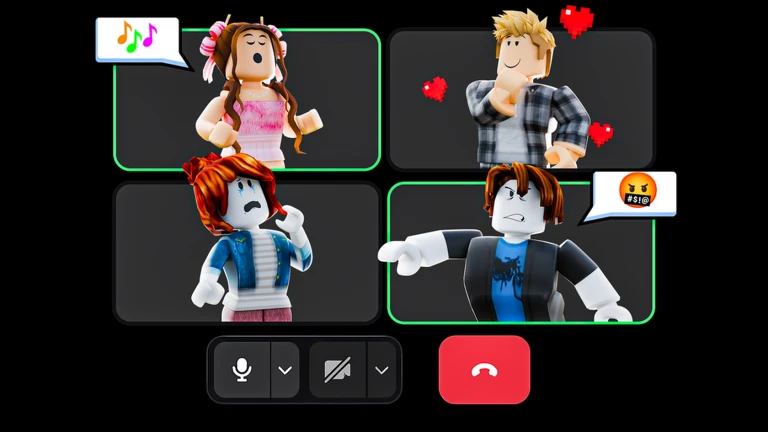
The game includes a donate feature that lets you send support to speakers you enjoy. It is purely voluntary. Creating servers, joining them, reacting with emotes, and chatting with other players all cost nothing.
| Server creation | free |
| Joining any server | free |
| Emotes | free |
| Donating to a speaker | optional |
Playing across different devices
CheckPodiums VC runs on PC, mobile, VR, and console.
- PC
- Mobile
- VR
- Console
Staying safe in public voice servers
WarnBecause Podiums VC connects you with strangers through live audio, treat other players with respect. If a server feels wrong, you can leave at any moment. Also note that a separate 18+ version of Podiums exists — make sure you are playing the correct one.
Glossary
Glossary- Server
- A voice chat room that a player creates around a chosen topic, which others can freely join.
- Topic
- The subject or theme a host sets when creating a server, so listeners know what the conversation is about.
- Speaker
- The player hosting the server or taking the main talking role on stage.
- Emote
- A quick on-screen reaction — such as a heart or clap — that lets you respond to a speaker without interrupting.
- Voice chat
- The live, microphone-based audio feature that the entire game is built around.
Common questions
FAQCan I play Podiums VC without a microphone?
No — voice chat is required.
Do I have to spend Robux to enjoy the game?
No. Creating servers, joining them, and using emotes are all free. The only paid feature is the optional donation you can send to a speaker you want to support.
What should I do if I feel uncomfortable in a server?
Leave the server straight away. If something genuinely worried you, talk to a parent or another adult you trust.
Game updates can change what is on this page. If you spot something, get in touch and let us know.
