
SIREN COP'S PRISON — Getting started in the prison
About
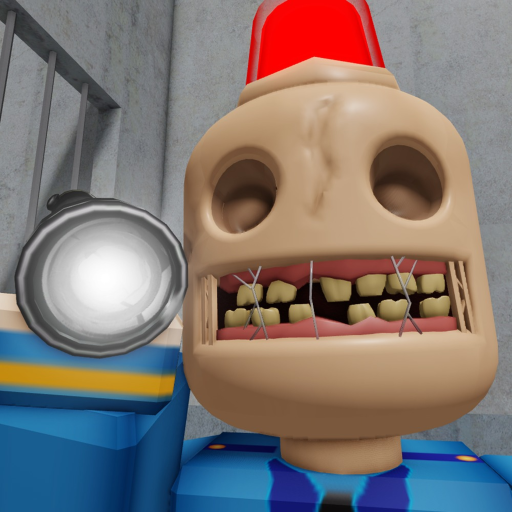
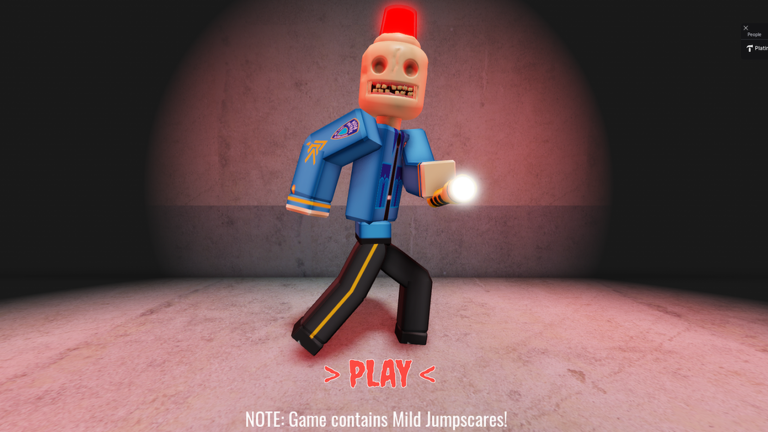
OverviewSiren Cop's Prison is a horror obby on Roblox where you escape an abandoned prison while avoiding the Siren Cop, who patrols the halls and ends your run if he spots you. This guide covers how to get started, how to read the Siren Cop's patrol, how to handle the trickier jumps, and how to adjust your settings so dark areas stop tripping you up.
What is on this page
Contents
Getting started in the prison
Step
The early area eases you in with straightforward jumps, so use it to build confidence rather than rushing forward. You can retry as many times as you need — there are no penalties for falling or getting caught. Take each platform one at a time until moving and jumping feel natural.
- Confirm your controls practice moving with WASD or the arrow keys before you reach any tricky sections.
- Spot the Siren Cop early take a moment to see where he is before you commit to a run across open ground.
- Fall without panic the restart is instant and free, so falling is just information about what to do differently next time.
Reading the Siren Cop's patrol
TipsThe Siren Cop patrols the prison on a set path, which means his movements repeat. Once you recognise the pattern you can time your runs to pass through while his back is turned. Getting caught sends you back to the start, but there is no other penalty, so treat each caught run as a chance to observe more of his route.
- Watch the patrol before you run — let the Siren Cop complete at least one full cycle so you understand his loop.
- Move when he faces away — the safest window is when he is heading in the opposite direction from your path.
- Turn your volume up — audio cues from the Siren Cop can help you gauge his position even when he is off-screen.
Camera and visibility settings
CheckMuch of the prison is deliberately dark, so a few quick setting changes pay off immediately.
- Raise your screen brightness so platforms and the Siren Cop stand out in dim corridors.
- Lower shadow quality if the game feels sluggish faster frame rates mean more responsive jumps.
- Pull the camera back to a distance where you can see the landing platform and a wide area around your character.
- Adjust mouse or stick sensitivity until rotating the camera feels smooth rather than jerky.
Handling difficult jumps mid-run
TipsDifficulty ramps up past the early area.
- Rotate the camera to see the landing platform clearly before you leave the current one.
- Jump scares are built into the game, so expect sudden audio or visual surprises and do not let them shake your jump timing.
Things to keep in mind throughout the run
WarnWhat the game costs and who can play
SummarySiren Cop's Prison has no purchases involved at any point. Progression comes entirely from skill.
- Paid content none
- Retry limit none
- Time limit none
Glossary
Glossary- Obby
- Short for obstacle course — a Roblox genre where you jump across platforms and dodge hazards to reach a finish line.
- Siren Cop
- The enemy character in this game who patrols the prison on a fixed route and ends your run if he spots you.
- Patrol
- The repeating route the Siren Cop walks; learning it tells you when each stretch of the prison is safe to cross.
- Jump scare
- A sudden loud sound or visual shock built into the game to startle the player — the description flags these explicitly.
- Landing point
- The platform you are aiming to land on after a jump; keeping it clearly in view before you leap is the key habit for hard sections.
Common questions
FAQWhat happens when the Siren Cop catches me?
You are sent back to the start of the run. There is no other penalty.
Does the game cost anything to play fully?
No — there are no purchases at any point. Every section of the prison and every encounter with the Siren Cop plays out on equal terms for everyone.
I can barely see anything in the dark areas. What should I do?
Raise brightness and reduce shadow quality if needed. Adjusting your camera distance so you have a wider view of each corridor also helps you spot platforms and the Siren Cop.
Does the Siren Cop move randomly or does he have a pattern?
He follows a set patrol route that repeats, so his movements are consistent. Watching him complete a full cycle before you run gives you a reliable picture of when each area is clear.
Game updates can change what is on this page. If you spot something, get in touch and let us know.
