Games listed 43,124
Game guide

Drive A Kukirin Guide: Getting on your first scooter

(EARLY TESTING) Drive A Kukirin!
Gogos Games Studios, Playing 7K, Rating 89.3%
Creator Gogos Games Studios
Playing 7K
Rating 89.3%
Is this game fun?8 votes
Fun 100%8Average 0%0Not fun 0%0

About

Overview

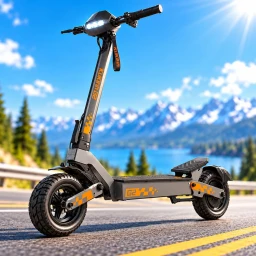
Drive A Kukirin! is a realistic electric scooter simulator on Roblox where you ride e-scooters inspired by real brands, explore an open world, and practice skill-based tricks like wheelies.

What is on this page

Contents
01

Getting on your first scooter

Step
In short When you spawn, a scooter is nearby. Equip a helmet if one is available, then get a feel for the controls.

When you load in, a scooter is already placed near your spawn point. Before you ride off, read the on-screen control guide — it shows you how to move, brake, change view, and trigger a wheelie.

  1. Find your scooter one is placed near the spawn point
  2. Read the on-screen guide check the prompts for moving, braking, view, and wheelie
  3. Try accelerating get a feel for how the scooter picks up speed
  4. Practice braking understand how quickly the scooter slows down
  5. Switch your view try toggling between first-person and third-person
  6. Attempt a short wheelie after the basics feel comfortable
Ask on the board
02

Controls and the in-game guide

Check
In short Always trust the control guide on your screen, and check the chat box before assuming something is broken.

The game is still being updated, so button layouts can differ between PC, mobile, and controller, and they can change after an update. If your inputs stop responding, the first thing to check is whether your chat box is open.

  • Check that the chat box is closed this is the most common reason buttons stop responding
  • After any update, re-read the on-screen guide in case something has changed
03 Live and upcoming events Events

Events running now or coming soon. They have fixed dates, so check them first.

Live now –

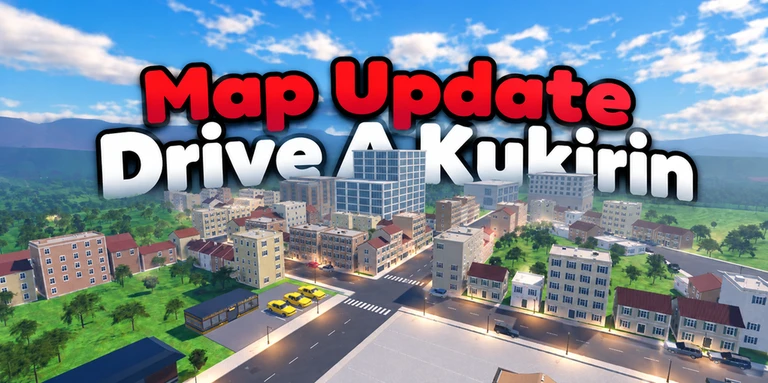
New Map!

New huge map to explore...

See the whole schedule
04

Mastering wheelies

Tips
In short Wheelies are the main skill to chase, and repetition in open space is the way to improve.

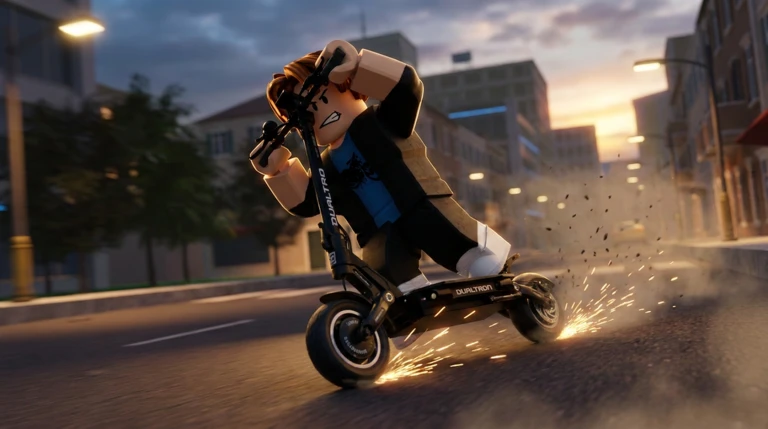
A wheelie means lifting the front wheel and riding on the rear wheel only. The physics system means the balance point is something you have to find yourself through repetition. Start in third-person view on a flat, open straight.
Tips worth knowing
  • Pick a flat, wide straight before you attempt anything
  • Enter the wheelie at a moderate speed
  • Apply the wheelie input briefly rather than holding it down
  • If the front comes up too far, use less speed and a shorter input next time
  • If you drift sideways, make sure the scooter is pointing straight before you start
05

Choosing a camera view

Table
In short Use third-person for wheelies and tight situations, and first-person when you want the full riding experience on a clear road.

Third-person view shows the whole scooter, so you can see its tilt and the space around you. First-person view puts you right behind the handlebars, making the road ahead and on-screen displays easier to read.

Third-personuseful for wheelie practice and checking the scooter's tilt
First-personshows the road and on-screen displays as the rider would see them
06

When the game stops responding

Step
In short Closing the chat box and remounting clears most issues.

If something feels broken, work through these checks before you quit and rejoin.
  1. Close the chat box this fixes unresponsive buttons
  2. Release all inputs and dismount
  3. Remount and re-read the on-screen guide
  4. Try a different scooter
  5. Rejoin a new server use this as a last resort
07 Working codes Codes
NEWMAP $2k cash
$2k cash
DUALTRON $5k cash
$5k cash
SPOOKY $2k cash
$2k cash
BUGFIX $2k cash
$2k cash
Every code, and the votes on it, are on the codes page

Community strategy ideas

Community

These ideas and tips come from people playing the game. Share your discoveries too!

No strategy ideas yet. Share a tip you discovered.

Glossary

Glossary
Wheelie
A trick where the front wheel lifts off the ground and you ride on the rear wheel only, requiring balance and repeated practice to control.
Open world
A map you can explore freely in any direction from the moment you spawn, with no locked zones or required paths.
First-person view
A camera perspective that puts you behind the handlebars, showing the road and on-screen displays as the rider would see them.
Third-person view
A camera that sits behind and above the scooter, making it easier to see the vehicle's tilt and the space around you.
Physics simulation
A system that makes the scooter behave according to real-world forces like momentum, weight, and gravity.
Early beta
A stage of development where the game is playable but still being actively built, so bugs, missing features, and frequent updates are expected.
On-screen control guide
The display that appears in-game showing which buttons or keys to use — always check this after an update, as it reflects the current controls.

Common questions

FAQ

Do I need to unlock the scooter or is it available straight away?

A scooter is placed near the spawn point when you load in, so you can ride immediately.

Why is my wheelie attempt not working?

Wheelies in this game are skill-based and built on realistic physics, so they take many attempts before you get the balance right. Find a flat, open area and keep trying — improvement comes with repetition.

The controls have stopped responding — what do I do?

Check whether your chat box is open, as that is the most common cause. Close it, release all inputs, dismount, then remount. If the problem persists, try a different scooter, and rejoin a new server as a last resort.

The game is behaving strangely after an update — is something broken?

The game is in early beta, so changes to controls or scooter behaviour after an update are normal. Re-read the on-screen control guide, and try remounting or rejoining before concluding something is broken.

Updated Oct 20, 2026
Game updates can change what is on this page. If you spot something, get in touch and let us know.
(EARLY TESTING) Drive A Kukirin! Gogos Games Studios, Playing 7K, Rating 89.3%
See the game pageSee working codesAsk on the board
Add it to your home screen and it works like an app. One tap to open, and it loads faster after that.